ScriptMe
Automatic transcription and subtitles for audio and video in 30+ languages
- Pricing
- Paid
- Platforms
- Web
- Listing updated
- 1 day ago
Similar tools
About ScriptMe
ScriptMe is a paid AI tool for sales. It is available on Web.
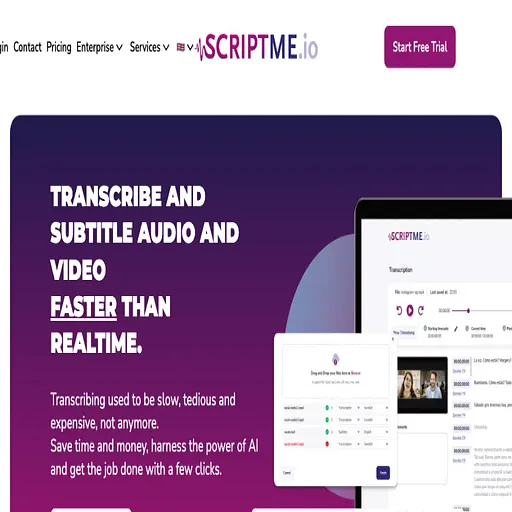
ScriptMe turns recordings into editable text and subtitle files. The site says transcription runs faster than real time and supports more than 30 languages, with options to translate and export results in several formats.
Uploads cover common audio and video containers such as wav, mp3, mp4, mov, m4a and m4v. Once transcribed, you can edit the text with playback highlighting, identify multiple speakers, and export to Txt, SRT, Word, WebVTT or STL, with Avid Markers and Adobe Premiere formats on the higher tier.
The pricing page describes a credit-based plan for individuals and a PRO subscription for teams that need shared workspaces, projects and content search. It is aimed at media producers, universities, government bodies and anyone who needs captions or transcripts without manual typing.
What it does
- Automatic transcription
- Converts uploaded audio and video into text automatically.
- Multi-language support
- Transcribes and subtitles content in more than 30 languages.
- Speaker identification
- Distinguishes multiple speakers within a recording.
- Subtitle export formats
- Exports to SRT, WebVTT, STL, Txt and Word, plus Premiere and Avid markers on PRO.
- Playback-linked editing
- Highlights text during playback so transcripts can be corrected quickly.
- Team workspaces
- Shares projects and workspaces with team members on the enterprise plan.
Good for
- Generating subtitles for video content before publishing
- Transcribing interviews, lectures or meetings into searchable text
- Creating caption files for editing in Adobe Premiere
- Producing transcripts for government or municipal records
- Translating recorded material into subtitle files in another language
Pricing
Paid
Buy credits as needed; PRO subscription gives 3 hours monthly and keeps unused hours.
Prices change. Check scriptme.io before you buy.
ScriptMe FAQ
Which file types can I upload?
The pricing page lists wav, mp3, mp4, mov, m4a and m4v.
Which subtitle formats can I export?
Txt, SRT, Word and WebVTT are listed, and PRO adds Avid Markers, Adobe Premiere and STL.
Is there a watermark on exported video?
The free-tier list includes exporting video with a watermark, and the PRO list includes removing it.
Where is data stored?
The pricing page states that data is stored in the EU and the service is GDPR-compliant.
Is ScriptMe free?
No. ScriptMe is a paid product.
What are the best alternatives to ScriptMe?
The closest alternatives to ScriptMe are Transkribieren, Exemplary ai, Vid2Txt, Speak Ai and Good Tape.
Where this comes from
- Description: written from the project's website.