PhotoAI
Online generator for AI photo and video effects, aimed at casual creators and social posts
- Platforms
- Web
- Listing updated
- 2 days ago
Similar tools
About PhotoAI
PhotoAI is an AI tool for image improvement. It is available on Web.
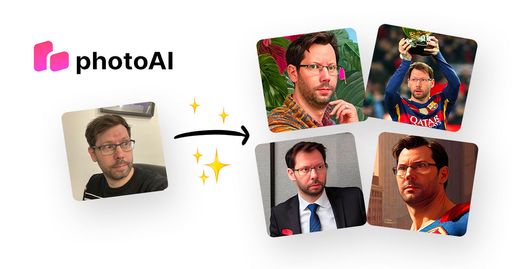
The site presents a library of over a thousand AI photo and video effects, grouped into styles such as Y2K, glamour, movie posters and superhero looks. You upload your own picture, pick an effect, and the service generates a new image or short clip from it.
According to the site's walkthrough, the workflow has three steps: choose an effect, upload a photo where the subject is easy to recognise, then generate and review the output. Several variations can be produced from the same source, which makes it straightforward to compare framing and style before settling on one.
It suits people who want quick visual experiments or trend-based content without learning a traditional editing program. The site also notes that results can vary between generations, so users should review outputs before sharing them.
What it does
- Large effect library
- Offers more than a thousand photo and video effects, including meme and trend-based styles.
- Photo-to-video conversion
- Turns an uploaded still image into an AI-generated video using a selected effect.
- Multiple variations
- Generates several versions from one source image to compare styles and composition.
- No manual editing
- Produces transformations from a starting photo without requiring editing skills.
Good for
- Creating trend-based AI portraits for social media posts
- Turning a personal photo into a short AI video clip
- Testing several visual styles before choosing one for a project
- Making playful movie-poster or superhero-style images from selfies
PhotoAI FAQ
Do I need editing skills to use PhotoAI?
The site says no; the process is choosing an effect, uploading a photo and generating the result.
Can I turn a photo into an AI video?
Yes, the site lists AI video effects that start from an uploaded photo.
Can I create more than one version?
Yes, you can generate another version when you want a different composition, movement or style.
What photo should I upload?
The site recommends a clear image where the subject is easy to recognise, since it gives the AI better detail on faces, hair, clothing and background.
What are the best alternatives to PhotoAI?
The closest alternatives to PhotoAI are Photo AI, Avatar AI, Pixlr, Fotor and Face Swapper.
Where this comes from
- Description: written from the project's website.