AI Image Enlarger
Browser-based AI tool to enlarge, upscale, and extend images for print or screens
- Pricing
- Freemium
- Platforms
- Web, iOS, Android
- Listing updated
- 1 day ago
Similar tools
About AI Image Enlarger
AI Image Enlarger is a freemium AI tool for image improvement. It is available on Web, iOS and Android.
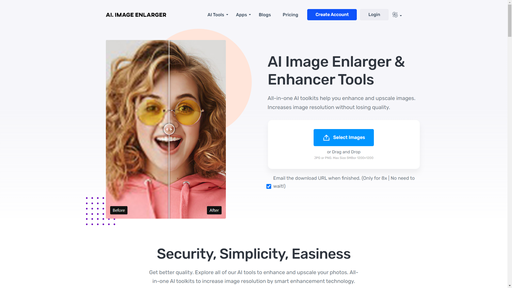
Imglarger is a browser tool for making small or tightly cropped pictures usable at larger sizes. Its AI enlarger scales images by 2x, 4x or 8x, while a separate upscaler focuses on 2x and 4x output with less visible pixelation than standard resizing.
Beyond scaling, the site groups dedicated AI tools for sharpening soft edges, enhancing overall photo quality, removing backgrounds, and extending image borders through outpainting. Each tool has its own upload screen, and a before-and-after preview lets you compare the result with the original before downloading.
A set of free editors and converters covers cropping, resizing, rotating, flipping, and changing between JPG, PNG, WEBP and HEIC. According to the site's pricing page, these editors and converters do not consume credits, while the AI tools are paid for with a monthly credit allowance.
What it does
- Multiple AI enlargement scales
- Enlarges images by 2x, 4x or 8x, with the available ratio depending on the source image and plan.
- Dedicated AI tools
- Separate tools handle enlargement, upscaling, sharpening, enhancement, background removal and uncropping.
- Outpainting image extender
- Expands image borders with AI to extend backgrounds or change the aspect ratio of a picture.
- Before-and-after preview
- Lets you compare the processed image with the original before saving it to your device.
- Browser-based editors and converters
- Crop, resize, rotate, flip and convert common image formats without installing software.
- Batch processing on higher plans
- Batch support is listed on the Premium plan and in some tools, with other tools handling one image at a time.
Good for
- Enlarging a small photo so it fits a larger screen or print layout
- Upscaling low-resolution artwork or product images for a website
- Extending the background of a tightly cropped photo to change its aspect ratio
- Removing a background to create a transparent PNG for a design asset
- Converting HEIC or WEBP photos to JPG or PNG in batches
Pricing
Freemium
Free plan with 100 credits/month; Premium 2000 credits/month and Business 6000 credits/month are paid plans.
Prices change. Check imglarger.com before you buy.
AI Image Enlarger FAQ
What scale options does the image enlarger offer?
AI Image Enlarger supports 2x, 4x and 8x enlargement, while Image Upscaler focuses on 2x and 4x output. Available ratios can depend on the source image and your plan.
Can AI recover detail that is missing from a blurry photo?
The site says AI can improve many small, soft or noisy images but cannot reliably recover detail that is completely absent, so clearer source images generally give better results.
What file limits apply to uploads?
The pricing FAQ says uploads must be under 10MB and 4000 pixels on one side, and larger images are automatically resized or compressed. The free plan lists a 1024px input max side.
Is a copy of my processed image kept online?
The site advises saving finished images to your device and says online results are not a permanent photo archive. It refers to the Privacy Policy for retention details.
Is AI Image Enlarger free?
AI Image Enlarger has a free plan, with paid plans for more usage or features.
What are the best alternatives to AI Image Enlarger?
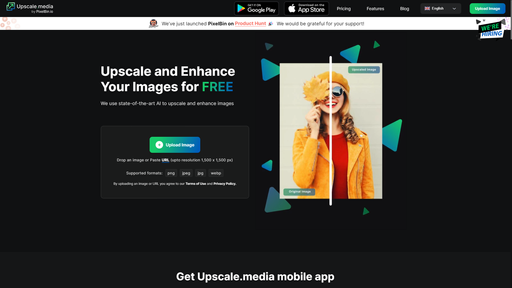
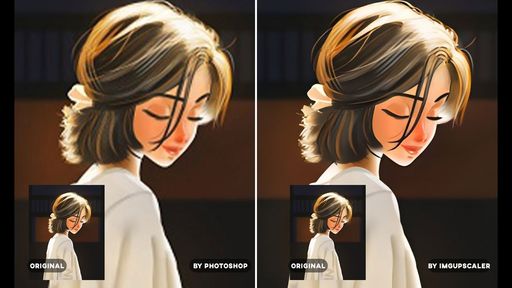
The closest alternatives to AI Image Enlarger are AI Image Upscaler, Img Upscaler, Let's Enhance, Imageeditor and VanceAI Image Upscaler.
Where this comes from
- Description: written from the project's website.