
Img Upscaler
AI image upscaler that enlarges photos and artwork 2x or 4x in the browser
Img Upscaler is a freemium AI tool for image improvement. It is available on Web.
- Pricing
- Freemium
- Platforms
- Web
- Listing updated
Similar tools



About Img Upscaler
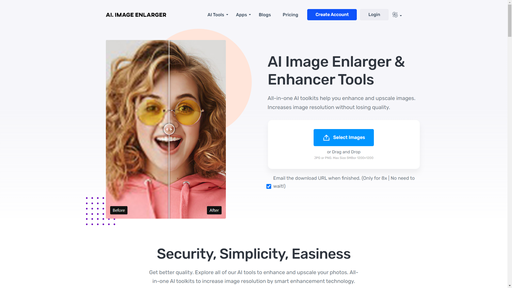
ImgUpscaler takes a photo or graphic and enlarges it to twice or four times its width and height. The AI adds fine detail during enlargement, so edges and textures look crisper than a plain resize would, though the site notes that generated detail is not an exact recovery of the original.
The workflow is upload, choose a scale, then move a comparison slider over the original and the result before downloading. Accepted formats listed on the site are JPG, PNG, WebP and AVIF. The site also offers an Edit step for further adjustments and states that uploads and results are deleted within 24 hours of processing.
The tool suits people who need a larger version of a small product shot, illustration or scanned picture for web or print. Paid plans add batch uploads of up to 8 images and 4K enhancement, while the free tier handles one image at a time.
What it does
- 2x and 4x scaling
- Doubles or quadruples both width and height of an uploaded image.
- AI detail generation
- Adds texture and edge detail while enlarging rather than only interpolating pixels.
- Before and after comparison
- A slider lets you inspect the original against the upscaled result before downloading.
- Batch processing
- Paid plans accept up to 8 images at once and offer ZIP download of results.
- Automatic file deletion
- Uploaded images and results are stated to be removed within 24 hours of processing.
- Commercial use allowed
- Results can be used in client or commercial work, subject to rights in the source image.
Good for
- Enlarging a small product photo for a larger website banner or catalogue page
- Giving a low-resolution illustration more pixels for print
- Restoring a scanned old photo to a larger size with more visible detail
- Processing a batch of client images at a consistent scale on a paid plan
Pricing
Freemium
Free plan with 50 credits per month; Premium 500 credits per month; Business unlimited credits.
Prices change. Check imgupscaler.com before you buy.
Img Upscaler FAQ
How many credits does a job use?
A successful image-processing task uses 1 credit on a metered plan. The free plan includes 50 credits per month and Premium includes 500.
What image formats can I upload?
The site lists JPG, PNG, WebP and AVIF as supported upload formats.
How long are my images kept?
The site says uploaded images and results are automatically deleted within 24 hours after processing.
Can I batch process images for free?
No. The free plan processes one image at a time; batches of up to 8 images require a paid plan.
What are the best alternatives to Img Upscaler?
The closest alternatives to Img Upscaler are AI Image Upscaler, AI Image Enlarger, VanceAI Image Upscaler, Let's Enhance and BigJPG.
Where this comes from
- Description: written from the project's website.