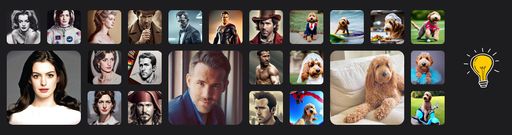
OpenArt Photo Booth
AI platform for generating images, video, characters and music for creators and brands
OpenArt Photo Booth is a freemium AI tool for avatar. It is available on Web, iOS, Android, API and CLI.
- Pricing
- Freemium
- Platforms
- Web, iOS, Android
- Listing updated
Similar tools


About OpenArt Photo Booth
The site presents OpenArt as a single workspace where images, videos, audio and characters are made and edited together, rather than in separate apps. Video generation accepts a text prompt or a reference image, and the site lists several third-party video and image models that can be chosen per generation, so output style can be switched without changing platforms.
Beyond raw generation, the product leans on control features: saved characters that keep the same look across scenes, camera angle adjustments, background replacement, relighting, and motion transfer from a reference clip. Audio tools cover voice-overs with lip-sync, voice cloning from a sample, and scored music, with exports in WAV or MP3.
The pricing page describes a credit-based subscription with Starter, Plus, Pro and Wonder tiers, where commercial use is limited to the Plus plan and above. It suits social media creators, marketers making product or explainer ads, and small studios producing short films or music videos.
What it does
- Multi-model video generation
- Lets you choose among several listed video models, such as Veo, Seedance, Kling and Wan, for each generation.
- Persistent characters
- Saves a character from reference images or a text brief so it can be reused across images and videos.
- Image editing on one canvas
- Supports erasing, expanding, swapping backgrounds, restyling and upscaling without leaving the image.
- Camera angle control
- Reframes an image from a different perspective using rotation sliders and lens presets.
- Synced voice and music
- Generates voice-overs with lip-sync, cloned or preset voices, and original music timed to the video.
- 3D world generation
- Creates navigable 3D environments from a prompt or reference images that can be exported to other 3D tools.
Good for
- Producing short-form social video in vertical, square and widescreen formats
- Making product and UGC-style ads for campaigns
- Building a recurring brand mascot or AI influencer with a consistent look
- Creating a music video from an existing audio track
- Storyboarding and directing a multi-scene short film through chat
Pricing
Freemium
Free starter credits; paid Starter, Plus, Pro and Wonder plans with annual discounts up to 40%.
Prices change. Check openart.ai before you buy.
OpenArt Photo Booth FAQ
Is OpenArt free?
You can start for free with 40 credits on new accounts and no credit card required. Continued use requires a paid plan, and commercial use requires Plus or above.
Which AI models does OpenArt use?
The FAQ lists Seedance 2.5, Kling 3.0, Veo 3.1, Wan 3.0, MiniMax H3 and Grok Imagine for video, GPT Image 2.5, Nano Banana Pro, Seedream 5.0 Pro and FLUX 3 Image for images, and Lyria 3 for music.
Can I use my creations commercially?
Yes, on the Plus, Pro and Wonder plans. The free trial and Starter plan are limited to non-commercial use, according to the FAQ.
Can I cancel and get a refund?
You can cancel any time from Profile, then Subscriptions, and keep access until the billing period ends. Completed generations and active subscription periods are generally not refundable.
What are the best alternatives to OpenArt Photo Booth?
The closest alternatives to OpenArt Photo Booth are Phygital+, Easy-Peasy.AI, Avatar AI, OakGen and Mage.Space.
Where this comes from
- Description: written from the project's website.