
Adobe Firefly
AI studio for generating images, video and audio across 30+ models, for creatives
- Platforms
- Web
- Listing updated
- 2 days ago
Similar tools



About Adobe Firefly
Adobe Firefly is an AI tool for generative art. It is available on Web.
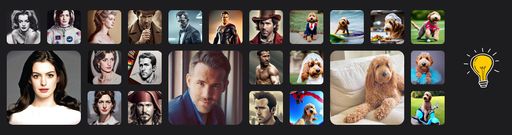
Firefly is a browser-based workspace where you create images, video and audio from text prompts and other inputs. Adobe's page says it brings more than 30 AI models into one place, so you can pick the model that suits a given job without moving between separate services.
The pitch centres on going from a rough idea to finished content quickly while keeping control over the result. The site positions it as a single hub rather than a point tool, so the same account covers several media types.
It suits designers, marketers and content teams who produce visual and audio assets regularly and want them in one environment. Details on pricing, plan limits and exact model list are not spelled out on the page I was given, so check Adobe's current terms before committing.
What it does
- Multi-model generation hub
- Access more than 30 AI models for images, video and audio from one interface.
- Image generation
- Create still images from text descriptions.
- Video and audio creation
- Generate video and audio clips alongside still imagery.
- Creative control
- Adjust outputs to refine results toward a specific look.
Good for
- Producing social media visuals from a written brief
- Drafting short video or audio assets for marketing campaigns
- Comparing outputs from several models for the same concept
- Building a set of mixed-media content for a single project
Adobe Firefly FAQ
What media types can Firefly generate?
The Firefly page lists images, video, audio and more.
How many AI models does it offer?
The page states it provides access to 30+ AI models in one place.
What are the best alternatives to Adobe Firefly?
The closest alternatives to Adobe Firefly are Phygital+, OpenArt Photo Booth, Easy-Peasy.AI, Avatar AI and Scenario.
Where this comes from
- Description: written from the project's website.