Cmd J
Browser popup that runs ChatGPT-style help for writing, coding and research via a shortcut
Cmd J is an AI tool for productivity. It is available on Chrome extension.
- Platforms
- Chrome extension
- Listing updated
Similar tools


About Cmd J
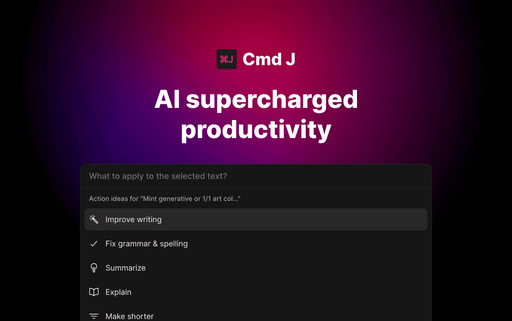
The Cmd J page describes a small popup that appears in Chrome when you press a keyboard shortcut, so you can ask for writing help or code explanations without leaving the page you are on. Instead of opening a separate chat window, the assistant works from the text in front of you and returns suggestions in the same popup.
According to the article, the tool is built on ChatGPT and aims to keep interactions fast and simple. It covers rewording and tone edits, first drafts, explaining and debugging pasted code, and summarising long technical articles.
It suits writers, developers and knowledge workers who switch between a browser and an AI assistant many times a day. The source is a third-party blog post, so details such as pricing and plan limits are not confirmed here.
What it does
- Shortcut-triggered popup
- A keyboard shortcut opens the assistant as a popup over the current browser tab.
- Context-sensitive suggestions
- Responses are based on the text or code you have selected or pasted into the box.
- Code explanation and debugging
- Reads pasted code, explains what it does and points out likely errors.
- Rewriting and tone edits
- Offers grammar, tone and clarity suggestions for emails, captions and drafts.
- Chrome integration
- Works as a Chrome browser extension across different web content.
Good for
- Rewriting a customer support reply to improve its tone before sending
- Debugging a Python snippet pasted directly into the popup
- Summarising a technical research article in plain English
- Turning a long blog draft into social media posts
Cmd J FAQ
Which browser does Cmd J work in?
The article describes it as a Chrome integration.
What model powers Cmd J?
The article says it is powered by ChatGPT.
What are the best alternatives to Cmd J?
The closest alternatives to Cmd J are Checkget, UniJump, UseChatGPT, Sheldon and ChatGPT Writer.
Where this comes from
- Description: written from the project's website.