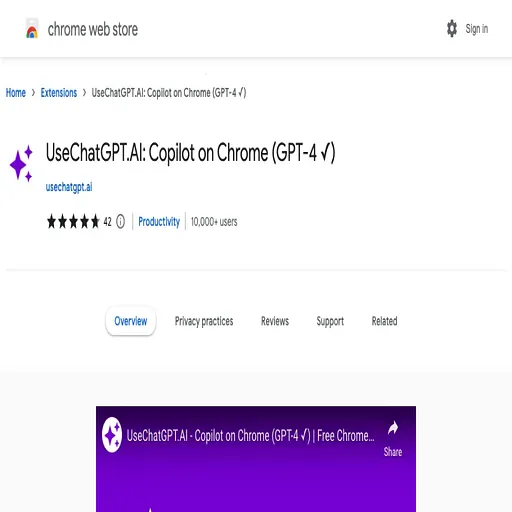
UseChatGPT
Browser extension with a sidebar for asking multiple AI models about any webpage
- Pricing
- Freemium
- Platforms
- Chrome extension, Web
- Listing updated
- 3 days ago
Similar tools


About UseChatGPT
UseChatGPT is a freemium AI tool for translation. It is available on Chrome extension and Web.
The Chrome extension it is listed under now appears as MaxAI, a browser add-on that opens an AI sidebar and a right-click AI menu on whatever page you are reading. From the sidebar you can ask questions about the current page or your uploaded files, run web searches, and have text summarized, explained or translated.
Selected text can be rewritten for clarity, adjusted in tone, checked for grammar and spelling, or turned into a quick reply to an email or social message. The store listing says it works inside tools such as Google Docs, Gmail, YouTube and LinkedIn without copy and paste.
According to the listing, models come from OpenAI, Anthropic, Google, xAI, DeepSeek, Mistral, Black Forest Labs and Stability AI, and the Pro tier adds model switching, voice input and image generation. The developer's page lists a free tier and a paid Pro tier, but the store text does not give a price, so none is stated here.
What it does
- Page-aware AI sidebar
- Ask questions about the webpage you are viewing and get summaries, explanations or data analysis.
- Context menu actions
- Select text anywhere to rewrite, translate, explain or answer about it in one click.
- Multiple AI models
- Access models from OpenAI, Anthropic, Google, xAI, DeepSeek and others, with Pro allowing several models at once.
- Writing assistance
- Improve wording, adjust tone, check grammar and spelling, and draft replies to emails and messages.
- Reusable prompts
- Save prompts you use often so you can run them again without retyping.
- Image generation
- Create images with included models such as GPT-Image-1, DALL·E 3 and FLUX, available in Pro.
Good for
- Summarize long articles or pages while reading in the browser
- Draft and polish replies to emails and social messages
- Translate selected sentences or an entire webpage
- Ask questions about documents or pages without leaving the tab
- Compare answers from several AI models on the same question
Pricing
Freemium
Free version with basic features; Pro adds advanced models, voice input and image generation. Price not stated in listing.
Prices change. Check chrome.google.com before you buy.
UseChatGPT FAQ
Which browsers does it run in?
The listing is a Chrome Web Store extension, so it installs in Chrome.
Does it work on Chrome Web Store pages?
No. The store listing says the extension does not work on Chrome Web Store pages for security reasons.
Do I need to reload pages after installing?
Yes. The listing advises reloading or refreshing the webpage after installation for the extension to work properly.
Is UseChatGPT free?
UseChatGPT has a free plan, with paid plans for more usage or features.
What are the best alternatives to UseChatGPT?
The closest alternatives to UseChatGPT are GPTfy, Lunabot, Glarity, BearlyAI and Copilotly.
Where this comes from
- Description: written from the project's website.