Visla
AI video creation and editing platform for teams making marketing and training videos
- Pricing
- Freemium
- Platforms
- Web, iOS, Android
- Listing updated
- 1 day ago
Similar tools
About Visla
Visla is a freemium AI tool for generative video. It is available on Web, iOS, Android and API.
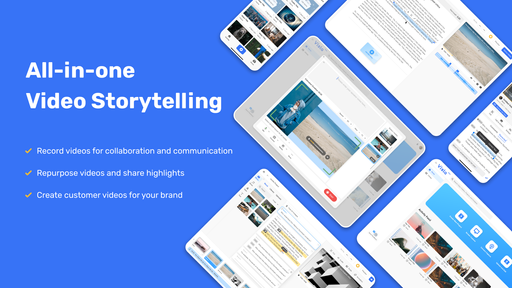
The README-free product site describes Visla as a browser-based suite that covers recording, AI generation and editing in one place. Its AI Video Agent starts from an idea, script, link, clip, image, audio file or PDF/PPT and assembles a draft with narration, stock visuals, transitions and music, which you can then refine in a scene-based editor. Users can also record screens, webcams and meetings, add teleprompter or multi-camera capture, and clone a voice or pick from public avatars.
The pricing page lists tiers with differing limits on voice clones, custom avatars, stock libraries (including Storyblocks and Getty Images access on paid plans) and API access. Collaboration features such as workspaces, review comments, and embeddable links are aimed at teams that produce video regularly.
The product is pitched mainly at marketing, sales, training and customer success teams, with separate pages for schools and universities. Enterprise plans add unlimited workspaces, multiple brand kits and a dedicated account manager, according to the site.
What it does
- AI Video Agent
- Builds a complete draft with narration, visuals and transitions from an idea, script, or uploaded document.
- Scene-based editing
- Lets users trim, reorder and restyle individual scenes after the AI generates a draft.
- Screen and camera recording
- Captures screens, webcams, meetings and step-by-step how-to recordings, with teleprompter support.
- AI avatars and voice cloning
- Offers public avatars and custom avatars, plus cloned voices for narration in several languages.
- Stock footage and music
- Recommends background music and footage from built-in libraries, with premium stock on paid plans.
- Team workspaces
- Provides shared workspaces, review comments, auto transcription and video sharing for collaboration.
Good for
- Turning a PowerPoint deck or PDF into a narrated training video
- Producing product demo and tutorial videos without filming
- Creating localized subtitles and voiceovers for global audiences
- Recording step-by-step screen walkthroughs for internal SOPs
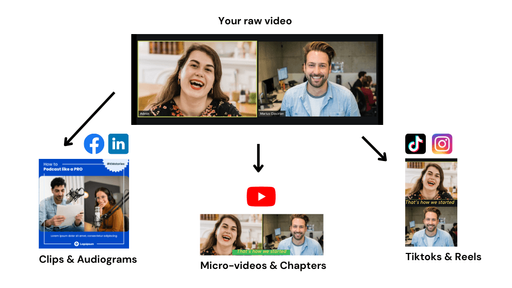
- Repurposing blog posts or case studies into short marketing videos
Pricing
Freemium
Free and paid tiers with limits on voices, avatars and stock access; Enterprise plans on request. Exact prices not confirmed in the content.
Prices change. Check visla.us before you buy.
Visla FAQ
Does Visla offer an API?
Yes. The pricing page lists a Video Creation API that supports selected AI video features for third-party integration, with plan tiers labelled Standard, Priority and Top.
Which inputs can the AI Video Agent use?
The site says it can start from an idea, text or script, existing footage, audio, images, or a PPT/PDF, and also from a webpage URL on the pricing page.
How many public avatars are included?
The pricing page lists 150 public avatars, while custom avatars and voice clones are limited by plan.
Is Visla free?
Visla has a free plan, with paid plans for more usage or features.
What are the best alternatives to Visla?
The closest alternatives to Visla are Vidboard AI, Synthesia, Pictory, Vidyo.ai and Synthesys X.
Where this comes from
- Description: written from the project's website.