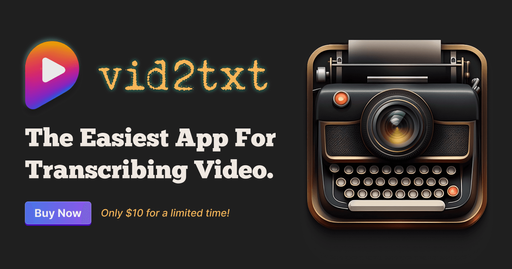
Vid2Txt
Offline desktop app that turns video and audio files into text, SRT and VTT transcripts
- Pricing
- Paid
- Platforms
- macOS, Windows
- Listing updated
- today
Similar tools
About Vid2Txt
Vid2Txt is a paid AI tool for productivity. It is available on macOS and Windows.
The README-free product page describes a desktop utility that transcribes recorded media without sending files anywhere. You drop in a video or audio file, and it produces .txt, .srt and .vtt outputs, all generated and stored locally on your machine.
The app accepts a wide range of formats, including mp4, mov, mkv, mp3 and m4a. The site positions it as a single-purpose tool rather than a broader platform, so it covers transcription and nothing else. Transcription is limited to English according to the FAQ, and the site lists macOS 13 or later and Windows 10 or later as supported systems.
It suits people who regularly need captions, transcripts or searchable text from recordings, such as podcasters, journalists, students and researchers, and who prefer a one-time purchase over a subscription. The site states a refund if transcription fails, and a launch price of $10.
What it does
- Offline local transcription
- Files are processed on your computer, and the site says transcripts are generated and stored locally.
- Multiple subtitle formats
- Each job outputs plain text plus SRT and VTT caption files.
- Broad media format support
- Accepts common video containers such as mp4, mov, mkv and avi, and audio files such as mp3, wav and m4a.
- One-time purchase pricing
- The site describes a single payment with no subscription or usage quotas.
- Drag-and-drop workflow
- Files are added by dragging them into the app, with no setup steps described.
Good for
- Creating captions and SRT files for video uploads
- Turning interview or voice memo recordings into written text
- Transcribing recorded lectures or meetings into editable notes
- Making transcripts of podcasts for search and accessibility
Pricing
Paid
One-time purchase, listed at $10 for a limited time; no subscription.
Prices change. Check vid2txt.com before you buy.
Vid2Txt FAQ
What languages does it transcribe?
The site says it currently supports only English, with other languages possible if requested.
Which operating systems are supported?
The site lists macOS 13 or later and Windows 10 or later. Linux, iOS and Android are mentioned only as possible future support.
Does it send my data anywhere?
The site says it collects no data and that all transcripts are generated and stored locally.
Is there a free trial?
No. The site says there is no free trial, but it offers a recorded demo and a refund if transcription does not work.
Is Vid2Txt free?
No. Vid2Txt is a paid product.
What are the best alternatives to Vid2Txt?
The closest alternatives to Vid2Txt are TLDR YouTube, Transkribieren, Good Tape, ScriptMe and Revoldiv.
Where this comes from
- Description: written from the project's website.