
PrimCut
Premiere Pro plugin for cutting silences, captions and zooms in talking-head videos
- Pricing
- Freemium
- Platforms
- Windows, API
- Listing updated
- today
Similar tools



About PrimCut
PrimCut is a freemium AI tool for video editing. It is available on Windows and API.
The README-free listing here draws on PrimCut's own site: a Windows panel that sits inside Adobe Premiere Pro and bundles about fifteen editing tools. Its core jobs are removing dead air and filler from takes, generating word-by-word animated captions, adding eased punch-in zooms, and pulling in free stock B-roll and sound effects without leaving the timeline.
The site says transcription and silence cutting run locally on the editor's machine, with optional cloud speech engines or AI services (Claude or ChatGPT) if the user supplies their own keys or plan. Each cut or caption is previewed before it is applied, and the original sequence is kept as a backup.
It is aimed at editors who produce talking-head, podcast and short-form videos in Premiere Pro. Free-tier tools include B-Roll Finder, SFX Finder, the Assets Library and keyframe drag assist; the rest are part of a paid Creator plan with a 7-day trial.
What it does
- Silence removal with preview
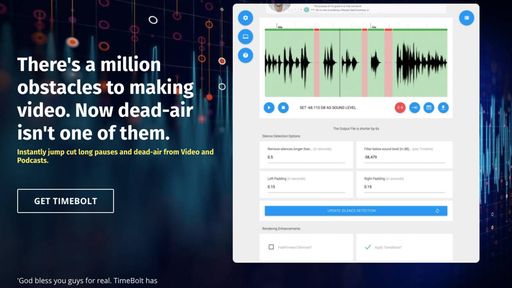
- Finds pauses on the waveform, shows the time saved, and lets you listen to the tightened edit before applying it.
- Animated word-by-word captions
- Generates captions from local Whisper transcription with 27 built-in styles or your own MOGRT templates.
- Script-based rough cut
- Matches a pasted script to recorded takes and removes filler words and repeated takes for review.
- Eased zoom punch-ins
- Adds smooth zooms with an eye-lock option and 113 easing curves applied to existing keyframes.
- Free stock B-roll and SFX
- Searches Pexels and Pixabay for clips and offers CC0 sound effects that can be trimmed and placed in the panel.
- Podcast multicam switching
- Detects the active speaker and cuts between camera angles, with a wide shot used during crosstalk.
Good for
- Removing pauses and filler words from talking-head recordings
- Adding animated captions to short-form videos
- Turning a long video into several Shorts or Reels with titles and captions
- Switching cameras automatically in a podcast edit
- Finding free B-roll and sound effects without leaving Premiere Pro
Pricing
Freemium, from $9 a month
Free tier with core tools; Creator plan unlocks the rest. 7-day trial, no card needed.
Prices change. Check primcut.app before you buy.
PrimCut FAQ
Does it work with Premiere Pro on Mac?
The site lists Windows 10/11 only and says macOS is not supported yet, with Premiere Pro 2024 or newer.
Is there a free plan?
Yes. The free tier includes B-Roll Finder, SFX Finder, Assets Library, Keyframe Drag Assist and the background remover; other tools are on the paid Creator plan, which has a 7-day trial.
Do I need my own AI account?
No, PrimCut AI is built in with hour allowances, but you can instead connect your own Claude or ChatGPT plan or an API key.
Are the sound effects licensed for commercial use?
The site says the SFX Finder library is CC0, so no attribution is required; the Creator plan covers commercial use of what you make.
Is PrimCut free?
PrimCut has a free plan, with paid plans for more usage or features. Paid plans start at $9 a month.
What are the best alternatives to PrimCut?
The closest alternatives to PrimCut are ReelRebel, Timebolt, Opus Clip, Rescroll and Wisecut.
Where this comes from
- Description: written from the project's website.