Opus Clip
AI tool that cuts long videos into short vertical clips for social platforms
- Pricing
- Freemium
- Platforms
- Web, API
- Listing updated
- 1 day ago
Similar tools

About Opus Clip
Opus Clip is a freemium AI tool for social media. It is available on Web and API.
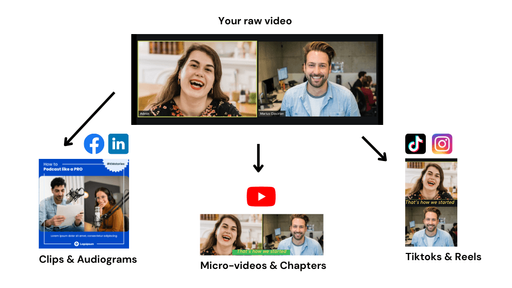
The product takes long recordings and picks out the moments it judges most shareable, then rearranges them into short clips with captions, reframing for vertical or square formats, and a closing call-to-action. Its ClipAnything model is positioned for many genres beyond podcasts, including vlogs, gaming, sports and interviews, and users can also prompt it to clip a specific moment in natural language.
Beyond clipping, the web app offers reframing that tracks moving subjects, text and timeline-based editing, brand templates with fonts, colours and logos, and direct publishing to social profiles through a scheduler. A Video Editing API, Scheduler API and CMS and Zapier integrations are listed for teams that want to automate video creation in their own workflows.
It suits creators and marketing teams who repurpose long-form video into short-form posts and want to produce many variants quickly. The pricing page lists a free plan, paid Starter and Pro tiers, and a Business tier with custom pricing for teams and enterprise needs.
What it does
- Automatic clip selection
- Finds highlight moments in long videos and assembles them into short clips with a call-to-action.
- Genre-flexible clipping model
- ClipAnything is designed to work across video types such as vlogs, sports, interviews and gaming, not only podcasts.
- Smart reframing
- Resizes footage to vertical, square and widescreen formats while tracking moving subjects.
- Auto captions
- Adds animated captions with multi-language transcription and editable text.
- Brand templates
- Applies saved fonts, colours, logos and intro and outro cards across projects.
- Social publishing and API
- Schedules posts to social profiles and exposes a Video Editing API and Scheduler API for integrations.
Good for
- Turning long podcasts or interviews into several short vertical clips
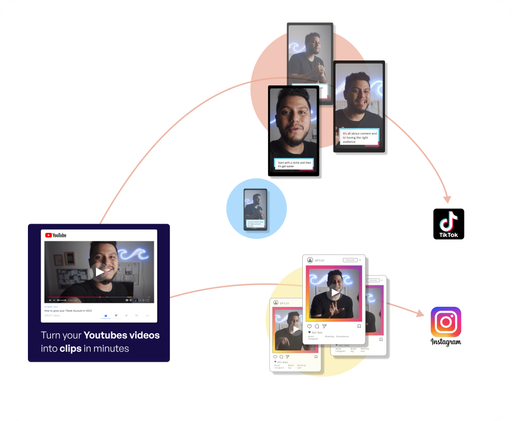
- Repurposing YouTube videos into YouTube Shorts, TikTok or Reels posts
- Producing branded short-form video at volume for a marketing team
- Automating clip creation inside a CMS or automation workflow via API
Pricing
Freemium, from $15 a month
Free plan with 60 credits/mo; Starter $15/mo and Pro $29/mo; Business is custom-priced
Prices change. Check opus.pro before you buy.
Opus Clip FAQ
Is OpusClip free to use?
There is a free-forever plan with 60 credits per month. New users also get a 7-day free trial of the Pro plan without a credit card.
Which languages are supported?
The site lists English, German, Spanish, French, Portuguese, Italian, Japanese, Korean and many other languages, with more said to be coming.
What types of videos can I upload?
The site says ClipAnything works on talking-head videos, vlogs, sports, TV shows and videos with little dialogue, and accepts natural language prompts for specific moments.
Does it offer an API?
Yes. The pricing page lists a Video Editing API, a Scheduler API and an MCP connector, with the API available on the Business plan.
Is Opus Clip free?
Opus Clip has a free plan, with paid plans for more usage or features. Paid plans start at $15 a month.
What are the best alternatives to Opus Clip?
The closest alternatives to Opus Clip are Vidyo.ai, Klap, Vizard, ClipMaker and Clip FM.
Where this comes from
- Description: written from the project's website.