
Vizard
Turns long videos into short social clips with AI, for creators, coaches and marketers
- Pricing
- Freemium
- Platforms
- Web, API
- Listing updated
- 2 days ago
Similar tools
About Vizard
Vizard is a freemium AI tool for marketing. It is available on Web and API.
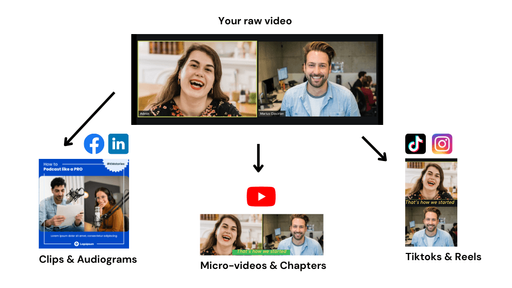
Vizard takes a long recording such as a podcast, webinar, interview or course lesson and works out which moments are worth posting. Its AI transcribes the footage, separates speakers, picks highlight segments and reframes them into vertical format for short-video platforms, so the output is ready to review rather than raw cuts.
Beyond automatic clipping, the browser editor lets you trim by deleting lines of the transcript, adjust timing down to the second on a timeline, translate captions into more than 100 languages and resize a project for different aspect ratios. Saved brand templates keep styling consistent across clips.
The product is aimed at solo creators, coaches and podcasters who repurpose long-form content, and at marketing teams and agencies that need to produce many clips. A Team Workspace lets leaders invite members, share projects and send preview links to clients, and the pricing page lists a Clipping API and an MCP connector for users who want to automate the workflow.
What it does
- Automatic highlight detection
- The AI finds engaging moments in a long video and cuts them into separate clips.
- Vertical reframing
- Key subjects are kept centred when footage is converted to a vertical format.
- Text-based editing
- Trim the video by deleting lines from its transcript, editing it like a document.
- Caption translation
- Captions can be translated into more than 100 languages.
- Brand templates
- Save and reuse templates and a brand kit so clips stay on brand.
- Team workspace and link sharing
- Invite members, share projects and send preview links to clients or collaborators.
- Direct social publishing
- Download clips, share them as links or publish them from the app to connected accounts.
Good for
- Turning a webinar or course recording into a month of short social posts
- Repurposing podcast or interview episodes into clips for TikTok, Reels and Shorts
- Producing client video clips at volume as an agency or freelance editor
- Adding translated captions to clips for audiences in other languages
Pricing
Freemium
Free plan with 60 credits per month; paid Creator and Business plans with credits, watermark removal and more.
Prices change. Check vizard.ai before you buy.
Vizard FAQ
Is there a free plan?
Yes. The Free plan includes 60 credits per month, AI-generated clips, 720p export, animated subtitles and full video editor access, with storage that expires after 3 days.
What does the Creator plan cost?
The pricing page lists Creator at $0 per month with a note that it is billed yearly, but the listed price is not clearly a paid monthly amount, so check the pricing page for current figures.
How is payment handled?
The FAQ says payments are processed through Stripe and Vizard does not have access to card details. Credit cards, PayPal and bank transfers are listed as accepted methods.
Can I cancel my subscription at any time?
Yes. The FAQ says a plan can be changed or cancelled from account settings and it expires at the end of the billing cycle.
Is Vizard free?
Vizard has a free plan, with paid plans for more usage or features.
What are the best alternatives to Vizard?
The closest alternatives to Vizard are Vidyo.ai, Opus Clip, Wisecut, FlexClip and Klap.
Where this comes from
- Description: written from the project's website.