Gling
AI video editor that trims bad takes, silences and filler words for YouTube creators
- Pricing
- Freemium
- Platforms
- Web, macOS, Windows
- Listing updated
- today
Similar tools

About Gling
Gling is a freemium AI tool for video editing. It is available on Web, macOS and Windows.
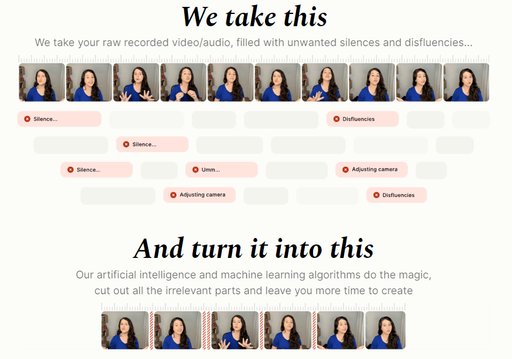
Gling takes a raw recording, transcribes it, and removes flubbed takes, dead air and filler words so a creator gets a tighter cut without scrubbing the timeline by hand. Its text-based trimmer lets you edit by deleting words in the transcript, and the edit can be refined on the timeline afterward.
Beyond cutting, the app adds auto-framing that zooms in and out, noise removal, and captions exported as SRT. For YouTube publishing it suggests titles and chapters and offers video ideas. The site also mentions generating a video from a link, with usage measured in hours of edited media or words of generated video.
The product is aimed at YouTube creators who record talking-head or voiceover content and want to spend less time on post-production. Edited output can be exported as MP4 or MP3 or handed off to Final Cut Pro, DaVinci Resolve or Adobe Premiere.
What it does
- Automatic bad take removal
- Detects and cuts unwanted takes from the transcript and timeline without manual scrubbing.
- Silence and filler word removal
- Strips pauses and filler words to shorten talking-head recordings.
- Text-based trimming
- Lets you edit video by changing the transcript text rather than the timeline.
- Auto framing
- Applies automated zoom in and out to keep the speaker framed.
- Noise removal
- Reduces background noise in recordings.
- Captions and SRT export
- Generates captions and subtitles and exports them as SRT files.
- YouTube title and chapter generation
- Suggests titles and automated chapter markers for YouTube uploads.
- Editor integrations
- Exports to Final Cut Pro, DaVinci Resolve and Adobe Premiere.
Good for
- Cutting long talking-head recordings down to a tight YouTube video
- Removing filler words and dead air from podcast-style or voiceover content
- Generating captions and SRT subtitle files for uploads
- Producing YouTube titles and chapter markers before publishing
- Handing an AI rough cut off to a professional editor in Premiere or Resolve
Pricing
Freemium
Free plan with 1 hour/month and watermark; paid tiers measured in hours of edited media per month
Prices change. Check gling.ai before you buy.
Gling FAQ
Is Gling free to use?
A free plan exists with 1 hour of AI-edited media per month, with exports carrying a watermark.
What are the limits of the paid subscription?
Plans are measured in hours of AI-edited media and words of generated video from a link per month, with higher tiers including premium support.
What kind of files are supported?
The site says it supports video and audio files for voiceover integration.
Can I export a separate subtitle file?
Captions can be exported in SRT format alongside the edited MP4 or MP3.
Is Gling free?
Gling has a free plan, with paid plans for more usage or features.
What are the best alternatives to Gling?
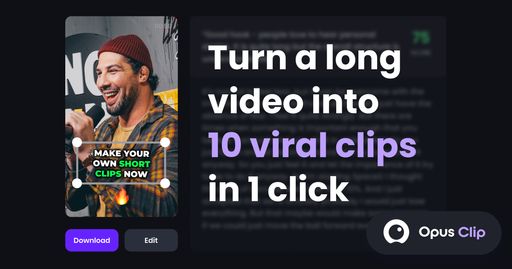
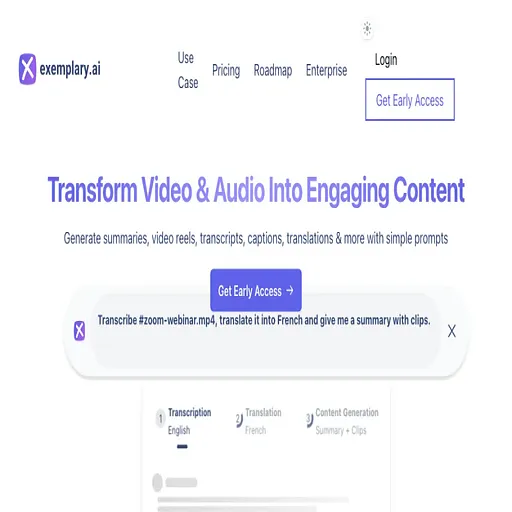
The closest alternatives to Gling are Klap, Opus Clip, PrimCut, Exemplary ai and Vidyo.ai.
Where this comes from
- Description: written from the project's website.