Facetune
AI photo and video retouching app for selfies, portraits and social posts
Facetune is a freemium AI tool for avatar. It is available on iOS, Android and Web.
- Pricing
- Freemium
- Platforms
- iOS, Android, Web
- Listing updated
Similar tools



About Facetune
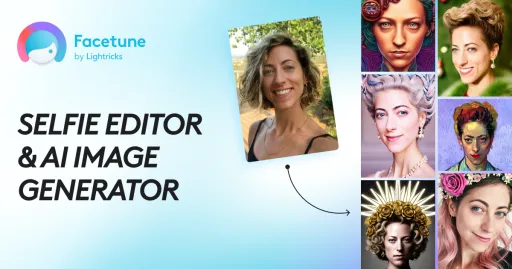
Facetune is a mobile-first photo and video editor built around portrait retouching. Beyond basic brightening and cropping, it bundles face and skin tools such as blemish removal, teeth whitening, wrinkle smoothing and eye colour changes, along with AI filters and virtual try-ons for hairstyles, beards, nails and clothing.
The editor covers both stills and clips. Video tools include face retouching, makeup overlays, background blur and noise removal, and the same app offers a passport photo maker, headshot generator and real estate photo editing for more utilitarian jobs. The company's pages also describe a web editor that runs in the browser without a download.
The app suits people who post frequently to Instagram, dating profiles or LinkedIn and want quick, one-tap edits. Free features are available, while the full toolset requires a VIP subscription that starts with a 7-day free trial.
What it does
- One-tap portrait retouching
- Smooth skin, remove blemishes and brighten faces with quick AI-assisted edits.
- Virtual try-on tools
- Preview hairstyles, hair colours, beards, bangs, nails and clothing on your own photo.
- Video face editing
- Apply retouching and makeup effects to faces across video frames.
- Background removal and blur
- Remove or blur backgrounds in photos and videos to focus on the subject.
- Face shape and colour analysis
- Get suggested hairstyles, makeup placement and palettes based on facial features and skin tone.
- Passport and headshot formats
- Crop and size passport photos and generate AI headshots from phone selfies.
Good for
- Polishing selfies before posting to Instagram or dating apps
- Creating a passport-style photo at home
- Generating a professional-looking LinkedIn headshot from a casual photo
- Previewing hairstyles or makeup before committing to a change
- Retouching faces and background noise in short social videos
- Tidying up listing photos for real estate
Pricing
Freemium, from $25 a month
Free features; VIP subscription from $25/mo, $40 per quarter or $77.99 per year, with a 7-day free trial.
Prices change. Check facetuneapp.com before you buy.
Facetune FAQ
Is Facetune free?
Facetune offers some free features. The full toolset requires a VIP subscription, which includes a 7-day free trial.
How much does Facetune cost?
Facetune is free to download. Subscriptions start at $25 per month, with quarterly ($40 every 3 months) and yearly ($77.99 per year) options.
Does Facetune leave a watermark?
Watermark-free editing is available to VIP users, according to the company's FAQ.
Can I get a refund?
Purchases made through facetuneapp.com can be refunded within 14 days of first purchase. App Store and Google Play purchases must be refunded through Apple or Google.
What are the best alternatives to Facetune?
The closest alternatives to Facetune are FaceApp, Photoleap, Prequel, Fotor and Cutout Pro.
Where this comes from
- Description: written from the project's website.