
Mermaid, Graphviz & Chart to PNG, SVG or PDF
Renders Mermaid, Graphviz, Vega-Lite and Chart.js code to PNG, SVG or PDF links for agents
Mermaid, Graphviz & Chart to PNG, SVG or PDF is a paid MCP server for files and documents. It runs as a hosted remote server, so there is nothing to install locally.
- Pricing
- Paid
- Platforms
- Web, API, CLI
- Runs
- Remotely
- Version
- 1.0.0
- Listing updated
Similar MCP servers

Install
Run in a terminal
claude mcp add --transport http mermaid-chart-renderer 'https://mcp.apify.com/?tools=fluidfaith/mermaid-chart-renderer'Add to Settings → Connectors → Add custom connector
https://mcp.apify.com/?tools=fluidfaith/mermaid-chart-rendererAdd to ~/.cursor/mcp.json
{
  "mcpServers": {
    "mermaid-chart-renderer": {
      "url": "https://mcp.apify.com/?tools=fluidfaith/mermaid-chart-renderer"
    }
  }
}Add to .vscode/mcp.json
{
  "servers": {
    "mermaid-chart-renderer": {
      "type": "http",
      "url": "https://mcp.apify.com/?tools=fluidfaith/mermaid-chart-renderer"
    }
  }
}
Add to ~/.codeium/windsurf/mcp_config.json
{
  "mcpServers": {
    "mermaid-chart-renderer": {
      "serverUrl": "https://mcp.apify.com/?tools=fluidfaith/mermaid-chart-renderer"
    }
  }
}
Add to Grok Bot desktop app → Connect apps → Add a custom connector
https://mcp.apify.com/?tools=fluidfaith/mermaid-chart-rendererEnter a Name (for example "Mermaid, Graphviz & Chart to PNG, SVG or PDF"), choose Type: Remote HTTPS, paste this as the Server URL and choose Add plugin.
Add to your client's MCP settings (most use this shape)
{
  "mcpServers": {
    "mermaid-chart-renderer": {
      "type": "http",
      "url": "https://mcp.apify.com/?tools=fluidfaith/mermaid-chart-renderer"
    }
  }
}
Using several servers? Build one config file with the MCP config generator.
About Mermaid, Graphviz & Chart to PNG, SVG or PDF
Agents often write diagram or chart code but have no way to turn it into an image they can paste into chat, email or a document. This service accepts Mermaid, Graphviz DOT, Vega-Lite, Vega, Chart.js configs or raw SVG and returns a public link to the rendered file in PNG, SVG or PDF form.
When the submitted code fails to parse, the response carries the parser's message, the line number and the text of that line, along with a short fix hint, so an agent can correct the line and resubmit. Failed renders are not billed, and each successful diagram costs $0.003 with a per-run spending cap.
It is offered as a remote MCP server for Claude, Cursor, VS Code and other MCP clients, and as an Apify Actor callable over a single HTTP request or from JavaScript and Python.
What it does
- Six diagram languages
- Accepts Mermaid, Graphviz, Vega-Lite, Vega, Chart.js and SVG, and detects the type from the code when none is given.
- Line-level error reports
- Parse failures return the error message, line number, offending text and a hint, so the calling agent can fix and retry.
- Multiple output formats
- Renders PNG (up to 4x density, optional transparent background), SVG with inline markup, or PDF sized to the diagram.
- Batch rendering
- Up to 100 diagrams per run, with per-diagram names, themes and backgrounds, and optional fetching of code from a public URL.
- Theme options
- Mermaid default, dark, neutral and forest themes, plus a custom background colour setting.
- Offline, sandboxed rendering
- Rendering makes no network requests, strips scripts from SVG, and runs Mermaid in strict security mode.
Good for
- Have an agent attach a flowchart or sequence diagram to a Slack or email reply
- Generate a chart image from Vega-Lite or Chart.js data for a report or Google Doc
- Export architecture or deployment diagrams from a repository's Mermaid or DOT files as PNG or SVG
- Produce print-ready PDF diagrams from agent-written code
- Let a coding assistant verify and fix diagram syntax before sharing
Pricing
Paid
$0.003 per diagram rendered on Apify, pay per event; errors are free
Prices change. Check apify.com before you buy.
Mermaid, Graphviz & Chart to PNG, SVG or PDF FAQ
Which Mermaid diagram types are supported?
The listing states support for Mermaid 12, including flowchart, sequence, class, state, ER, gantt, pie, mindmap, timeline, journey, git graph, quadrant, sankey, XY chart, block, packet, kanban and architecture diagrams.
Are failed renders charged?
No. Code that returns an error, links that are refused and diagrams that hit the time limit are not billed.
Can Vega-Lite charts load data from a URL?
Not inside the spec, because rendering runs offline. Data can be placed under data.values, or the whole spec can be fetched with sourceUrl.
Can I get a transparent PNG?
Yes, by setting the background option to transparent.
Is Mermaid, Graphviz & Chart to PNG, SVG or PDF free?
No. Mermaid, Graphviz & Chart to PNG, SVG or PDF is a paid product.
How do I add Mermaid, Graphviz & Chart to PNG, SVG or PDF to Claude Code?
Run this command in your terminal: claude mcp add --transport http mermaid-chart-renderer 'https://mcp.apify.com/?tools=fluidfaith/mermaid-chart-renderer'
What are the best alternatives to Mermaid, Graphviz & Chart to PNG, SVG or PDF?
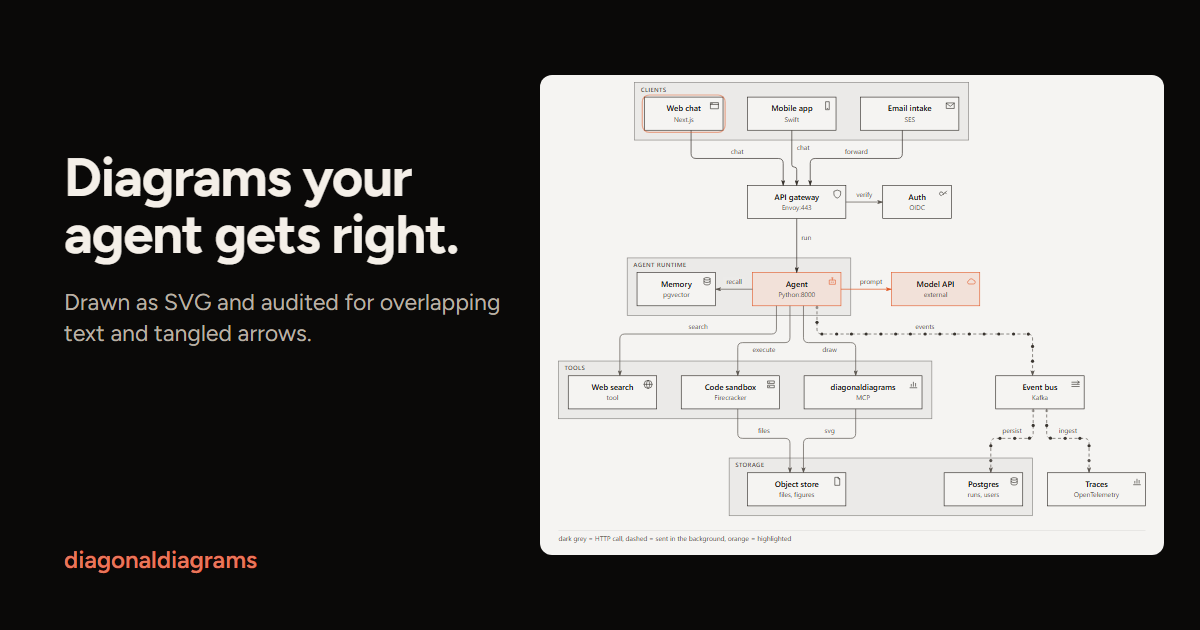
The closest alternatives to Mermaid, Graphviz & Chart to PNG, SVG or PDF are Agentic Mermaid, Mermaid Render MCP, diagonaldiagrams, Media Forge and Dgmo MCP.
Where this comes from
- Description: written from the project's README, the project's website and its MCP Registry entry.
- Install steps: from the official MCP Registry entry.