iPhone MCP
MCP server letting AI agents see and control a real iPhone over USB or Wi-Fi
iPhone MCP is an open-source MCP server for browser automation. It runs locally on your machine and is started by your AI client.
- Pricing
- Open source
- Platforms
- macOS, Linux, Windows
- Runs
- Locally
- Version
- 0.9.0
- Listing updated
Similar MCP servers

Install
Run in a terminal
claude mcp add iphone-mcp -- uvx iphone-mcpAdd to claude_desktop_config.json
{
  "mcpServers": {
    "iphone-mcp": {
      "command": "uvx",
      "args": [
        "iphone-mcp"
      ]
    }
  }
}Add to ~/.cursor/mcp.json
{
  "mcpServers": {
    "iphone-mcp": {
      "command": "uvx",
      "args": [
        "iphone-mcp"
      ]
    }
  }
}Add to .vscode/mcp.json
{
  "servers": {
    "iphone-mcp": {
      "type": "stdio",
      "command": "uvx",
      "args": [
        "iphone-mcp"
      ]
    }
  }
}
Add to ~/.codeium/windsurf/mcp_config.json
{
  "mcpServers": {
    "iphone-mcp": {
      "command": "uvx",
      "args": [
        "iphone-mcp"
      ]
    }
  }
}
Add to your client's MCP settings (most use this shape)
{
  "mcpServers": {
    "iphone-mcp": {
      "command": "uvx",
      "args": [
        "iphone-mcp"
      ]
    }
  }
}
Using several servers? Build one config file with the MCP config generator.
Configuration
IPHONE_MCP_UDIDUDID of the iPhone to use when several are connectedIPHONE_MCP_MODEConnection mode: auto (default), usb or wifiIPHONE_MCP_WDA_URLFixed WebDriverAgent URL, e.g. http://192.168.1.42:8100IPHONE_MCP_KEEP_AWAKEKeep the screen from auto-locking while connected (1 = default, 0 = off)IPHONE_MCP_AUTO_RECOVERRestart WebDriverAgent and retry once after a crash or lost connection (1 = default, 0 = off)IPHONE_MCP_STOP_ON_EXITStop WebDriverAgent when the last iphone-mcp server exits (1 = default, 0 = keep running)
About iPhone MCP
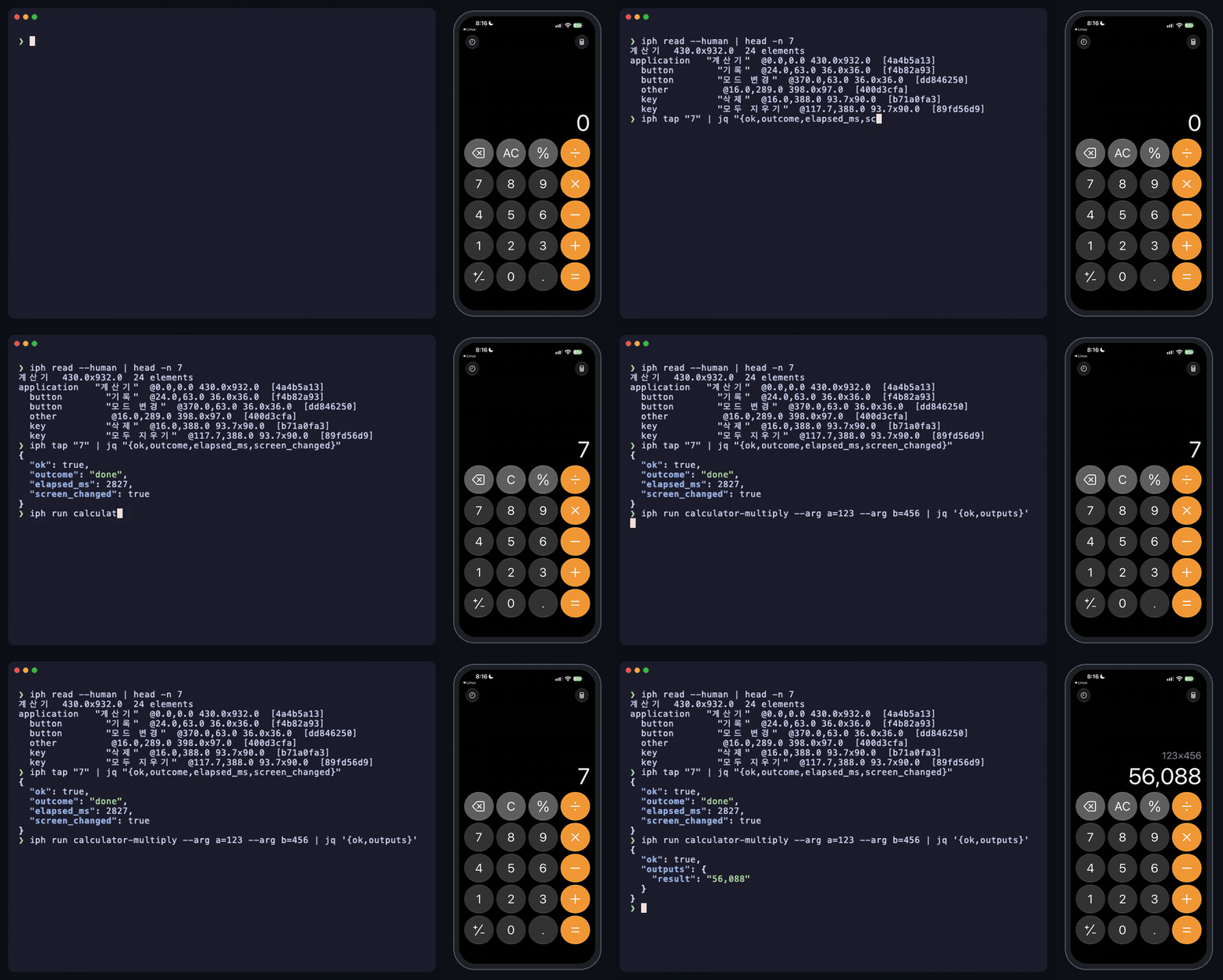
The README says iphone-mcp gives MCP clients such as Claude Code and OpenAI Codex a view of a physical iPhone and the ability to act on it. It takes screenshots scaled to iOS points, so image coordinates can be tapped directly, and it can also read a compact text tree of on-screen elements with their positions.
The server drives WebDriverAgent, an XCUITest-based agent installed on the phone with the developer's own Apple ID. It chooses between the Xcode tunnel, usbmux and the phone's last known Wi-Fi address, and can reconnect over Wi-Fi if the cable drops. On Linux and Windows it can start WebDriverAgent without Xcode through pymobiledevice3, though the README notes some of those setups are not yet tested.
It is aimed at developers and testers who want an agent to walk through app flows, check UI states or run test sequences on a real device. The README asks users to keep tool approvals on, since the agent has access to accounts and messages on the phone.
Tools this server provides (19)
Taken from the project documentation; the running server may differ.
- iphone_start_agent
- Start WebDriverAgent over cable or Wi-Fi.
- iphone_stop_agent
- Stop WebDriverAgent.
- iphone_status
- Show connection, screen size, lock state, keep-awake and foreground app.
- iphone_screenshot
- Take a screenshot scaled to iOS points.
- iphone_ui_tree
- List visible elements with text and center point.
- iphone_wait_for
- Wait until a text appears or disappears.
- iphone_tap
- Tap, double-tap or long-press at coordinates.
- iphone_tap_text
- Tap the element showing a given text.
- iphone_swipe
- Swipe in any direction.
- iphone_scroll
- Scroll in any direction.
- iphone_pinch
- Two-finger pinch to zoom in or out.
- iphone_type
- Type into the focused field, optionally pressing Return.
- iphone_press_button
- Press Home or volume buttons.
- iphone_lock
- Lock or wake the device.
- iphone_keep_awake
- Turn the no-auto-lock behaviour on or off.
- iphone_list_apps
- List installed apps.
- iphone_launch_app
- Launch an app by name or bundle ID.
- iphone_close_app
- Terminate an app.
- iphone_open_url
- Open a URL or deep link.
What it does
- Screen reading
- Returns screenshots in iOS point coordinates and a text tree of visible elements.
- Touch and gesture input
- Supports taps, long-presses, swipes, scrolling, pinch-zoom and typing.
- Text-based tapping
- Taps elements by their visible label and waits for text to appear or disappear.
- Cable and Wi-Fi connection
- Picks a route automatically and falls back to Wi-Fi when the cable disconnects.
- Keep-awake mode
- Stops the screen from auto-locking while an agent is connected, without changing settings.
- Self-recovery
- Restarts WebDriverAgent and retries once after a crash or dropped link.
Good for
- Testing a TestFlight build's sign-up flow step by step with screenshots
- Checking how an app's UI renders on a real iPhone
- Having an agent open apps, read settings or search the App Store without installing
- Automating repetitive taps and text entry on a device
Pricing
Open source
Free and open source under GPL-3.0-or-later; no paid hosted plan mentioned.
iPhone MCP FAQ
Does iPhone MCP need a jailbroken iPhone?
No. The README says no jailbreak is required and WebDriverAgent is signed with the user's own Apple ID, where a free account works.
Which MCP clients are supported?
The README names Claude Code and OpenAI Codex, and says any MCP client can be used, with config examples for Claude Desktop, Cursor and VS Code.
Can the agent enter passwords or unlock the phone?
No. The README says it never types passwords or passcodes and that the user must enter the passcode or use Face ID.
Is iPhone MCP free?
Yes. iPhone MCP is open source, so you can use and self-host it for free.
How do I add iPhone MCP to Claude Code?
Run this command in your terminal: claude mcp add iphone-mcp -- uvx iphone-mcp
What are the best alternatives to iPhone MCP?
The closest alternatives to iPhone MCP are iPhone Use, iphone-cli (iph), Mac Use MCP, Droid Agent and MCP Browser.
Where this comes from
- Description: written from the project's README and its MCP Registry entry.
- Install steps: from the official MCP Registry entry.