Retoucher
Free online AI background remover for product, portrait and marketplace photos
- Pricing
- Free
- Platforms
- Web
- Listing updated
- today
Similar tools
About Retoucher
Retoucher is a free AI tool for image improvement. It is available on Web.
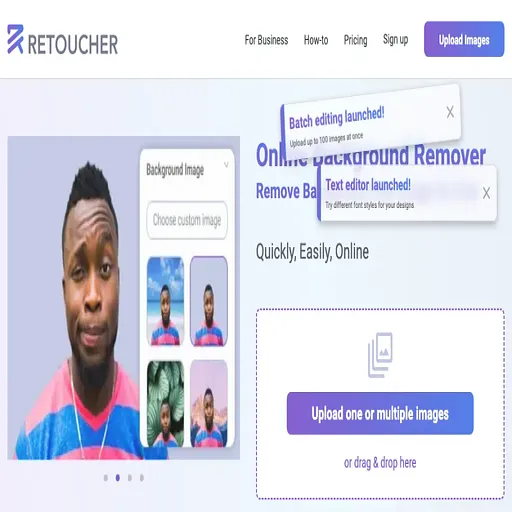
The README-free product page centres on removing or replacing photo backgrounds in a few clicks, with output as PNG or JPG files in chosen aspect ratios. Users can keep a transparent background, switch to white, or drop in a custom image, and can add shadows to make cut-out objects look more grounded.
The site describes a batch flow: several photos can be uploaded at once, and the tool generates multiple background variants per image. A manual eraser is available for detail areas such as hair, and basic edits like cropping, resizing and colour changes sit alongside the background tools.
It is aimed at sellers and small online shops who need marketplace-ready product shots, as well as people making profile pictures or social media images without learning Photoshop. The page says no account sign-up is required, and it lists API support and multi-image upload among its features, while also noting that an API is still on the way.
What it does
- One-click background removal
- Detects the subject automatically and removes the background without manual selection.
- Transparent, white or custom backgrounds
- Replaces the background with transparency, plain white or an uploaded image.
- Batch processing
- Accepts several photos at once and returns multiple downloadable variants.
- Manual eraser for fine areas
- Lets users refine difficult edges such as hair by hand.
- Shadows and basic editing
- Adds shadows and offers cropping, resizing and colour changes after removal.
- Marketplace-ready exports
- Exports PNG or JPG files sized to meet listing requirements on common marketplaces.
Good for
- Preparing product photos for Amazon, eBay or Etsy listings
- Creating transparent cut-outs for websites or ecommerce stores
- Making profile pictures with a new background
- Batch-editing photos of jewellery or other inventory items
- Removing backgrounds from car photos for a sale listing
Pricing
Free
Described as free with no payment or limits; no paid plan listed on the pricing page.
Prices change. Check retoucher.online before you buy.
Retoucher FAQ
Do I need to create an account to use it?
The site says no sign-up is needed to use the background remover.
What output formats are available?
The site says images can be downloaded as PNG or JPG in the desired resolution.
Can I process several images at once?
Yes, the site says multiple images can be uploaded and processed together.
Is there an API?
The site mentions API support in one place and says an API is on the way in another, so availability is unclear.
Is Retoucher free?
Yes. Retoucher is free to use.
What are the best alternatives to Retoucher?
The closest alternatives to Retoucher are LeiaPix, MarketingBlocks AI, AI Image Upscaler, Cutout Pro and Img Upscaler.
Where this comes from
- Description: written from the project's website.
Alternatives to Retoucher
Affiliate marketplace for selling digital products and tracking commissions
- Marketing
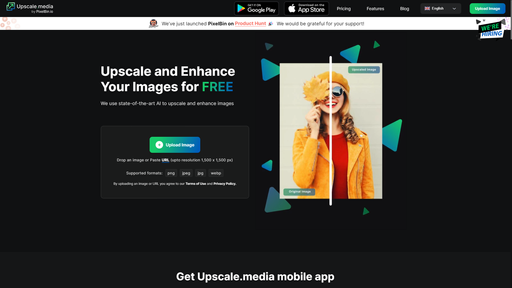
Browser-based AI tool that enlarges and sharpens photos for photographers and sellers
- Freemium
- Image improvement

AI photo and video editor for background removal, retouching and product images
- Image improvement

AI image upscaler that enlarges photos and artwork 2x or 4x in the browser
- Freemium
- Image improvement