Respondable
Gmail add-on for scheduled sending, follow-up reminders, meeting scheduling and inbox
- Pricing
- Freemium
- Platforms
- Web, iOS, Android
- Listing updated
- 1 day ago
Similar tools


About Respondable
Respondable is a freemium AI tool for copywriting. It is available on Web, iOS, Android, Chrome extension and Firefox extension.
The Boomerang extension lives inside Gmail and Google Workspace email, so you can keep working in your inbox rather than switching to a separate calendar or scheduling app. Its core features are sending a message at a chosen future time, getting reminded when a reply has not arrived, and temporarily archiving a thread so it returns at a set time.
Beyond timed sending, the product bundles scheduling tools: a poll to pick a group meeting time, a bookable availability page, a free/busy view you can share, and a way to propose times within a single email. Its Inbox Pause feature holds incoming mail until you choose to receive it, and can follow a schedule for focus blocks or after-hours quiet.
The extension suits people who send a lot of email and need to manage follow-ups, meeting logistics, or a quieter inbox. The website also lists an AI writing assistant called Respondable, which is offered as part of the same product family.
What it does
- Send Later scheduling
- Write an email now and choose a future date or type a phrase such as next Monday to have it sent automatically.
- Reply reminders
- Set a follow-up reminder that fires only if no one has replied, or regardless of response.
- Boomerang archived messages
- Archive a message and have it return to the inbox at a chosen time, marked unread or starred.
- Meeting Poll and scheduling
- Invite attendees to vote on a meeting time, then confirm and send invitations from the email thread.
- Bookable schedule
- Share a set of available times that supports multiple calendars, Zoom and Google Meet, and multiple time zones.
- Inbox Pause
- Hold new mail from arriving until you are ready, with optional schedules for focus time or batched delivery.
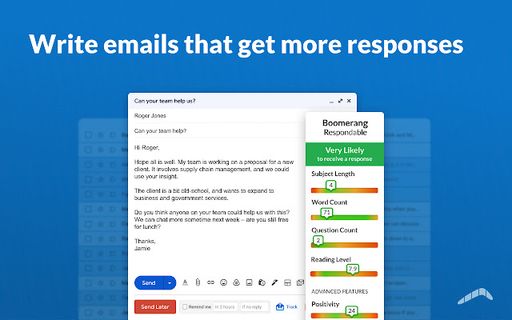
- Respondable writing assistant
- An AI assistant that suggests edits to make emails clearer, more actionable and better matched in tone.
Good for
- Scheduling an email to go out at a specific time in another time zone
- Setting reminders to follow up on sales leads or unanswered messages
- Archiving bills or travel confirmations to resurface on the due or travel date
- Finding a group meeting time by polling attendees inside email
- Pausing incoming mail during focus blocks or after work hours
Pricing
Freemium
Free to add to Gmail; some features such as iPhone scheduling require a subscription.
Prices change. Check boomeranggmail.com before you buy.
Respondable FAQ
Does it work with Gmail?
Yes, the extension is built for Gmail and Google Workspace email accounts.
Is there a mobile version?
The website describes Android support and iOS support for writing and scheduling email from a phone, with iPhone scheduling requiring a subscription.
Is Respondable free?
Respondable has a free plan, with paid plans for more usage or features.
What are the best alternatives to Respondable?
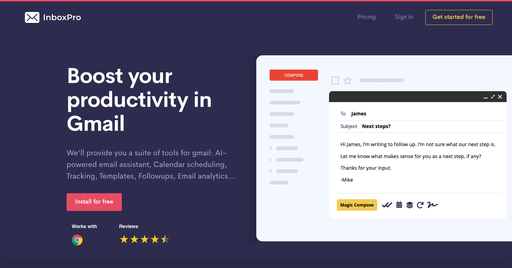
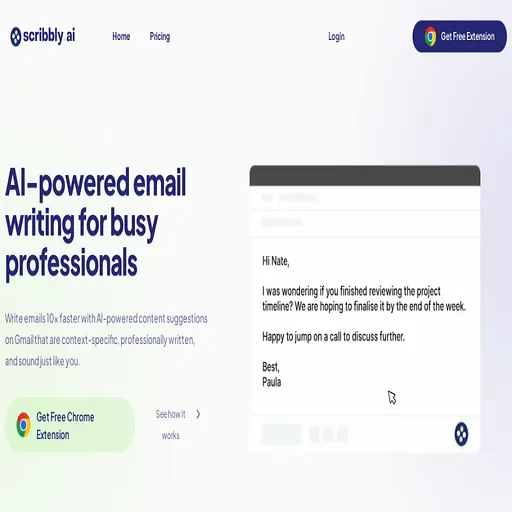
The closest alternatives to Respondable are InboxPro, superReply, Sanebox, Scribbly.ai and EmailTriager.
Where this comes from
- Description: written from the project's website.