
Perplexity for Chrome
Google's Chrome browser with built-in Gemini AI assistant for everyday web browsing
- Pricing
- Free
- Platforms
- Web, Windows, macOS
- Listing updated
- today
Similar tools
About Perplexity for Chrome
Perplexity for Chrome is a free AI tool for chat. It is available on Web, Windows, macOS, Linux, Android, iOS and Chrome extension.
Chrome is a desktop and mobile web browser from Google that now includes Gemini, an AI assistant that works with the tabs you have open and your browsing history. Users can ask it to explain a page, compare information, or check a calendar without leaving the current tab. The Gemini features are tied to what is on screen, so the assistant responds to the page in front of you rather than acting as a separate chat window.
The page describes an auto browse mode that carries out multi-step tasks such as shopping, reservations and research, but says this is limited to Google AI Pro and Ultra subscribers in the U.S. Other AI features include image visualization of web content, reusable saved prompts called Skills, and AI Mode search built into the browser.
Beyond AI, Chrome covers tab management, built-in password management, Safe Browsing protection against malware and phishing, a Privacy Guide, and support for extensions from the Chrome Web Store. It suits people who already use Google accounts and want an AI assistant inside their everyday browser.
What it does
- Gemini page assistant
- Gemini answers questions and completes tasks using the content of your open tabs and browsing history.
- Auto browse tasks
- Gemini can carry out multi-step tasks like shopping or reservations, limited to Pro and Ultra subscribers in the U.S.
- Saved prompt Skills
- Save frequently used Gemini prompts and reuse them with one click on different pages.
- Built-in password manager
- Saves, manages and generates passwords through Google Password Manager.
- Safe Browsing protection
- Warns about malware and phishing sites, with an optional enhanced protection mode.
- Tab management tools
- Group, label and color code tabs, with vertical tabs and split view for two tabs at once.
Good for
- Asking an AI assistant about the page you are reading without copying text elsewhere
- Managing many open tabs across several projects
- Storing and autofilling passwords and addresses across devices
- Running a privacy and security check on your browser settings
Pricing
Free
Chrome browser is free to download; Gemini auto browse requires a Google AI Pro or Ultra subscription in the U.S.
Prices change. Check chrome.google.com before you buy.
Perplexity for Chrome FAQ
How do I install Chrome?
The page provides download options for desktop and mobile, but the specific install steps are not described in the fetched content.
Who can use auto browse?
Auto browse is available only to Google AI Pro and Ultra subscribers in the U.S., according to the page.
Can I use Chrome on my phone?
The page offers Chrome for phones and tablets and says you can sign in to get the same browser experience across devices.
Is Perplexity for Chrome free?
Yes. Perplexity for Chrome is free to use.
What are the best alternatives to Perplexity for Chrome?
The closest alternatives to Perplexity for Chrome are Character.AI, Praxy AI, Role Model AI, ChatPDF and Humata.
Where this comes from
- Description: written from the project's website.
Alternatives to Perplexity for Chrome

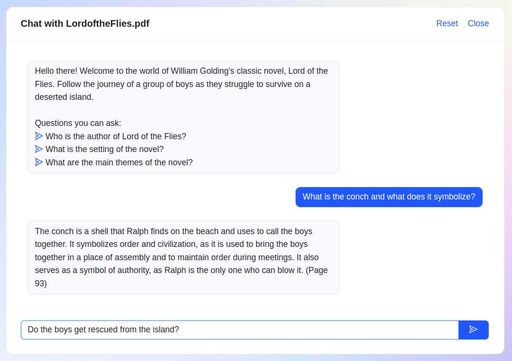
Chat with PDFs and other documents to get answers with citations, for students
- Freemium
- Productivity


Chat with PDFs and other documents to get sourced answers, summaries and translations
- Freemium
- Productivity