
Luw AI
AI room, exterior and 3D design tool for architects, designers and real estate teams
Luw AI is a freemium AI tool for inspiration. It is available on Web, iOS, macOS, API and CLI.
- Pricing
- Freemium
- Platforms
- Web, iOS, macOS
- Listing updated
Similar tools

About Luw AI
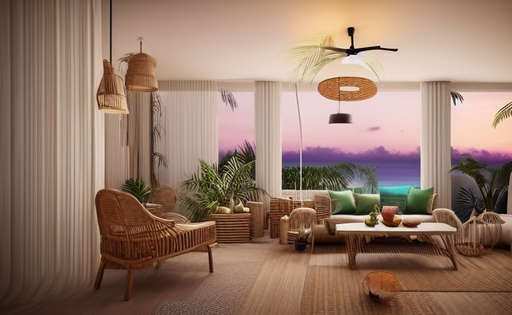
Luw.ai is a web and iOS suite that turns room photos, sketches and 3D screenshots into rendered interior and exterior designs. The site lists separate tools for redesigning rooms, staging empty spaces, reimagining facades and gardens, removing furniture, and editing images with text prompts or a brush-selected area.
Beyond single renders, the product covers 3D work: text or image prompts can produce a 3D model that can be exported, a 3DSpace tool lets users place furniture in a photographed room, and a Video tool creates flythrough motion from a design. An ArchiGPT chat assistant answers layout and design questions, and a vector export produces SVG outlines for editing in CAD software.
The pricing page describes a free daily credit allowance with watermarked low-resolution output, plus paid monthly plans that add 4K output, watermark-free exports, commercial licensing, and API and MCP access. Teams can invite clients or colleagues with view-only, download or edit permissions, which suits agencies, real estate staff and architects who share visuals with clients.
What it does
- Room redesign from photos
- Upload a photo of an existing room to generate redesigned interior versions.
- Exterior and landscape renders
- Reimagine facades, gardens and outdoor areas from a photo, matched to a chosen style and area.
- Text-to-3D model generation
- Create a 3D model from a text prompt or image and export it as a 3D file.
- Brush-based object editing
- Select a region, then remove, add or replace objects using a prompt while leaving the rest of the image unchanged.
- Team project sharing
- Invite clients or teammates to a project with view-only, download or full edit access.
- Vector and API access
- Export furniture or facade outlines as SVG and use the design tools through an API or MCP on paid plans.
Good for
- Staging an empty room photo for a property listing
- Showing clients several redesign options for an interior before a renovation
- Visualising exterior or garden changes on an existing building
- Removing furniture from a photo to present a room as empty
- Producing 3D flythroughs from a finished design
Pricing
Freemium
Free daily credits; paid monthly plans with more renders, 4K and commercial license; token packs available
Prices change. Check luw.ai before you buy.
Luw AI FAQ
Is there a free plan?
Yes. The pricing page lists a free tier with 2 credits per day, 512x512 output and a watermark, and says credits are lost if unused that day.
What do paid plans add?
The pricing page says paid plans include 4K output without watermarks, premium models, all AI tools with MCP and API access, and a commercial license on the Pro tier and above.
Can I use the output for commercial projects?
The pricing page lists a commercial license on the Pro plan and higher, so commercial use depends on the plan chosen.
Which platforms does Luw AI run on?
The site says the suite works across iOS, macOS and Web, and a floor planner is offered through the iOS app.
What are the best alternatives to Luw AI?
The closest alternatives to Luw AI are Interior AI, MyRoomDesigner.ai, Dreamhouse AI, Interior Computer and VisualizeAI.
Where this comes from
- Description: written from the project's website.