heyCLI
Turns plain-English requests into Linux terminal commands, for people who forget syntax
- Platforms
- CLI, Linux
- Listing updated
- 2 days ago
Similar tools



About heyCLI
heyCLI is an AI tool for productivity. It is available on CLI and Linux.
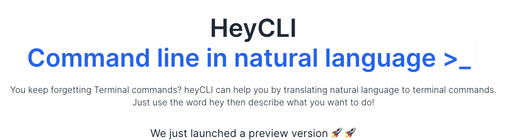
HeyCLI sits in your terminal and converts a sentence describing what you want into the matching Linux command. You start the request with the word "hey" followed by the task, so you can stay at the prompt without switching to a search engine or man pages.
The site describes it as a preview release, with setup handled through instructions in its GitHub repository. An email signup is offered for updates on new features.
It suits developers and sysadmins who use Linux daily but cannot recall every flag, as well as newcomers who would rather describe a goal than learn the command set first.
What it does
- Natural language commands
- Describe a task in everyday English and receive the corresponding Linux command.
- Terminal-native workflow
- Works inside the terminal so you do not need to leave your shell to look up syntax.
- Hey-prefixed trigger
- Requests are marked by starting with the word "hey", which separates them from regular shell input.
- GitHub-based setup
- Installation and trial steps are published in the project's GitHub repository.
Good for
- Finding the right find, grep or tar flags without searching documentation
- Learning Linux commands by seeing plain-English tasks mapped to syntax
- Speeding up routine file and directory operations from the terminal
heyCLI FAQ
How do I try heyCLI?
The site says it is a preview version and points to instructions in its GitHub repository.
How do I trigger a command request?
Begin your request with the word "hey" and then describe what you want to do.
What are the best alternatives to heyCLI?
The closest alternatives to heyCLI are GitFluence, Prompt Genie, HTTPie and Perfectclone.
Where this comes from
- Description: written from the project's website.