Face26
Online AI tool that sharpens, colorizes and restores old or blurry photos
Face26 is an AI tool for image improvement. It is available on Web, iOS and Android.
- Platforms
- Web, iOS, Android
- Listing updated
Similar tools



About Face26
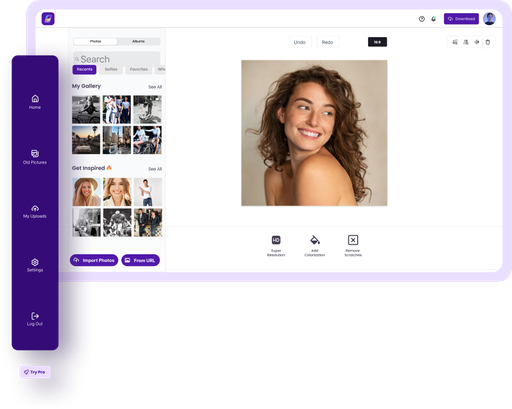
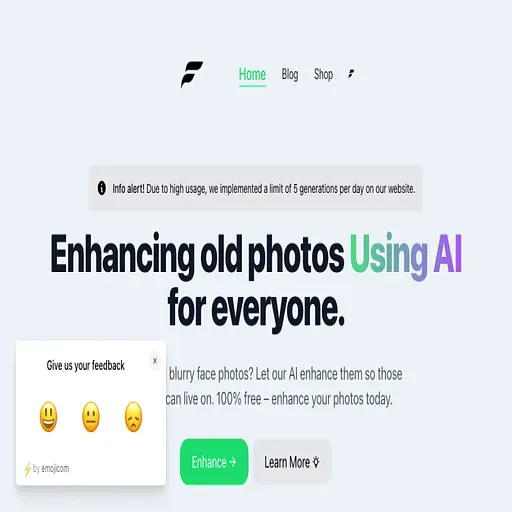
The site says it can turn blurry, pixelated or faded pictures into sharper, high-definition images or add colour to black-and-white shots. Most of the work is handled by a single-click workflow, so no editing background is needed to use it.
Beyond basic enhancement, the feature list covers face unblurring, denoising, upscaling, background removal, headshot and dating-photo generation, e-commerce product shots and animating still photos. The page also mentions a browser app that works on both desktop and smartphone, with finished images saved back to the device.
The product is aimed at people who want to rescue family photos or prepare portraits and product images without learning software. The page states that uploaded images are encrypted, can be deleted, and are not shared, though it gives no details on retention beyond that.
What it does
- One-click photo enhancement
- Improves resolution, sharpness and clarity of a photo with a single action in the browser.
- Colorize black-and-white photos
- Adds colour to old monochrome pictures using an AI model.
- Unblur and denoise faces
- Sharpens blurred faces and removes noise from low-quality images.
- Restore old photos
- Targets damaged or faded family photos to bring back detail.
- Background removal and headshots
- Removes image backgrounds and generates professional-style headshots.
- Browser-based on desktop and mobile
- Runs in a web browser on PC or smartphone and saves results to the device.
- Encrypted uploads
- The site states that uploaded images are encrypted and can be deleted.
Good for
- Restoring old, faded or blurry family photographs
- Colorizing black-and-white pictures from earlier decades
- Upscaling low-resolution images to HD for printing or sharing
- Preparing headshots or dating profile photos without a photographer
- Cleaning up product images for online stores
Face26 FAQ
Do I need photo editing skills to use Face26?
The site says no editing skills are required, since each enhancement runs with one click.
Can I use Face26 on a phone?
The site says the browser application works on both PC and smartphone, and mobile apps are mentioned in its privacy text.
What happens to my uploaded photos?
The site says images are encrypted on upload, not shared or accessed, and can be deleted by the user.
What are the best alternatives to Face26?
The closest alternatives to Face26 are AI photo restorer, AI Image Upscaler, Rentoor, Imageeditor and Let's Enhance.
Where this comes from
- Description: written from the project's website.