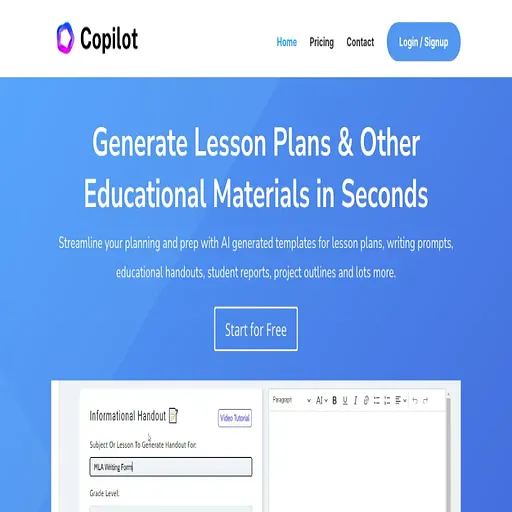
Education CoPilot
AI lesson plan, worksheet and slide generator for K-12 teachers
- Pricing
- Freemium
- Platforms
- Web, API
- Listing updated
- 1 day ago
Similar tools

About Education CoPilot
Education CoPilot is a freemium AI tool for prompt guides. It is available on Web and API.
Education Copilot is a set of AI templates that produce teaching materials from a short description of grade, subject and topic. The site lists lesson plans, worksheets, slide decks, rubrics, quizzes, unit and syllabus plans, differentiated material for reading levels and IEP needs, and parent emails, and says every output can be edited before export to PDF, Word, Google Docs or slides.
The free plan includes access to three core templates, document editing and export, training videos and community support. The pricing page says Pro unlocks more than ten templates, unlimited long-form handouts, auto-save with output history, a Copilot Bootcamp course and 24/7 chat support. The pricing page also says the product works best for teachers of grades 4 and up, while the homepage claims coverage of every grade and subject.
The product suits individual classroom teachers who want to shorten weekly planning, and it offers team, school and district plans through a sales contact.
What it does
- Lesson plan generation
- Creates lesson plans with objectives, activities, materials and assessments from a grade, subject and topic.
- Worksheet and handout creation
- Builds practice problems, reading questions and printable handouts at a chosen reading level.
- Slide deck export
- Turns a topic into an editable slide deck that can be exported to presentation software.
- Rubric and quiz builder
- Drafts criteria-based rubrics and multiple-choice, short-answer and true/false questions with answer keys.
- Differentiation helper
- Adapts material for reading levels, English learners and IEP accommodations.
- Document export
- Exports generated resources to PDF, Word or Google Docs for use in class.
Good for
- Planning a week of lessons for a single class
- Creating a printable worksheet at a specific reading level
- Drafting a unit plan and syllabus for a semester
- Building a grading rubric that matches learning objectives
- Writing parent newsletters and class announcements
Pricing
Freemium
Free plan with three core templates; Pro for unlimited access. Team and district pricing by contact.
Prices change. Check educationcopilot.com before you buy.
Education CoPilot FAQ
Is there a free plan?
Yes. The free plan includes access to three core AI templates, document editing and export, training videos and community support, with no credit card required.
What does Pro add?
The pricing page lists access to all 10+ AI templates, unlimited long-form handouts, auto-save and output history, the Copilot Bootcamp, and 24/7 chat support.
Which grade levels does it support?
The pricing page says it works best for teachers with students in grades 4 and up, while the homepage says it covers every grade and subject.
Are outputs aligned to standards?
The site says resources are aligned to Common Core and state standards by default, and outputs can be edited to match district requirements.
Is Education CoPilot free?
Education CoPilot has a free plan, with paid plans for more usage or features.
What are the best alternatives to Education CoPilot?
The closest alternatives to Education CoPilot are to teach, Sendsteps, Teachermatic, Teacherbot and AI Flashcard Maker by Coursebox.
Where this comes from
- Description: written from the project's website.