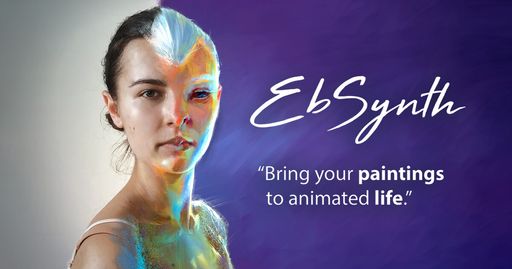
EbSynth
Video VFX tool that propagates hand-painted keyframes across footage for animation
EbSynth is a freemium AI tool for generative video. It is available on Web and Windows.
- Pricing
- Freemium
- Platforms
- Web, Windows
- Listing updated
Similar tools

About EbSynth
The page says EbSynth is built around editing a single frame and letting the software carry that edit through the rest of a clip. Artists paint or correct keyframes, and the app fills in the frames between them by tracking motion in the guiding video. Typical results are hand-drawn looking animation from live footage, digital makeup, and colorizing.
According to the site, the propagation step is a texture-synthesis algorithm that works only from the user's own video and keyframes rather than a generative model trained on external data. Generating keyframes with AI is an optional separate feature. The site also advises shooting with soft lighting and textured clothing, since optical flow tracking depends on the guiding footage.
The product suits VFX artists, animators and retouchers who work with footage and want to avoid frame-by-frame manual tracking. The site lists a free tier with 720p MP4 export, a Pro tier with higher resolutions and PNG alpha output, and a Studio option for running the software locally on Windows.
What it does
- Keyframe propagation
- Paint a keyframe once and the software carries the change across the surrounding frames.
- Hand-drawn animation effect
- Turns live performance footage into painterly, hand-drawn style animation.
- Retouching and colorizing
- Applies digital makeup, touch-ups and colour changes across a video clip.
- Alpha channel keyframes
- Pro output includes PNG with alpha, and keyframes can use transparent backgrounds for layered edits.
- Optional AI keyframe generation
- A Generate Image feature can create keyframes, separate from the propagation algorithm.
- Local desktop processing
- The Studio plan runs EbSynth on Windows desktops so footage stays on the user's machines.
Good for
- Converting filmed performances into hand-drawn style animation
- Removing blemishes or applying digital makeup across a video shot
- Colorizing black-and-white or line-art footage with painted keyframes
- Adding painterly texture to animated line art
- Fixing eye movements or other small areas on a separate alpha track
Pricing
Freemium
Free plan at 720p; Pro adds 1080p and 4K exports; Studio is a custom deal
Prices change. Check ebsynth.com before you buy.
EbSynth FAQ
Is EbSynth AI?
The site says keyframe propagation does not use AI and is a texture-synthesis algorithm using only the user's video and keyframes. An optional Generate Image feature can create keyframes with AI.
Can I use EbSynth for free?
Yes, the Free plan has no time or functional limitations, though exports are limited to 720p and MP4. Pro adds higher resolutions, PNG sequence output and priority processing.
Do you store my projects?
The site says projects stay on the user's computer, and video and keyframes are uploaded temporarily for rendering and then deleted once results are returned.
Which browser should I use?
The site recommends Chrome, especially for large or high-resolution projects, and advises using the dedicated graphics card on laptops.
What are the best alternatives to EbSynth?
The closest alternatives to EbSynth are Synthesys X, Neuralframes, OpenArt Photo Booth, Easy-Peasy.AI and Synthesia.
Where this comes from
- Description: written from the project's website.