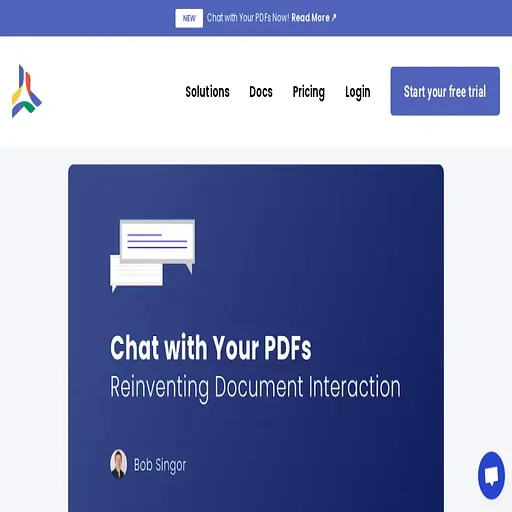
CloudPDF - Chat with your PDFs
Ask questions of your PDFs and jump to the cited pages, for readers and teams who handle
- Pricing
- Freemium
- Platforms
- Web, API
- Listing updated
- 1 day ago
Similar tools



About CloudPDF - Chat with your PDFs
CloudPDF - Chat with your PDFs is a freemium AI tool for chatbot. It is available on Web and API.
CloudPDF's chat feature lets you put a question to a PDF in plain language instead of hunting through pages with a search bar. Answers are drawn from the document itself, and the viewer shows the passages they come from so you can check them in place.
Under the hood the feature relies on vector (similarity) search. Text is converted into embeddings so that questions match passages by meaning rather than exact keywords, which is why phrasing a question differently still tends to surface the relevant section. The blog presents this as the core of the Chat with Your PDF function.
The product is aimed at people who regularly work through long reports, textbooks or reference material. Chat is switched on per document through a permission setting, so owners decide which files are open to AI questioning. A business-wide vector search product for large document collections is described as upcoming and available on request.
What it does
- Natural language questions
- Ask a question in your own words and receive an answer based on the document's content.
- Source citations in viewer
- Answers point to the relevant sections, which open in the integrated PDF viewer.
- Semantic vector search
- Embeddings match questions to passages by meaning rather than by exact keyword.
- Per-document AI permission
- An "Allow AI Chat" setting lets owners enable chat on individual files.
- Built-in PDF viewer
- Preview and chat happen in the same viewer used for sharing documents.
Good for
- Finding a specific figure or definition in a long report before a presentation
- Studying dense textbook chapters by asking targeted questions
- Querying reference documents such as standards or legal texts
- Exploring a whitepaper's technical claims without reading it end to end
Pricing
Freemium, from $20 a month
Free trial with 5 uploads; Light $20 per user/month; Professional $50 per user/month; Enterprise by quote
Prices change. Check cloudpdf.io before you buy.
CloudPDF - Chat with your PDFs FAQ
How do I turn on chat for a document?
After uploading, right-click the document, choose "Change Permissions" and enable "Allow AI Chat"; then open it with Preview.
Is a credit card needed to start a trial?
No. The pricing FAQ says credit card details are not required to register and start a trial subscription.
How many uploads are allowed during the trial?
During the trial you can upload up to 5 documents, unless payment details have been added.
Can I change or cancel my plan?
Plans can be upgraded or downgraded at any time, and all plans are month-to-month and cancellable, with no credit for unused time in a billing period.
Is CloudPDF - Chat with your PDFs free?
CloudPDF - Chat with your PDFs has a free plan, with paid plans for more usage or features. Paid plans start at $20 a month.
What are the best alternatives to CloudPDF - Chat with your PDFs?
The closest alternatives to CloudPDF - Chat with your PDFs are ChatPDF, Ask Your PDF, ChatDOC, DocGPT and DocuChat.
Where this comes from
- Description: written from the project's website.