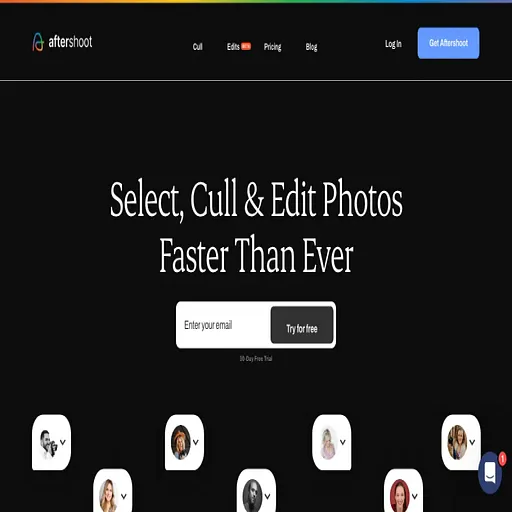
AfterShoot
AI culling, editing and retouching desktop app for professional photographers
AfterShoot is an AI tool for business. It is available on Windows and macOS.
- Pricing
- Free trial
- Platforms
- Windows, macOS
- Listing updated
Similar tools
About AfterShoot
The software takes over the repetitive post-shoot work that usually eats a photographer's week: sorting through thousands of frames, applying a consistent look, and cleaning up skin, hair, glare and backgrounds. Instead of running each album through separate apps, the workflow moves from selection to edits to client delivery inside one program.
The README-style material on the site describes a learning approach: you can train a profile on your own edited photos, import a Lightroom preset, or pick from a set of pre-built styles, and the app then applies that look across an album. Culling can be fully automated for a first pass or kept under manual control, with duplicate grouping and review views to adjust picks.
It runs locally on Windows and macOS and states that images are processed on the user's machine rather than on its servers, with an opt-out offered at import. Photographers who shoot weddings, events, portraits and family sessions are the stated audience, and the built-in galleries add proofing and print sales for clients.
What it does
- AI culling workflow
- Automated or assisted selection that groups duplicates and lets you review picks in grid or loupe views.
- Style training profiles
- Learns from your previously edited photos or imported Lightroom presets to apply your look across an album.
- Batch retouching
- Retouches skin, stray hair, glare and backgrounds on one photo and syncs the adjustments across the gallery.
- Local processing
- Runs on the computer without cloud uploads, and writes RAW ratings to XMP sidecar files rather than altering originals.
- Client galleries
- Hosts proofing, face detection, keyword search and a print store for delivering albums to clients.
Good for
- Culling a wedding or event shoot down to final selects in a single session
- Applying a consistent signature look across a full album of portraits
- Batch-retouching skin and backgrounds in family or newborn sessions
- Delivering proofing galleries and selling prints to clients from the same app
Pricing
Free trial, from $10 a month
30-day free trial, no credit card. Complete workflow from $45/month billed annually; AI Culling from $10/month.
Prices change. Check aftershoot.com before you buy.
AfterShoot FAQ
Does AfterShoot work offline?
Yes. The site says the app works locally on the computer without needing cloud uploads or a constant internet connection.
Which image formats are supported?
The site says it processes RAW, JPEG and TIFF files.
What are the minimum system requirements?
The site lists 8GB of RAM and a relatively recent CPU, and warns that retouching and preview rendering may not work reliably on Intel integrated graphics or GPUs with under 2GB VRAM.
Is there a free trial?
The site offers a 30-day trial with full access and no credit card required.
What are the best alternatives to AfterShoot?
The closest alternatives to AfterShoot are Imageeditor, Descritella, Photoleap, Pixelcut and AI Image Upscaler.
Where this comes from
- Description: written from the project's website.