
Tilegym converting cutile to triton
Guides an agent in converting cuTile GPU kernels to Triton and debugging the result
- Scripts
- Python
- Platforms
- Claude Code, Codex, Cursor
- GitHub stars
- 4K
- Last commit
- 2 days ago
- License
- Apache-2.0
- Listing updated
- today
Similar skills
About Tilegym converting cutile to triton
Tilegym converting cutile to triton is an open-source agent skill for developer tools. It is available on Claude Code, Codex, Cursor, Gemini CLI, GitHub Copilot, Windsurf and Goose.
This skill walks an agent through porting cuTile kernels marked with @ct.kernel into Triton kernels marked with @triton.jit. It covers a phased workflow of analysis, conversion, validation, testing and benchmarking, with a pre-flight grep pass over the source to spot patterns that need special handling, such as transposes, casts, launches and constant arguments.
The guidance stresses tensor-descriptor loads and stores for block-shaped tiles, bracket-style Triton launches with tuple or lambda grids, and autotuning when the source used kernel configs. It also includes reference notes on API mapping, common translation pitfalls, performance regression risks, and math dtype requirements for functions like erf and exp.
For layout-dependent kernels, such as those with transpose flags, the skill directs the agent to write separate Triton kernels per layout rather than applying a transpose inside one kernel. Worked examples cover vector add, softmax, layernorm, matmul and attention, each with a cuTile source and a Triton target. Running the conversion requires a Python environment with pytest and access to the TileGym test suite.
When your agent uses it
Converts cuTile GPU kernels (@ct.kernel) to Triton (@triton.jit). Handles standard in-repo conversion, debugging (cudaErrorIllegalAddress, shape mismatch, numerical mismatch), and mapping cuTile idioms (ct.load/ct.store, ct.Constant, ct.launch) to Triton equivalents. Covers dual-kernel layout flags (e.g. transpose=True/False + autotune grid via META) per translations/advanced-patterns.md. Use when converting, porting, or translating cuTile kernels to Triton, or debugging existing Triton translations.
From the skill's SKILL.md. Your agent reads this description to decide when to load the skill.
What it can access
- Runs Python scripts(see the files on GitHub)
- No network calls found in its scripts(see the files on GitHub)
- License: Apache-2.0(see the files on GitHub)
From a static check of its 25 files (243 KB) on GitHub on 17 November 2026. Nothing was run. Read the files before you install a skill: it can tell your agent to run anything its tools allow.
Check another skill before you install it.
Install
Copy the skill folder to ~/.claude/skills/tilegym-converting-cutile-to-triton to use it in all your projects:
tmp=$(mktemp -d) &&
git clone --depth 1 https://github.com/NVIDIA/skills.git "$tmp" &&
mkdir -p ~/.claude/skills &&
rm -rf ~/.claude/skills/tilegym-converting-cutile-to-triton &&
cp -R "$tmp/skills/tilegym-converting-cutile-to-triton" ~/.claude/skills/tilegym-converting-cutile-to-triton &&
rm -rf "$tmp"
For one project only, put the folder in .claude/skills/tilegym-converting-cutile-to-triton inside it instead.
Copy the skill folder to ~/.agents/skills/tilegym-converting-cutile-to-triton to use it in every repository:
tmp=$(mktemp -d) &&
git clone --depth 1 https://github.com/NVIDIA/skills.git "$tmp" &&
mkdir -p ~/.agents/skills &&
rm -rf ~/.agents/skills/tilegym-converting-cutile-to-triton &&
cp -R "$tmp/skills/tilegym-converting-cutile-to-triton" ~/.agents/skills/tilegym-converting-cutile-to-triton &&
rm -rf "$tmp"
For one repository only, put the folder in .agents/skills/tilegym-converting-cutile-to-triton inside it instead.
Copy the skill folder to ~/.cursor/skills/tilegym-converting-cutile-to-triton to use it in every project:
tmp=$(mktemp -d) &&
git clone --depth 1 https://github.com/NVIDIA/skills.git "$tmp" &&
mkdir -p ~/.cursor/skills &&
rm -rf ~/.cursor/skills/tilegym-converting-cutile-to-triton &&
cp -R "$tmp/skills/tilegym-converting-cutile-to-triton" ~/.cursor/skills/tilegym-converting-cutile-to-triton &&
rm -rf "$tmp"
For one project only, put the folder in .cursor/skills/tilegym-converting-cutile-to-triton inside it instead.
Run in a terminal (add --scope workspace to install it for the current workspace only):
gemini skills install https://github.com/NVIDIA/skills.git --path skills/tilegym-converting-cutile-to-tritonOr copy the folder to ~/.gemini/skills/tilegym-converting-cutile-to-triton yourself.
For GitHub Copilot in VS Code, copy the skill folder to ~/.copilot/skills/tilegym-converting-cutile-to-triton:
tmp=$(mktemp -d) &&
git clone --depth 1 https://github.com/NVIDIA/skills.git "$tmp" &&
mkdir -p ~/.copilot/skills &&
rm -rf ~/.copilot/skills/tilegym-converting-cutile-to-triton &&
cp -R "$tmp/skills/tilegym-converting-cutile-to-triton" ~/.copilot/skills/tilegym-converting-cutile-to-triton &&
rm -rf "$tmp"
For one project only, put the folder in .github/skills/tilegym-converting-cutile-to-triton inside it instead.
Get the folder:
git clone --depth 1 https://github.com/NVIDIA/skills.gitThen copy skills/skills/tilegym-converting-cutile-to-triton into your agent's skills folder as tilegym-converting-cutile-to-triton. Agents that support SKILL.md read one folder per skill.
What it does
- Phased conversion workflow
- Steps through analysis, conversion, validation, testing and benchmarking with explicit gates between them.
- cuTile to Triton API mapping
- Pairs cuTile idioms such as ct.load, ct.store, ct.Constant and ct.launch with their Triton equivalents.
- Pre-flight source scan
- Grep commands that flag transposes, casts, launches and 2D loads in the cuTile source before any rewriting.
- Runtime error debugging
- Guidance for illegal address errors, shape mismatches and numerical mismatches in translated kernels.
- Performance regression checklist
- Lists patterns that commonly cause large slowdowns after conversion, with guidance on autotuning and benchmarking.
- Layout flag handling
- Explains how to split dual-layout kernels into separate Triton kernels with a META-driven grid.
Good for
- Port a cuTile attention kernel to Triton
- Debug an illegal address error in a Triton translation
- Convert a cuTile matmul with transpose flags into Triton kernels
- Check whether a converted Triton kernel is within 20% of cuTile performance
- Map ct.load and ct.store calls to Triton tensor descriptors
Tilegym converting cutile to triton FAQ
What does this skill change in my code?
It guides the agent through converting @ct.kernel functions to @triton.jit kernels and debugging existing Triton translations, following a checklist of conversion and validation steps.
Which clients does it work with?
It is a plain SKILL.md folder that follows the shared agent skills format, so it applies to all supported clients.
What does it expect as input?
It expects a cuTile kernel source file and the TileGym test suite, with pytest commands used for validation and benchmark scripts for performance comparison.
Is it open source?
Yes, the skill is released under Apache-2.0 in the NVIDIA skills repository, with CC-BY-4.0 also listed in its metadata.
How do I install Tilegym converting cutile to triton in Claude Code?
Copy the skill folder from GitHub to ~/.claude/skills/tilegym-converting-cutile-to-triton to use it in all your projects, or to .claude/skills/tilegym-converting-cutile-to-triton in one project.
Does Tilegym converting cutile to triton run scripts?
Yes. It runs Python scripts. No network calls were found in its scripts. This comes from a static check of the files on GitHub; nothing was run. Read the files before you install it.
Which AI agents can use Tilegym converting cutile to triton?
Claude Code, Codex, Cursor, Gemini CLI, GitHub Copilot, Windsurf and Goose. Each reads skills in the SKILL.md format from its own folder; the install steps on this page list them.
What are the best alternatives to Tilegym converting cutile to triton?
The closest alternatives to Tilegym converting cutile to triton are Skill creator, Reverse engineer anything, Rea changelog update, Rea tool design and Rea analysis optimization.
Where this comes from
- Description: from the skill's own SKILL.md.
More from NVIDIA/skills
Finds and fixes wrong gradients in differentiable NVIDIA Warp programs using
- Open source
- 4K GitHub stars
- Developer tools
Checks whether an existing code path is a credible NVIDIA Warp acceleration candidate
- Open source
- 4K GitHub stars
- Developer tools
Builds or adapts NVIDIA FastGen experiment configs for a network, task and method
- Open source
- 4K GitHub stars
- AI models and LLM tooling
Guides preparing, registering and verifying NVIDIA FastGen training datasets for an agent
- Open source
- 4K GitHub stars
- Design and media
Guides an agent through changing, refactoring or reviewing NVIDIA FastGen library code
- Open source
- 4K GitHub stars
- Developer tools
Guides an agent through generating and inspecting NVIDIA FastGen teacher and student
- Open source
- 4K GitHub stars
- AI models and LLM tooling
Related MCP servers and tools


REA
MCP serverCLI and MCP server that lets coding agents reverse engineer apps and binaries
Runs locally- Open source
- 467K GitHub stars
- Developer tools

Skills, hooks, memory and security layer for coding agent harnesses
- Freemium
- Open-source agent
- 306K GitHub stars
- AI models and LLM tooling
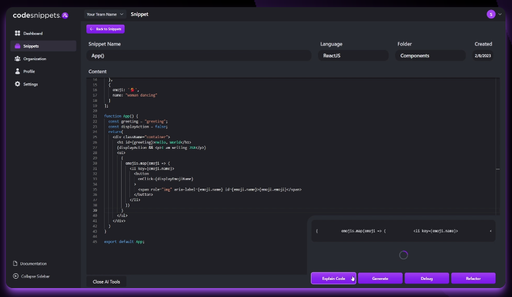
AI chat over your team's code snippets library, with codebase indexing and multiple LLMs
- Freemium
- Generative code
Alternatives to Tilegym converting cutile to triton

Skill creator
SkillGuides an agent through drafting, testing and tuning new agent skills with measured evals
- Free
- 196K GitHub stars
- AI models and LLM tooling
Reverse engineers binaries, apps and firmware with REA and builds web app environments
- Open source
- 465K GitHub stars
- Security
Rea changelog update
SkillRewrites REA release notes from pinned Git history with verified contributor credit
- Open source
- 465K GitHub stars
- Developer tools
Rea tool design
SkillAudits and designs REA investigation tools, CLI and MCP contracts and Evidence semantics
- Open source
- 465K GitHub stars
- Design and media
Finds and fixes wasted work in REA analysis code while verifying results stay equivalent
- Open source
- 465K GitHub stars
- Developer tools
Rea ci tests audit
SkillAudits REA CI workflows and test suites for false passes, fixture drift and wasted time
- Open source
- 465K GitHub stars
- Developer tools