Test scenarios
Turn user stories into step-by-step QA test scenarios
Test scenarios is an open-source agent skill for developer tools. It is available on Claude Code, Codex, Cursor, Gemini CLI, GitHub Copilot, Windsurf and Goose.
- Scripts
- None
- Platforms
- Claude Code, Codex, Cursor
- GitHub stars
- 28.1K
- Last commit
- License
- MIT
- Listing updated
Similar skills

About Test scenarios
This skill takes a user story with its acceptance criteria and produces test scenarios that a QA engineer can run. Each scenario states an objective, the starting conditions, the user role, numbered test steps with observable results, and the expected outcomes.
The agent works through a fixed sequence: review the story, define objectives, set up starting state, pick roles, write steps, define outcomes and add edge cases such as invalid inputs and boundary conditions. A worked example for a 'Recently viewed' product section shows the expected level of detail.
Inputs are a product name, the user story text and any extra testing context or constraints.
When your agent uses it
Create comprehensive test scenarios from user stories with test objectives, starting conditions, user roles, step-by-step actions, and expected outcomes. Use when writing QA test cases, creating test plans, defining acceptance tests, or preparing for feature validation.
From the skill's SKILL.md. Your agent reads this description to decide when to load the skill.
What it can access
From a static check of its 1 file (3 KB) on GitHub on 17 November 2026. Nothing was run. Read the files before you install a skill: it can tell your agent to run anything its tools allow.
Check another skill before you install it.
Install
This skill ships in the pm-execution plugin. In Claude Code, add the marketplace and install the plugin (it may include other skills too):
/plugin marketplace add phuryn/pm-skills
/plugin install pm-execution@pm-skills
Or copy only this skill to ~/.claude/skills/test-scenarios:
tmp=$(mktemp -d) &&
git clone --depth 1 https://github.com/phuryn/pm-skills.git "$tmp" &&
mkdir -p ~/.claude/skills &&
rm -rf ~/.claude/skills/test-scenarios &&
cp -R "$tmp/pm-execution/skills/test-scenarios" ~/.claude/skills/test-scenarios &&
rm -rf "$tmp"
For one project only, put the folder in .claude/skills/test-scenarios inside it instead.
Copy the skill folder to ~/.agents/skills/test-scenarios to use it in every repository:
tmp=$(mktemp -d) &&
git clone --depth 1 https://github.com/phuryn/pm-skills.git "$tmp" &&
mkdir -p ~/.agents/skills &&
rm -rf ~/.agents/skills/test-scenarios &&
cp -R "$tmp/pm-execution/skills/test-scenarios" ~/.agents/skills/test-scenarios &&
rm -rf "$tmp"
For one repository only, put the folder in .agents/skills/test-scenarios inside it instead.
Copy the skill folder to ~/.cursor/skills/test-scenarios to use it in every project:
tmp=$(mktemp -d) &&
git clone --depth 1 https://github.com/phuryn/pm-skills.git "$tmp" &&
mkdir -p ~/.cursor/skills &&
rm -rf ~/.cursor/skills/test-scenarios &&
cp -R "$tmp/pm-execution/skills/test-scenarios" ~/.cursor/skills/test-scenarios &&
rm -rf "$tmp"
For one project only, put the folder in .cursor/skills/test-scenarios inside it instead.
Run in a terminal (add --scope workspace to install it for the current workspace only):
gemini skills install https://github.com/phuryn/pm-skills.git --path pm-execution/skills/test-scenariosOr copy the folder to ~/.gemini/skills/test-scenarios yourself.
For GitHub Copilot in VS Code, copy the skill folder to ~/.copilot/skills/test-scenarios:
tmp=$(mktemp -d) &&
git clone --depth 1 https://github.com/phuryn/pm-skills.git "$tmp" &&
mkdir -p ~/.copilot/skills &&
rm -rf ~/.copilot/skills/test-scenarios &&
cp -R "$tmp/pm-execution/skills/test-scenarios" ~/.copilot/skills/test-scenarios &&
rm -rf "$tmp"
For one project only, put the folder in .github/skills/test-scenarios inside it instead.
Get the folder:
git clone --depth 1 https://github.com/phuryn/pm-skills.gitThen copy pm-skills/pm-execution/skills/test-scenarios into your agent's skills folder as test-scenarios. Agents that support SKILL.md read one folder per skill.
What it does
- Fixed scenario template
- Every scenario carries an objective, starting conditions, user role, test steps and expected outcomes.
- Eight-step process
- Moves from reading the story to producing scenarios ready for QA execution.
- Edge case coverage
- Prompts for invalid inputs and boundary conditions alongside the main flow.
- Worked example
- Includes a complete e-commerce scenario to show the expected format.
- Simple inputs
- Takes a product name, user story and optional context.
Good for
- Write QA test cases from a user story
- Draft a test plan for a feature before release
- Define acceptance tests for a story's criteria
- Prepare feature validation scenarios for a QA team
Test scenarios FAQ
What inputs does Test scenarios need?
A product or system name, the user story with its acceptance criteria, and optional testing context or constraints.
What does each scenario contain?
A scenario name, test objective, starting conditions, user role, numbered test steps and expected outcomes.
Does Test scenarios cover edge cases?
Yes, the process includes a step for invalid inputs and boundary conditions.
How do I install Test scenarios in Claude Code?
Copy the skill folder from GitHub to ~/.claude/skills/test-scenarios to use it in all your projects, or to .claude/skills/test-scenarios in one project. Or install the pm-execution plugin, which includes it: /plugin marketplace add phuryn/pm-skills, then /plugin install pm-execution@pm-skills.
Does Test scenarios run scripts?
No. It is instructions only, with no scripts. This comes from a static check of the files on GitHub; nothing was run. Read the files before you install it.
Which AI agents can use Test scenarios?
Claude Code, Codex, Cursor, Gemini CLI, GitHub Copilot, Windsurf and Goose. Each reads skills in the SKILL.md format from its own folder; the install steps on this page list them.
What are the best alternatives to Test scenarios?
The closest alternatives to Test scenarios are User stories, Job stories, Gen specs as issues, Brainstorm experiments existing and Identify assumptions existing.
Where this comes from
- Description: from the skill's own SKILL.md.
More from phuryn/pm-skills
Analyze A/B test results and get a ship, extend or stop recommendation
- Open source
- 28.1K GitHub stars
- Analytics and data
Pointer skill: code review now lives in the ai-shipping plugin
- Open source
- 28.1K GitHub stars
- Developer tools
Pointer skill: finding code that differs from its docs has moved to ai-shipping
- Open source
- 28.1K GitHub stars
- Developer tools
Pointer skill: documenting AI-built apps for review has moved to ai-shipping
- Open source
- 28.1K GitHub stars
- Developer tools
Turn engagement exports into retention curves, adoption trends and research next steps
- Open source
- 28.1K GitHub stars
- Analytics and data
Write BigQuery, PostgreSQL or MySQL queries from plain-language questions and a schema
- Open source
- 28.1K GitHub stars
- Databases
Related MCP servers and tools
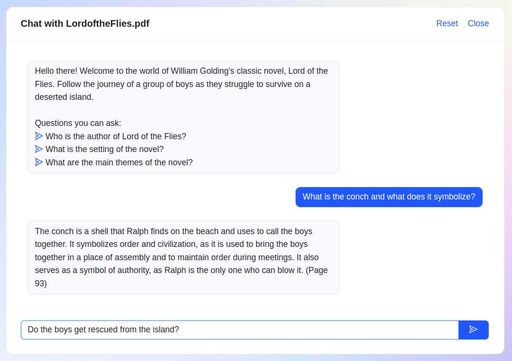
Chat with PDFs and other documents to get answers with citations, for students
- Freemium
- Productivity

Chat with PDFs and other documents to get sourced answers, summaries and translations
- Freemium
- Productivity
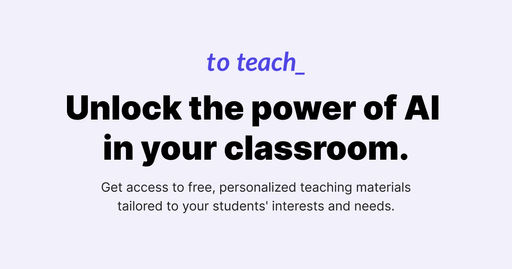
AI lesson planning and classroom worksheets for teachers, exportable to PDF, H5P and DOCX
- Freemium
- Productivity