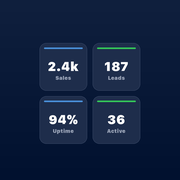
WidgetDash
Push numbers and status to iPhone Home Screen, Lock Screen widgets and Live Activities
- Pricing
- Freemium
- Platforms
- iOS, API, CLI
- Runs
- Locally
- Version
- 0.2.0
- Listing updated
- 2 days ago
About WidgetDash
WidgetDash is a freemium MCP server for productivity. It runs locally on your machine and is started by your AI client.
Five tools write and read the sources behind a WidgetDash widget. push_number sets one metric, such as MRR, and creates the source if it does not exist; push_metrics replaces a source's whole metric list; list_sources, get_widget_data and delete_source read and remove them. Metrics can be numbers, text, status badges or progress bars (0 to 100), with colour options.
The agent needs a write key from the WidgetDash app, and an optional read key; without it the read tools use the write key. Example prompts in the README include sending Stripe MRR, GitHub stars, a server's CPU and uptime, or a CI pass or fail to the widget.
The iPhone app needs iOS 17.6 or later. The free plan allows 5 sources and all widget sizes, while Pro at $4.90 a month or $29.90 a year adds unlimited sources, Live Activities on the Lock Screen and Dynamic Island, and countdowns.
Install
Run in a terminal
claude mcp add widgetdash-mcp --env WIDGETDASH_WRITE_KEY='<WIDGETDASH_WRITE_KEY>' --env WIDGETDASH_READ_KEY='<WIDGETDASH_READ_KEY>' -- npx -y widgetdash-mcpAdd to claude_desktop_config.json
{
  "mcpServers": {
    "widgetdash-mcp": {
      "command": "npx",
      "args": [
        "-y",
        "widgetdash-mcp"
      ],
      "env": {
        "WIDGETDASH_WRITE_KEY": "<WIDGETDASH_WRITE_KEY>",
        "WIDGETDASH_READ_KEY": "<WIDGETDASH_READ_KEY>"
      }
    }
  }
}
Add to ~/.cursor/mcp.json
{
  "mcpServers": {
    "widgetdash-mcp": {
      "command": "npx",
      "args": [
        "-y",
        "widgetdash-mcp"
      ],
      "env": {
        "WIDGETDASH_WRITE_KEY": "<WIDGETDASH_WRITE_KEY>",
        "WIDGETDASH_READ_KEY": "<WIDGETDASH_READ_KEY>"
      }
    }
  }
}
Add to .vscode/mcp.json
{
  "servers": {
    "widgetdash-mcp": {
      "type": "stdio",
      "command": "npx",
      "args": [
        "-y",
        "widgetdash-mcp"
      ],
      "env": {
        "WIDGETDASH_WRITE_KEY": "<WIDGETDASH_WRITE_KEY>",
        "WIDGETDASH_READ_KEY": "<WIDGETDASH_READ_KEY>"
      }
    }
  }
}
Add to ~/.codeium/windsurf/mcp_config.json
{
  "mcpServers": {
    "widgetdash-mcp": {
      "command": "npx",
      "args": [
        "-y",
        "widgetdash-mcp"
      ],
      "env": {
        "WIDGETDASH_WRITE_KEY": "<WIDGETDASH_WRITE_KEY>",
        "WIDGETDASH_READ_KEY": "<WIDGETDASH_READ_KEY>"
      }
    }
  }
}
Add to your client's MCP settings (most use this shape)
{
  "mcpServers": {
    "widgetdash-mcp": {
      "command": "npx",
      "args": [
        "-y",
        "widgetdash-mcp"
      ],
      "env": {
        "WIDGETDASH_WRITE_KEY": "<WIDGETDASH_WRITE_KEY>",
        "WIDGETDASH_READ_KEY": "<WIDGETDASH_READ_KEY>"
      }
    }
  }
}
Configuration
WIDGETDASH_WRITE_KEYWidgetDash write key (from https://widgetdash.app/app). Required to push or delete widget data.RequiredWIDGETDASH_READ_KEYOptional WidgetDash read key for read-only tools. Falls back to the write key.WIDGETDASH_API_URLAPI base URL.
Tools this server provides (5)
Taken from the project documentation; the running server may differ.
- push_number
- Set one value on a source.
- push_metrics
- Create or replace a source's metrics.
- list_sources
- List sources and plan allowance.
- get_widget_data
- Show current widget data.
- delete_source
- Permanently delete a source.
What it does
- Push a single metric
- Set one labelled value without touching the others.
- Replace a source
- Create or overwrite a source with a full metric list.
- Readable widget state
- See current sources, metrics and update times.
- Metric types
- Number, text, status badge and progress bar.
- Source cleanup
- Delete a source and end its Live Activity.
- Write and read keys
- Separate keys, with the write key as fallback.
Good for
- Show Stripe revenue on a Lock Screen widget
- Report CI pass or fail to your phone
- Display server CPU and uptime
- Ask what your widget currently shows
Pricing
Freemium, from $4.9 a month
Free for 5 sources; Pro $4.90/month or $29.90/year
Prices change. Check widgetdash.app before you buy.
WidgetDash FAQ
What do I need?
The WidgetDash iPhone app on iOS 17.6 or later and a write key.
Is it free?
Free for 5 sources; Pro is $4.90 a month or $29.90 a year.
Does it need an API URL?
It defaults to api.widgetdash.app and can be overridden.
Can I install without code?
The app also offers ready-made sources with no code.
Is WidgetDash free?
WidgetDash has a free plan, with paid plans for more usage or features. Paid plans start at $4.9 a month.
How do I add WidgetDash to Claude Code?
Run this command in your terminal: claude mcp add widgetdash-mcp --env WIDGETDASH_WRITE_KEY='<WIDGETDASH_WRITE_KEY>' --env WIDGETDASH_READ_KEY='<WIDGETDASH_READ_KEY>' -- npx -y widgetdash-mcp
What are the best alternatives to WidgetDash?
The closest alternatives to WidgetDash are Ha MCP, Agent-Native Analytics, Google Ads + Meta Ads + SEO/GEO MCP, Concord MCP and Tapetide - Indian Stock Market MCP.
Alternatives to WidgetDash

Ha MCP
MCP serverMCP server for managing and automating Home Assistant from AI assistants
Runs locally- 8 tools
- Open source
- 7.9K GitHub stars
- Productivity

Agent-Native Analytics
MCP serverOpen-source analytics app where an AI agent builds charts and dashboards from your data
- Remote
- Open source
- 7.7K GitHub stars
- Analytics and data

Google Ads + Meta Ads + SEO/GEO MCP
MCP serverHosted MCP connector for managing Google Ads, Meta Ads, GA4 and Search Console from chat
- 8 tools
- Remote
- Freemium
- 8.1K GitHub stars
- Marketing and SEO

Concord MCP
MCP serverLocal-first MCP server for messaging and shared work-state between coding agents
Runs locally- Freemium
- 1.3K GitHub stars
- Developer tools

Tapetide - Indian Stock Market MCP
MCP serverIndian NSE and BSE stock market data for AI assistants through 48 MCP tools
- 17 tools
- Remote
- Freemium
- 150 GitHub stars
- Finance and payments

World Monitor
MCP serverLive geopolitical intelligence dashboard with an API and MCP server for agents
- Remote
- Freemium
- Analytics and data