Usage Planner
Plan your OpenAI Codex weekly quota: run-out dates, banked resets and extra-reset odds
- Pricing
- Open source
- Platforms
- Web, CLI
- Runs
- Locally
- Version
- 0.2.7
- Listing updated
- 2 days ago
About Usage Planner
Usage Planner is an open-source MCP server for developer tools. It runs locally on your machine and is started by your AI client.
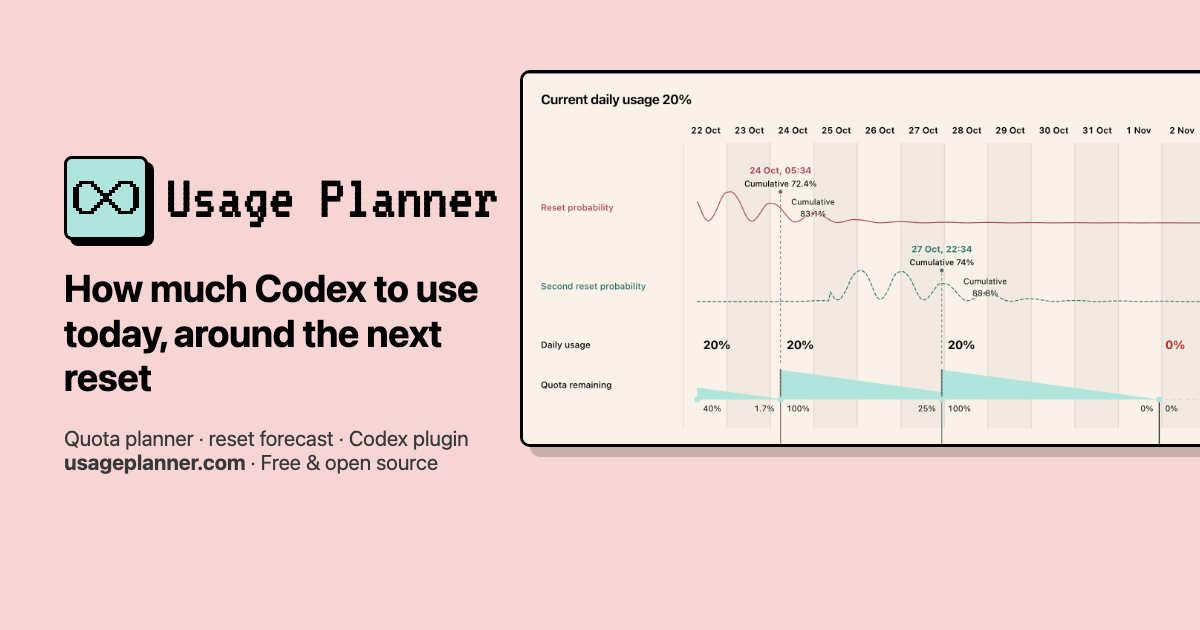
Usage Planner, formerly called Codex4ever, is an unofficial MIT-licensed planner that is not affiliated with OpenAI. It shows when your Codex weekly quota will run out at the current pace, whether a predicted extra reset is likely to arrive first, and when a banked reset is worth redeeming. A two-week timeline shows daily usage, remaining quota, outages, refreshes and banked-reset uses.
Five strategies change the plan: keep pace, keep available, use it all, weekdays only and weekend focus. A predicted reset is counted only when it is at least 60% likely before the next refresh, and it is placed conservatively in time. Every refill restarts the seven-day window, and the last banked reset is kept for a real outage of 24 hours or more. The extra-reset forecast is an uncalibrated model estimate built from public reset history and public posts, not a promise.
The MCP server runs from npm over stdio, but reading your quota needs a signed-in Codex CLI on the same machine; the read is local and read-only. The website works with hand-entered numbers calculated in your browser. The tool never redeems a reset or spends credits for you.
Install
Run in a terminal
claude mcp add usage-planner -- npx -y usage-plannerAdd to claude_desktop_config.json
{
  "mcpServers": {
    "usage-planner": {
      "command": "npx",
      "args": [
        "-y",
        "usage-planner"
      ]
    }
  }
}Add to ~/.cursor/mcp.json
{
  "mcpServers": {
    "usage-planner": {
      "command": "npx",
      "args": [
        "-y",
        "usage-planner"
      ]
    }
  }
}Add to .vscode/mcp.json
{
  "servers": {
    "usage-planner": {
      "type": "stdio",
      "command": "npx",
      "args": [
        "-y",
        "usage-planner"
      ]
    }
  }
}
Add to ~/.codeium/windsurf/mcp_config.json
{
  "mcpServers": {
    "usage-planner": {
      "command": "npx",
      "args": [
        "-y",
        "usage-planner"
      ]
    }
  }
}
Add to your client's MCP settings (most use this shape)
{
  "mcpServers": {
    "usage-planner": {
      "command": "npx",
      "args": [
        "-y",
        "usage-planner"
      ]
    }
  }
}
What it does
- Two-week timeline
- Shows daily usage, remaining quota, run-out points, outages, refreshes and banked-reset uses.
- Extra-reset forecast
- Estimates the chance and likely window of an automatic reset in the next 48 hours.
- Five usage strategies
- Compares keeping pace, keeping quota available, using it all, weekdays only and weekend focus.
- Banked reset advice
- Suggests when to redeem a banked reset and keeps the last one for an outage.
- Overuse alerts
- The Codex plugin can remind you in the conversation when you exceed the plan.
- Same plan everywhere
- The website, plugin page and MCP tools give the same plan for the same inputs.
Good for
- See when this week's Codex quota will run out
- Decide whether to wait for a possible extra reset
- Pick the best moment to redeem a banked reset
- Compare weekday-only and weekend-focus usage plans
- Ask Codex to open the planner beside the chat
Pricing
Open source
Free, MIT licence
Prices change. Check usageplanner.com before you buy.
Usage Planner FAQ
Does it need my credentials?
No separate API key. Reading quota is local and read-only through a signed-in Codex app or CLI.
Can it redeem resets for me?
No. The README says it never redeems a reset or spends credits.
How reliable is the forecast?
It is described as an uncalibrated model estimate, not a promise.
Can I use it without installing anything?
Yes. The website works in the browser, with quota entered by hand and nothing sent anywhere.
Is Usage Planner free?
Yes. Usage Planner is open source, so you can use and self-host it for free.
How do I add Usage Planner to Claude Code?
Run this command in your terminal: claude mcp add usage-planner -- npx -y usage-planner
What are the best alternatives to Usage Planner?
The closest alternatives to Usage Planner are REA, Codebase Memory, GitHub, Serena MCP: the IDE for your agent and XERJ.
Alternatives to Usage Planner

REA
MCP serverCLI and MCP server that lets coding agents reverse engineer apps and binaries
Runs locally- Open source
- 464K GitHub stars
- Developer tools

Codebase Memory
MCP serverLocal MCP server that builds a code knowledge graph for AI coding agents
Runs locally- Open source
- 48.7K GitHub stars
- Knowledge and memory

GitHub
MCP serverOfficial MCP server connecting AI assistants to GitHub repos, issues and workflows
Not checked yet- Remote
- Open source
- 34.5K GitHub stars
- Developer tools

Serena MCP: the IDE for your agent
MCP serverMCP toolkit giving coding agents symbol-level code retrieval and editing
Runs locally- Open source
- 31.5K GitHub stars
- Developer tools

XERJ
MCP serverLocal search engine for AI agents with cited answers over your code and docs
Runs locally- Open source
- 19.2K GitHub stars
- Knowledge and memory

Ha MCP
MCP serverMCP server for managing and automating Home Assistant from AI assistants
Runs locally- 8 tools
- Open source
- 7.9K GitHub stars
- Productivity