SurveysAI Qualitative Analysis – interview and focus group analysis
MCP server for AI-assisted qualitative analysis of interview and focus group transcripts
- Pricing
- Paid
- Platforms
- Web, API
- Runs
- Remotely
- Version
- 1.0.0
- Listing updated
- 3 days ago
About SurveysAI Qualitative Analysis – interview and focus group analysis
SurveysAI Qualitative Analysis – interview and focus group analysis is a paid MCP server for analytics and data. It runs as a hosted remote server, so there is nothing to install locally.
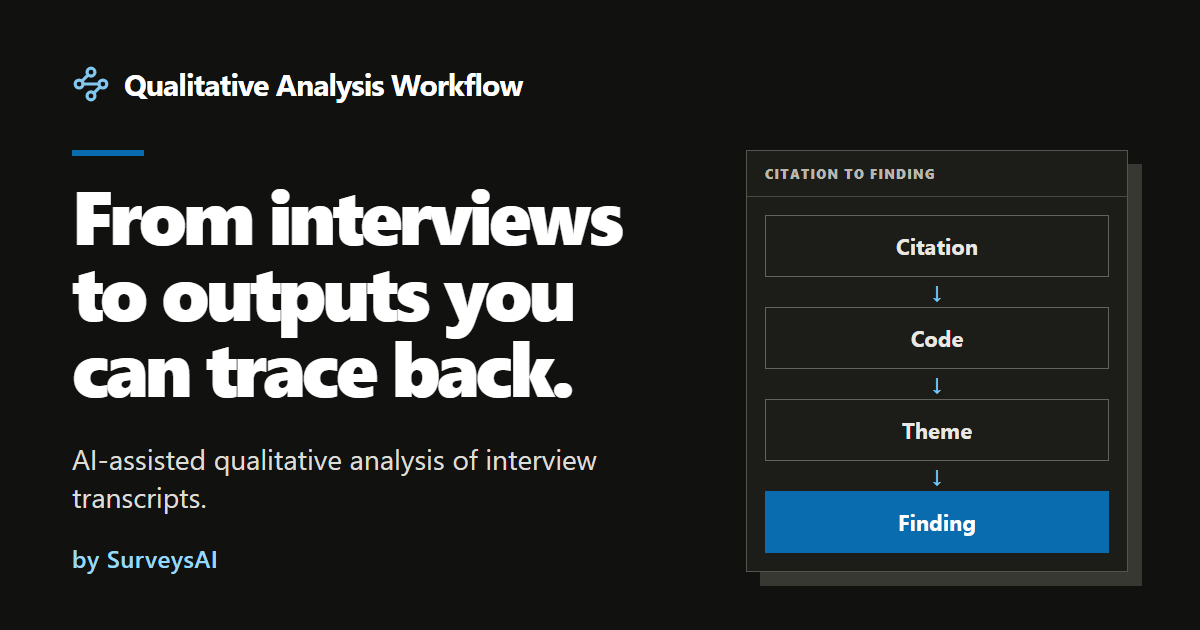
The design goal is traceability. Analysis moves through linked artifacts, from evidence and citations to codes and codebook boundaries, themes and matrices, so a finding can be traced back to a theme, a code and the quotation behind it. Outputs are Markdown, with Word and spreadsheet exports for selected ones.
You start with a transcript and a research goal, and can add an outline, field notes, metadata, terms, a framework, a codebook or an evaluation framework. Five starting presets shape the analysis: template analysis for applied briefs, AI-assisted inductive thematic analysis, deductive qualitative content analysis, Framework Method evaluation and rapid qualitative analysis. The registry entry adds that agents can request price quotes before runs.
The site is candid about checking: an AI critic reviews key outputs against the method's rules and can trigger one revision, but it is the same model that wrote them, so it is not independent validation. Quotations are checked word for word against the transcripts by program code. Analysis quality has been verified in ten languages including English, Czech, German, Arabic and Japanese.
Install
Run in a terminal
claude mcp add --transport http qualitative-analysis-workflow https://qualitative-analysis.surveysai.com/mcpAdd to Settings → Connectors → Add custom connector
https://qualitative-analysis.surveysai.com/mcpAdd to ~/.cursor/mcp.json
{
  "mcpServers": {
    "qualitative-analysis-workflow": {
      "url": "https://qualitative-analysis.surveysai.com/mcp"
    }
  }
}Add to .vscode/mcp.json
{
  "servers": {
    "qualitative-analysis-workflow": {
      "type": "http",
      "url": "https://qualitative-analysis.surveysai.com/mcp"
    }
  }
}
Add to ~/.codeium/windsurf/mcp_config.json
{
  "mcpServers": {
    "qualitative-analysis-workflow": {
      "serverUrl": "https://qualitative-analysis.surveysai.com/mcp"
    }
  }
}
Add to your client's MCP settings (most use this shape)
{
  "mcpServers": {
    "qualitative-analysis-workflow": {
      "type": "http",
      "url": "https://qualitative-analysis.surveysai.com/mcp"
    }
  }
}
Tools this server provides (12)
Read directly from the server.
- qualitative_get_capabilities
- Describes the Qualitative Analysis service: what it does, how authentication, credits and payment work, the input limits and the background-job model (start, then poll). Call it once to orient yourself before the first analysis, or when the user asks what the service can do. No account needed. It lists neither presets nor prices: use qualitative_list_presets and qualitative_get_pricing for those.
- qualitative_list_presets
- Lists the current analysis presets (qualitative methods): preset id and version, title, description, required and optional input slots, the analysis steps and the report types each preset can produce. Call it before quoting or starting an analysis to choose a `preset_id` and valid `selected_reports`. No account needed. It returns no prices: use qualitative_quote_analysis for the price of a concret
- qualitative_get_pricing
- Returns the public price list: the value of one credit in USD, how the package price is tiered by word count, and the credit packs a human can buy. Use it for general pricing questions that have no concrete inputs. For the exact price of a specific analysis use qualitative_quote_analysis. No account needed. It cannot buy credits: only a human can, in the web app.
- qualitative_quote_analysis
- Prices one complete analysis package from word counts alone and returns the price in credits and USD, the model and reasoning effort that would be used, what is included and which reports are available. Read-only: nothing is stored and nothing is charged. Send counts only (`input_word_counts`, optionally `input_bytes`) and never transcript text. Check `valid` and `errors` in the result. Always cal
- qualitative_get_account
- Returns the account behind the API key: credit balance, whether a credit reconciliation blocks new charges, and the key's prefix and scopes. Requires an API key. Use it to check the balance before starting an analysis or after a payment_required error. It cannot buy credits; only a human can, in the web app.
- qualitative_list_runs
- Lists the user's analyses (runs), newest first: id, title, status, preset, package status and price. Requires an API key with the runs:read scope. Use it to find a `run_id` when the user refers to earlier work. For the progress or details of one analysis use qualitative_get_run. Returns at most `limit` entries (default 50, maximum 100).
- qualitative_get_run
- Returns the current state of one analysis: status, package (price, refunds, last error, `retry_available`, `refund_on_cancel`), steps, progress, ready deliverables, `web_url`, `action_required` and `next_poll_after_seconds`. Requires an API key with the runs:read scope. Analyses run in the background: poll this tool no sooner than `next_poll_after_seconds`, until it is null. Null means the analysi
- qualitative_list_deliverables
- Lists the deliverables of one analysis (reports, codebook, evidence matrix and other outputs) with their status and available formats. Requires an API key with the runs:read scope. Use it after qualitative_get_run shows deliverables as ready, then fetch the content with qualitative_get_deliverable. It does not return file content.
- qualitative_get_deliverable
- Fetches one deliverable of an analysis. In the formats md, txt and json the text is returned in `content`, up to 200000 characters. Larger files, and csv, xlsx and docx files, are not returned; the result then holds `download_url`, which must be fetched with an HTTP GET carrying the same API key as an Authorization: Bearer header. Requires an API key with the runs:read scope. Get the `deliverable_
- qualitative_start_analysis
- Starts a paid, prepaid analysis package from text inputs; the whole quoted price is charged in credits immediately. Call it only after the user approved the quoted price from qualitative_quote_analysis (show price, model and effort first). Requires an API key with the runs:write scope. Pass `quoted_price_credits`, `expected_model` and `expected_effort` from that quote: if the price or the model ch
- qualitative_retry_analysis
- Retries the failed work of an analysis at no charge. Use it only when qualitative_get_run shows `retry_available` true (`action_required` retry_or_cancel), and after the user agreed. Requires an API key with the runs:write scope, and the key's owner must own the analysis. On an analysis that has not failed it answers a conflict error. It does not re-run a finished analysis: for a new analysis use
- qualitative_cancel_analysis
- Stops an analysis package for good. Refund rule: if the work failed on our side (`refund_on_cancel` true in qualitative_get_run), the whole package price is refunded to the credit balance; cancelling a healthy or still running package refunds nothing and the charge stays; a completed package cannot be cancelled. Ask the user before cancelling. Requires an API key with the runs:write scope, and the
What it does
- Linked analytical trail
- Findings trace back through themes and codes to specific evidence.
- Five method presets
- Choose inductive, deductive, Framework Method, template or rapid analysis.
- Optional context inputs
- Add codebooks, frameworks, field notes or metadata to ground the analysis.
- Verbatim quote checks
- Quotations are verified word for word against the transcript by code.
- AI critic and one revision
- Key outputs are reviewed against the method and revised once on a serious point.
- Word and spreadsheet exports
- Selected outputs can be exported beyond Markdown.
Good for
- Code interview transcripts for a thesis or study
- Evaluate programme feedback against an evaluation framework
- Get a quick topic overview across focus groups
- Apply an existing codebook to new transcripts
Pricing
Paid
Prepaid credits: 2,000 for $20 or EUR 20, 6,000 for $60; minimum 250 credits per operation
Prices change. Check qualitative-analysis.surveysai.com before you buy.
SurveysAI Qualitative Analysis – interview and focus group analysis FAQ
How is it priced?
Pay-as-you-go credits worth 0.01 USD or EUR each: 2,000 credits for 20 and 6,000 for 60, with a 250-credit minimum per operation.
Does it replace the researcher?
No. It creates and structures analytical material; interpretation and final responsibility stay with the researcher.
Can I see a cost before running?
Yes, an estimate is shown before each run and actual usage is settled afterwards.
Which languages are verified?
English, Czech, German, Arabic, Japanese, French, Spanish, Korean, Brazilian Portuguese and Simplified Chinese; others work but are unverified.
Is SurveysAI Qualitative Analysis – interview and focus group analysis free?
No. SurveysAI Qualitative Analysis – interview and focus group analysis is a paid product.
How do I add SurveysAI Qualitative Analysis – interview and focus group analysis to Claude Code?
Run this command in your terminal: claude mcp add --transport http qualitative-analysis-workflow https://qualitative-analysis.surveysai.com/mcp
What are the best alternatives to SurveysAI Qualitative Analysis – interview and focus group analysis?
The closest alternatives to SurveysAI Qualitative Analysis – interview and focus group analysis are Agent-Native Analytics, Google Ads + Meta Ads + SEO/GEO MCP, Tapetide - Indian Stock Market MCP, World Monitor and CompanyData.
Alternatives to SurveysAI Qualitative Analysis – interview and focus group analysis

Agent-Native Analytics
MCP serverOpen-source analytics app where an AI agent builds charts and dashboards from your data
- Remote
- Open source
- 7.7K GitHub stars
- Analytics and data

Google Ads + Meta Ads + SEO/GEO MCP
MCP serverHosted MCP connector for managing Google Ads, Meta Ads, GA4 and Search Console from chat
- 8 tools
- Remote
- Freemium
- 8.1K GitHub stars
- Marketing and SEO

Tapetide - Indian Stock Market MCP
MCP serverIndian NSE and BSE stock market data for AI assistants through 48 MCP tools
- 17 tools
- Remote
- Freemium
- 150 GitHub stars
- Finance and payments

World Monitor
MCP serverLive geopolitical intelligence dashboard with an API and MCP server for agents
- Remote
- Freemium
- Analytics and data

CompanyData
MCP serverSearch and enrich company records from official registers via the CompanyData API
- 3 tools
- Remote
- Paid
- 3 GitHub stars
- Analytics and data

ChartAnt
MCP serverRemote MCP server returning charts, maps and dashboards as hosted PNG links
- 51 tools
- Remote
- Freemium
- Design and media