Stash: Remember Everything
Search, save and ask across your Stash notes from Claude, Cursor and other MCP clients
- Pricing
- Freemium
- Platforms
- iOS, API
- Runs
- Remotely
- Version
- 0.1.2
- Listing updated
- 2 days ago
About Stash: Remember Everything
Stash: Remember Everything is a freemium MCP server for knowledge and memory. It runs as a hosted remote server, so there is nothing to install locally.
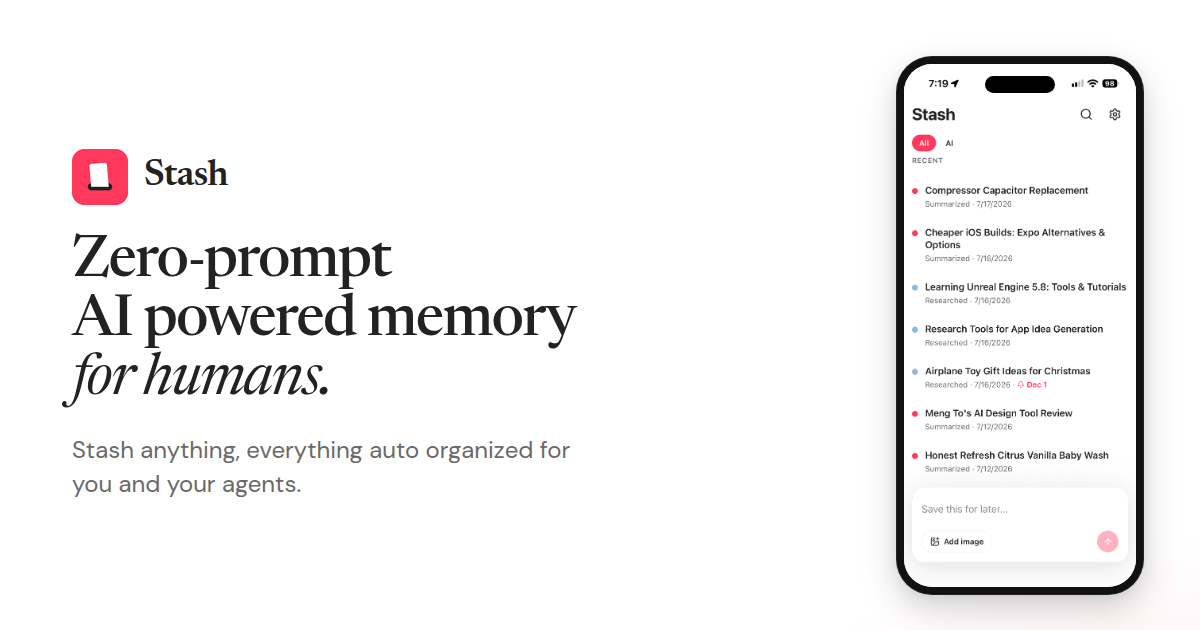
Stash keeps notes that its server has already summarized into a title, sections, tags and sources. This connector exposes that notebook to an assistant through a hosted endpoint, so a question like "what did I save about flights?" is answered from your own notes rather than the web.
Sign-in uses the same Apple or Google account as the iPhone app, with an OAuth consent screen that lists the scopes. Free accounts can search, read, update and delete notes. Creating notes and running research draw on a monthly allowance (30 summaries and 5 research reports, resetting on the 1st UTC), and the Ask tool needs Stash Pro.
The maker is plain about privacy: notes are encrypted at rest with AES-256-GCM but are not zero-knowledge, because the server decrypts them to summarize, research and answer. Note text is sent to Anthropic's Claude through OpenRouter for those jobs, and audit logs record actions and note ids, never note bodies.
Install
Run in a terminal
claude mcp add --transport http stash https://stash.graftedsoftware.com/mcpAdd to Settings → Connectors → Add custom connector
https://stash.graftedsoftware.com/mcpAdd to ~/.cursor/mcp.json
{
  "mcpServers": {
    "stash": {
      "url": "https://stash.graftedsoftware.com/mcp"
    }
  }
}Add to .vscode/mcp.json
{
  "servers": {
    "stash": {
      "type": "http",
      "url": "https://stash.graftedsoftware.com/mcp"
    }
  }
}
Add to ~/.codeium/windsurf/mcp_config.json
{
  "mcpServers": {
    "stash": {
      "serverUrl": "https://stash.graftedsoftware.com/mcp"
    }
  }
}
Add to your client's MCP settings (most use this shape)
{
  "mcpServers": {
    "stash": {
      "type": "http",
      "url": "https://stash.graftedsoftware.com/mcp"
    }
  }
}
Tools this server provides (8)
Taken from the project documentation; the running server may differ.
- stash_me
- Account, plan and entitlements
- stash_search
- Keyword search over decrypted notes
- stash_get
- Fetch one note by id
- stash_create
- Create a text note and start summarizing
- stash_update
- Patch summarized fields
- stash_delete
- Soft-delete a note, revoking shares and dropping images
- stash_research
- Run Deep Research, counted against the monthly allowance
- stash_ask
- Answer a question over server-retrieved notes (Pro)
What it does
- Keyword note search
- stash_search looks through your decrypted notes and stash_get opens one by id.
- Save from chat
- stash_create stores a text note and starts a one-time background summary.
- Deep research
- stash_research runs a research report that counts against the same monthly limit as the app.
- Ask across notes
- stash_ask answers from server-retrieved notes only, with no web search, on Stash Pro.
- Edit and soft-delete
- stash_update patches summarized fields; stash_delete soft-deletes and revokes shares.
- Many client recipes
- Setup steps are given for Claude, Cursor, Grok, Gemini CLI and ChatGPT Actions.
Good for
- Find a note you saved weeks ago without opening the app
- Save a quick reminder by telling your assistant to stash it
- Pull your saved material into a research task in Claude or Cursor
- Ask a question that should be answered strictly from your own notes
Pricing
Freemium
Free accounts get 30 summaries and 5 research reports a month; Ask needs Stash Pro (price not published)
Prices change. Check stash.graftedsoftware.com before you buy.
Stash: Remember Everything FAQ
Do I need a paid plan?
No. Free accounts can connect, search, read, update and delete; only stash_ask requires Stash Pro.
How do I sign in?
Use the Apple or Google account from the Stash app; the client registers via OAuth and you approve scopes on a consent screen.
Are my notes private from the assistant?
Notes are encrypted at rest but not zero-knowledge, so connected agents see the decrypted content the server already uses.
What are the free limits?
The README lists 30 summaries and 5 research reports per month for free accounts, reset on the 1st (UTC).
Is there an API besides MCP?
Yes, an OpenAPI document is published for custom GPT Actions, and personal API keys work as a scripting fallback.
Is Stash: Remember Everything free?
Stash: Remember Everything has a free plan, with paid plans for more usage or features.
How do I add Stash: Remember Everything to Claude Code?
Run this command in your terminal: claude mcp add --transport http stash https://stash.graftedsoftware.com/mcp
What are the best alternatives to Stash: Remember Everything?
The closest alternatives to Stash: Remember Everything are Codebase Memory, XERJ, Ha MCP, Claude Code Ultimate Guide and Nautilus Compass Memory.
Alternatives to Stash: Remember Everything

Codebase Memory
MCP serverLocal MCP server that builds a code knowledge graph for AI coding agents
Runs locally- Open source
- 48.7K GitHub stars
- Knowledge and memory

XERJ
MCP serverLocal search engine for AI agents with cited answers over your code and docs
Runs locally- Open source
- 19.2K GitHub stars
- Knowledge and memory

Ha MCP
MCP serverMCP server for managing and automating Home Assistant from AI assistants
Runs locally- 8 tools
- Open source
- 7.9K GitHub stars
- Productivity

Claude Code Ultimate Guide
MCP serverMCP server for searching the Claude Code Ultimate Guide from any MCP client
Runs locally- Open source
- 6.5K GitHub stars
- AI models and LLM tooling

Nautilus Compass Memory
MCP serverLocal-first long-term memory layer for AI agents, served over MCP
Not checked yet- 5 tools
- Remote
- Open source
- 1.3K GitHub stars
- Knowledge and memory

Concord MCP
MCP serverLocal-first MCP server for messaging and shared work-state between coding agents
Runs locally- Freemium
- 1.3K GitHub stars
- Developer tools