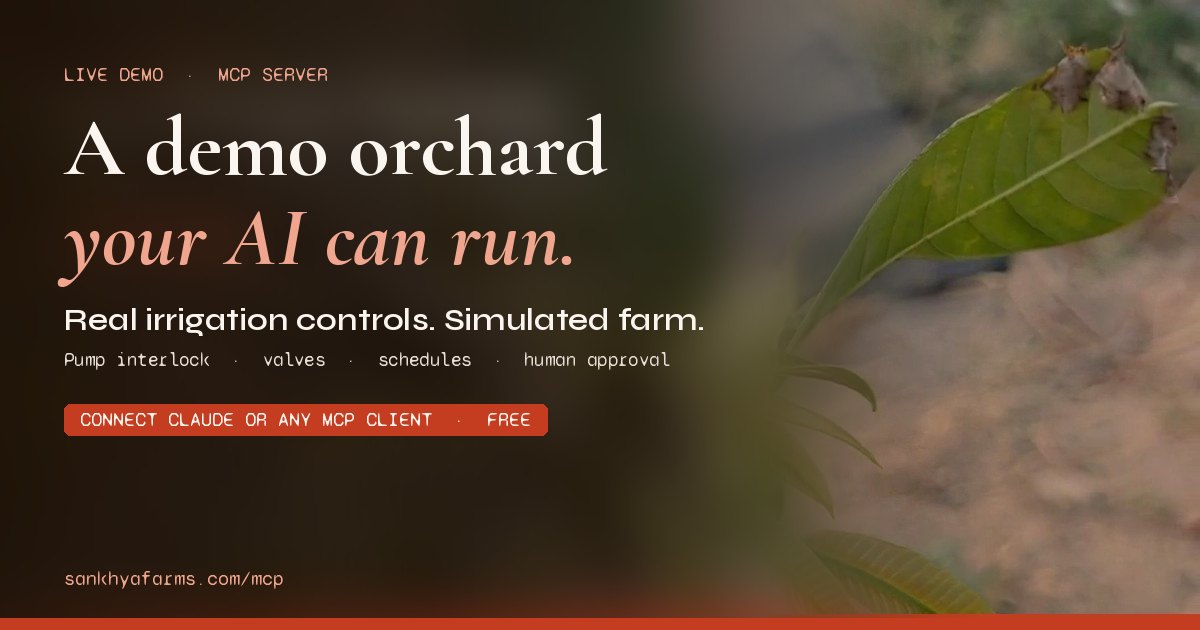
Sankhya Farms Demo Orchard
MCP demo server letting AI clients run a simulated orchard wired to real irrigation
The server answered 3 hours ago with a sign-in request for OAuth (HTTP 401), so we could not list its tools.
- Pricing
- Free
- Platforms
- Web, API, CLI
- Runs
- Remotely
- Access
- Needs sign-in (OAuth)
- Version
- 1.0.0
- Listing updated
- today
Similar MCP servers


About Sankhya Farms Demo Orchard
Sankhya Farms Demo Orchard is a free MCP server for agriculture. It runs as a hosted remote server, so there is nothing to install locally.
The README and site describe this as a hosted demo of Sankhya's irrigation controls, running on a simulated orchard rather than a real farm. The site says the pump, valve, schedule, interlock and approval logic is Sankhya's production code, while the weather, soil, trees and money are simulated. The simulated currency is S$, which the site says is not real money.
A connected AI assistant can read farm status, forecasts, sensor readings and the irrigation run log, and it can start or stop valves and the pump within safety limits. Schedule changes are not applied directly: the AI proposes them and a person must approve them. The demo also covers fertigation mixing, supply ordering, the orchard journal and harvest timing.
The demo suits people who want to test how an AI assistant handles physical-world control with human approval and interlocks before deploying anything similar. Sankhya says a farm can be connected to its controller, but that is a separate arrangement it sells through contact.
Install
Run in a terminal
claude mcp add --transport http demo https://demo.sankhyafarms.com/mcpAdd to Settings → Connectors → Add custom connector
https://demo.sankhyafarms.com/mcpAdd to ~/.cursor/mcp.json
{
  "mcpServers": {
    "demo": {
      "url": "https://demo.sankhyafarms.com/mcp"
    }
  }
}Add to .vscode/mcp.json
{
  "servers": {
    "demo": {
      "type": "http",
      "url": "https://demo.sankhyafarms.com/mcp"
    }
  }
}
Add to ~/.codeium/windsurf/mcp_config.json
{
  "mcpServers": {
    "demo": {
      "serverUrl": "https://demo.sankhyafarms.com/mcp"
    }
  }
}
Add to Grok Bot desktop app → Connect apps → Add a custom connector
https://demo.sankhyafarms.com/mcpEnter a Name (for example "Sankhya Farms Demo Orchard"), choose Type: Remote HTTPS, paste this as the Server URL and choose Add plugin. When we checked, this server asked for OAuth sign-in. If its docs give you an OAuth client ID and secret, enter them in the form's OAuth Client ID and Client Secret fields.
Add to your client's MCP settings (most use this shape)
{
  "mcpServers": {
    "demo": {
      "type": "http",
      "url": "https://demo.sankhyafarms.com/mcp"
    }
  }
}
Using several servers? Build one config file with the MCP config generator.
Tools this server provides (25)
Taken from the project documentation; the running server may differ.
- get_farm_status
- Overview of date, weather, crop stage, money, controller, tank, store, deliveries, farmhand, zones, sensors, alerts and advisor notes.
- get_forecast
- Temperatures, chance of rain and evapotranspiration for coming days.
- list_devices
- Controller, zone valves, pump and daily schedules.
- get_runs
- Irrigation run log with planned and actual times and outcomes.
- get_readings
- Soil moisture, temperature, EC and pH from sensor nodes.
- get_orchard_log
- Orchard journal entries.
- get_recommendations
- Proposals awaiting approval and recent decisions.
- get_inventory
- Stock by product and nutrient, deliveries and invoices.
- run_output
- Run a valve or the pump for a set time through the interlock and cap.
- stop_output
- Switch an output off.
- propose_recommendation
- Propose a schedule change that waits for approval.
- add_orchard_log_entry
- Write a journal entry.
- order_supplies
- Order fertiliser, soil products, sensor nodes or host seedlings.
- mix_tank
- Have the farmhand mix a batch in the fertigation tank.
- set_tank_tap
- Open or shut the tank-to-venturi tap.
- place_sensor_node
- Move a sensor node to another plant.
- spread_by_hand
- Spread fertiliser, sulphur, gypsum or compost on a zone.
- flush_zone
- Acid-flush a zone's drip lines.
- plant_host_trees
- Plant host seedlings beside sandalwood.
- advance_time
- Advance the farm clock and report events.
- update_orchard_log_entry
- Correct a journal entry.
- delete_orchard_log_entry
- Delete a journal entry.
- update_invoice
- Check and confirm a delivery's draft invoice.
- drain_tank
- Drain and rinse the fertigation tank.
- harvest
- Call the picking crew, or thin or fell a timber stand.
What it does
- Simulated orchard environment
- Weather, soil, trees, store and farmhand are simulated, so no real equipment is touched.
- Production irrigation controls
- Valve and pump runs, schedules and the run log use the same code as Sankhya's production hub.
- Pump interlock and run caps
- The pump will not start without an open valve, and unapproved pump runs are capped at four minutes.
- Human approval for schedules
- AI-proposed schedule changes only take effect after a person clicks Approve.
- Read-only and destructive hints
- Each tool carries annotations so a client can ask before changing anything.
- No-account OAuth connection
- Clients connect over Streamable HTTP with OAuth 2.1, and no sign-up is required.
Good for
- Testing how an AI assistant handles irrigation decisions before using it on real equipment
- Evaluating human-in-the-loop approval for physical control systems
- Exploring MCP tool design for safety-critical actuators
- Practising orchard planning with weather forecasts and simulated harvests
Pricing
Free
Free demo; no account required.
Prices change. Check sankhyafarms.com before you buy.
Sankhya Farms Demo Orchard FAQ
Can the demo switch a real pump or valve?
The site says the demo runs on its own servers with no connection to any real farm, and nothing it does can touch a real valve.
Do I need an account?
No. The demo asks for no name, email or sign-up; you start or enter a farm on its connect page.
What can my AI change without asking me?
According to the site, no tool changes a schedule directly; proposals wait for a person to click Approve.
Which AI clients can connect?
The site lists Claude, Claude Code, ChatGPT on paid plans, and Cursor, and says any client speaking MCP over Streamable HTTP with OAuth can connect.
How long does a farm last?
Farms are deleted 14 days after the last visit.
Is Sankhya Farms Demo Orchard free?
Yes. Sankhya Farms Demo Orchard is free to use.
How do I add Sankhya Farms Demo Orchard to Claude Code?
Run this command in your terminal: claude mcp add --transport http demo https://demo.sankhyafarms.com/mcp
What are the best alternatives to Sankhya Farms Demo Orchard?
The closest alternatives to Sankhya Farms Demo Orchard are Winnow and MCP Server.
Where this comes from
- Description: written from the project's website and its MCP Registry entry.
- Status: checked automatically by AIPoweredBot on 19 November 2026.
- Install steps: from the official MCP Registry entry.