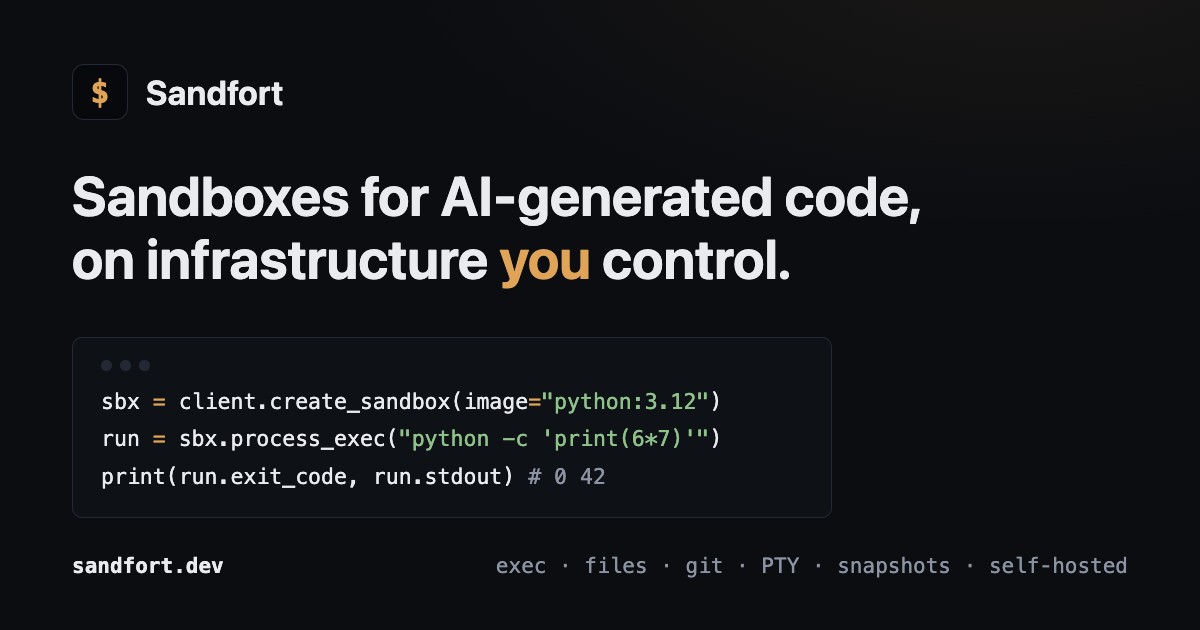
Sandfort
Self-hosted sandbox API for running AI-generated code, with an MCP server for agent
Sandfort is an open-source MCP server for agent sandbox. It runs locally on your machine and is started by your AI client.
- Pricing
- Open source
- Platforms
- API, CLI, Self-hosted
- Runs
- Locally
- What it can do
- Can delete data (1 tool)
- Access
- Needs a secret key or token
- Version
- 0.1.0
Similar MCP servers


Install
Add with the CLI
Run in a terminal
claude mcp add sandfort --env SANDFORT_BASE_URL='<SANDFORT_BASE_URL>' --env SANDFORT_API_KEY='<SANDFORT_API_KEY>' -- uvx sandfort-mcpAdd --scope user to use it in every project, or --scope project to share it in .mcp.json.
Or share it with your project
Add to .mcp.json
{
  "mcpServers": {
    "sandfort": {
      "command": "uvx",
      "args": [
        "sandfort-mcp"
      ],
      "env": {
        "SANDFORT_BASE_URL": "<SANDFORT_BASE_URL>",
        "SANDFORT_API_KEY": "<SANDFORT_API_KEY>"
      }
    }
  }
}Add to claude_desktop_config.json
{
  "mcpServers": {
    "sandfort": {
      "command": "uvx",
      "args": [
        "sandfort-mcp"
      ],
      "env": {
        "SANDFORT_BASE_URL": "<SANDFORT_BASE_URL>",
        "SANDFORT_API_KEY": "<SANDFORT_API_KEY>"
      }
    }
  }
}
Settings → Developer → Edit Config, then quit and reopen Claude Desktop.
Add to ~/.cursor/mcp.json
{
  "mcpServers": {
    "sandfort": {
      "command": "uvx",
      "args": [
        "sandfort-mcp"
      ],
      "env": {
        "SANDFORT_BASE_URL": "<SANDFORT_BASE_URL>",
        "SANDFORT_API_KEY": "<SANDFORT_API_KEY>"
      }
    }
  }
}
Use .cursor/mcp.json in a project to share it with the project.
Add to ~/.copilot/mcp-config.json
{
  "mcpServers": {
    "sandfort": {
      "type": "stdio",
      "command": "uvx",
      "args": [
        "sandfort-mcp"
      ],
      "env": {
        "SANDFORT_BASE_URL": "<SANDFORT_BASE_URL>",
        "SANDFORT_API_KEY": "<SANDFORT_API_KEY>"
      }
    }
  }
}
Or put the same entry in .mcp.json at your workspace root to share it.
Add with the CLI
Run in a terminal
codex mcp add sandfort --env SANDFORT_BASE_URL='<SANDFORT_BASE_URL>' --env SANDFORT_API_KEY='<SANDFORT_API_KEY>' -- uvx sandfort-mcpOr add to config.toml
Add to ~/.codex/config.toml
[mcp_servers.sandfort]
command = "uvx"
args = ["sandfort-mcp"]
env = { SANDFORT_BASE_URL = "<SANDFORT_BASE_URL>", SANDFORT_API_KEY = "<SANDFORT_API_KEY>" }Add to your client's MCP settings (most use this shape)
{
  "mcpServers": {
    "sandfort": {
      "command": "uvx",
      "args": [
        "sandfort-mcp"
      ],
      "env": {
        "SANDFORT_BASE_URL": "<SANDFORT_BASE_URL>",
        "SANDFORT_API_KEY": "<SANDFORT_API_KEY>"
      }
    }
  }
}
Gemini CLI and Antigravity
Gemini CLI
Add to ~/.gemini/settings.json
{
  "mcpServers": {
    "sandfort": {
      "command": "uvx",
      "args": [
        "sandfort-mcp"
      ],
      "env": {
        "SANDFORT_BASE_URL": "<SANDFORT_BASE_URL>",
        "SANDFORT_API_KEY": "<SANDFORT_API_KEY>"
      }
    }
  }
}
Or run: gemini mcp add -s user -e SANDFORT_BASE_URL='<SANDFORT_BASE_URL>' -e SANDFORT_API_KEY='<SANDFORT_API_KEY>' sandfort uvx -- sandfort-mcp
Antigravity
Add to ~/.gemini/config/mcp_config.json
{
  "mcpServers": {
    "sandfort": {
      "command": "uvx",
      "args": [
        "sandfort-mcp"
      ],
      "env": {
        "SANDFORT_BASE_URL": "<SANDFORT_BASE_URL>",
        "SANDFORT_API_KEY": "<SANDFORT_API_KEY>"
      }
    }
  }
}
Use .agents/mcp_config.json to add it to one workspace only.
Devin Desktop (formerly Windsurf)
Add to ~/.config/devin/mcp_config.json
{
  "mcpServers": {
    "sandfort": {
      "command": "uvx",
      "args": [
        "sandfort-mcp"
      ],
      "env": {
        "SANDFORT_BASE_URL": "<SANDFORT_BASE_URL>",
        "SANDFORT_API_KEY": "<SANDFORT_API_KEY>"
      }
    }
  }
}
On Windows the file is %APPDATA%\devin\mcp_config.json. Use .devin/mcp_config.json to share it with a project.
Cline
Add to cline_mcp_settings.json
{
  "mcpServers": {
    "sandfort": {
      "command": "uvx",
      "args": [
        "sandfort-mcp"
      ],
      "env": {
        "SANDFORT_BASE_URL": "<SANDFORT_BASE_URL>",
        "SANDFORT_API_KEY": "<SANDFORT_API_KEY>"
      }
    }
  }
}
Open it from the MCP Servers icon → Configure → Configure MCP Servers.
Zed
Add to Zed settings.json
{
  "context_servers": {
    "sandfort": {
      "command": "uvx",
      "args": [
        "sandfort-mcp"
      ],
      "env": {
        "SANDFORT_BASE_URL": "<SANDFORT_BASE_URL>",
        "SANDFORT_API_KEY": "<SANDFORT_API_KEY>"
      }
    }
  }
}
Open it with zed: open settings file. Merge context_servers into the settings you already have.
JetBrains AI Assistant and Junie
AI Assistant
Add to Settings → Tools → AI Assistant → Model Context Protocol (MCP) → Add
{
  "mcpServers": {
    "sandfort": {
      "command": "uvx",
      "args": [
        "sandfort-mcp"
      ],
      "env": {
        "SANDFORT_BASE_URL": "<SANDFORT_BASE_URL>",
        "SANDFORT_API_KEY": "<SANDFORT_API_KEY>"
      }
    }
  }
}
The AI Assistant docs only show command and args. If the env block is ignored, use Junie for this server.
Junie
Add to ~/.junie/mcp/mcp.json
{
  "mcpServers": {
    "sandfort": {
      "command": "uvx",
      "args": [
        "sandfort-mcp"
      ],
      "env": {
        "SANDFORT_BASE_URL": "<SANDFORT_BASE_URL>",
        "SANDFORT_API_KEY": "<SANDFORT_API_KEY>"
      }
    }
  }
}
Use .junie/mcp/mcp.json to share it with a project.
Kiro
Add to ~/.kiro/settings/mcp.json
{
  "mcpServers": {
    "sandfort": {
      "command": "uvx",
      "args": [
        "sandfort-mcp"
      ],
      "env": {
        "SANDFORT_BASE_URL": "<SANDFORT_BASE_URL>",
        "SANDFORT_API_KEY": "<SANDFORT_API_KEY>"
      }
    }
  }
}
Use .kiro/settings/mcp.json to add it to one workspace only.
Using several servers? Build one config file with the MCP config generator.
Configuration
SANDFORT_BASE_URLBase URL of the Sandfort server, for example http://127.0.0.1:8000RequiredSANDFORT_API_KEYSandfort API key (starts with sf_)Required
About Sandfort
Sandfort gives coding agents a place to execute the code they write. Each sandbox supports command execution, Python, JavaScript, TypeScript and bash runs, file transfer, git clone and commit, background processes, interactive terminals and snapshots, so an agent can stage a repository, run its tests and start again from a clean state.
The server runs on Docker hosts you control, with a choice of isolation per sandbox: a standard container, a gVisor user-space kernel, or a microVM where KVM is available. Access is governed by scoped API keys, roles, label-limited keys, per-organization quotas and a hash-chained audit log. The hosted beta is an invite-only evaluation instance with no SLA, and the project is pre-1.0.
The MCP server exposes sandbox creation, command and code execution, file transfer, snapshots and sandbox management to any MCP-compatible client. It suits platform teams and developers building coding agents who need execution that stays on their own infrastructure.
Tools this server provides (8)
Taken from the project documentation; the running server may differ.
From the tool list in its README, going by the names, 1 of 8 tools deletes data and 5 change data.
From the server's own tool labels and tool names; not verified by us.
- create_sandboxName suggests: changes
- Creates a sandbox, with optional timers, labels, network block, egress allowlist and isolation tier.
- run_codeName suggests: changes
- Runs code in a sandbox.
- run_commandName suggests: changes
- Runs a command in a sandbox.
- create_snapshotName suggests: changes
- Creates a snapshot of a sandbox.
- upload_text_fileName suggests: changes
- Uploads a text file into a sandbox.
- download_text_fileName suggests: reads
- Downloads a text file from a sandbox.
- list_sandboxesName suggests: reads
- Lists sandboxes.
- delete_sandboxName suggests: deletes
- Deletes a sandbox.
What it does
- Command and code execution
- Runs shell commands and Python, JavaScript, TypeScript or bash code, returning exit codes and a stop reason when a run ends early.
- Files and git inside sandboxes
- Uploads, downloads and lists files, and clones, commits, pushes and pulls repositories from within the sandbox.
- Background processes and terminals
- Keeps long-running commands alive with logs and kill controls, offers a preview URL for dev servers and an interactive PTY.
- Snapshots and resets
- Resets a sandbox to a fresh filesystem while keeping its id, or snapshots a prepared sandbox to start new ones from.
- Selectable isolation tiers
- Chooses container, gVisor or microVM isolation per sandbox, with network blocking or an egress allowlist.
- Audit, roles and quotas
- Records mutating calls in a hash-chained audit log, with admin, developer and viewer roles and per-organization quotas.
Good for
- Run a coding agent's generated tests in an isolated sandbox and read the failure output back to the model
- Clone a repository into a sandbox, apply a patch and commit the result for review
- Evaluate many candidate solutions by resetting one sandbox between attempts
- Give an MCP-enabled assistant a controlled environment to execute code and manage files
- Keep agent-executed code on company hosts for security or compliance reasons
Pricing
Open source
Source-available and self-hosted; pilots for design partners are free, and commercial terms are not yet set.
Prices change. Check sandfort.dev before you buy.
Sandfort FAQ
Can Sandfort be self-hosted?
Yes. The server runs on a Linux Docker host, and production use is self-hosted. A hosted beta exists for evaluation only, without production secrets.
What license does Sandfort use?
The server is source-available under FSL-1.1-Apache-2.0, which allows self-hosting and modification but not running a competing service. The Python SDK, TypeScript SDK and CLI are Apache-2.0.
How is the MCP server configured?
It runs over stdio as a Python package and needs a base URL for the Sandfort server and an API key, supplied as environment variables.
Which languages can the agent run?
Code runs support Python, JavaScript, TypeScript and bash, and command execution runs anything installed in the image.
Is Sandfort free?
Yes. Sandfort is open source, so you can use and self-host it for free.
How do I add Sandfort to Claude Code?
Run this command in your terminal: claude mcp add sandfort --env SANDFORT_BASE_URL='<SANDFORT_BASE_URL>' --env SANDFORT_API_KEY='<SANDFORT_API_KEY>' -- uvx sandfort-mcp
What are the best alternatives to Sandfort?
The closest alternatives to Sandfort are Sandbox as a Service, Sandscale, Sandbox Env MCP, SandboxAPI and MCP Sandbox Computer VM for AI.
Where this comes from
- Description: written from the project's README, the project's website and its MCP Registry entry.
- Install steps: from the official MCP Registry entry.