
Real World MCP
One MCP endpoint giving AI agents access to real-world services like telescopes
Real World MCP is a freemium MCP server for mcp data access. It runs as a hosted remote server, so there is nothing to install locally.
- Pricing
- Freemium
- Platforms
- API, Web
- Runs
- Remotely
- Version
- 0.2.0
- Listing updated
Similar MCP servers



Install
Add with the CLI
Run in a terminal
claude mcp add --transport http realworldmcp https://www.realworldmcp.com/api/mcpAdd --scope user to use it in every project, or --scope project to share it in .mcp.json.
Or share it with your project
Add to .mcp.json
{
  "mcpServers": {
    "realworldmcp": {
      "type": "http",
      "url": "https://www.realworldmcp.com/api/mcp"
    }
  }
}In Customize → Connectors → Add → Add custom connector
https://www.realworldmcp.com/api/mcpPaste this URL, choose how to sign in, then click Add and Connect. On Team and Enterprise an Owner adds it in Organization settings → Connectors.
Add to ~/.cursor/mcp.json
{
  "mcpServers": {
    "realworldmcp": {
      "url": "https://www.realworldmcp.com/api/mcp"
    }
  }
}
Use .cursor/mcp.json in a project to share it with the project.
Add to ~/.copilot/mcp-config.json
{
  "mcpServers": {
    "realworldmcp": {
      "type": "http",
      "url": "https://www.realworldmcp.com/api/mcp"
    }
  }
}
Or put the same entry in .mcp.json at your workspace root to share it.
In chatgpt.com → Plugins → + → Add custom MCP server
https://www.realworldmcp.com/api/mcpPaste this URL, set up sign-in, accept the warning and install the plugin. Then type @ in a chat to use it.
Add with the CLI
Run in a terminal
codex mcp add realworldmcp --url https://www.realworldmcp.com/api/mcpOr add to config.toml
Add to ~/.codex/config.toml
[mcp_servers.realworldmcp]
url = "https://www.realworldmcp.com/api/mcp"Add to Grok Bot desktop app → Connect apps → Add a custom connector
https://www.realworldmcp.com/api/mcpEnter a Name (for example "Real World MCP"), choose Type: Remote HTTPS, paste this as the Server URL and choose Add plugin.
Add to your client's MCP settings (most use this shape)
{
  "mcpServers": {
    "realworldmcp": {
      "type": "http",
      "url": "https://www.realworldmcp.com/api/mcp"
    }
  }
}
Gemini CLI and Antigravity
Gemini CLI
Add to ~/.gemini/settings.json
{
  "mcpServers": {
    "realworldmcp": {
      "httpUrl": "https://www.realworldmcp.com/api/mcp"
    }
  }
}
Or run: gemini mcp add -s user --transport http realworldmcp https://www.realworldmcp.com/api/mcp
Antigravity
Add to ~/.gemini/config/mcp_config.json
{
  "mcpServers": {
    "realworldmcp": {
      "serverUrl": "https://www.realworldmcp.com/api/mcp"
    }
  }
}
Use .agents/mcp_config.json to add it to one workspace only.
Devin Desktop (formerly Windsurf)
Add to ~/.config/devin/mcp_config.json
{
  "mcpServers": {
    "realworldmcp": {
      "url": "https://www.realworldmcp.com/api/mcp",
      "transport": "http"
    }
  }
}
On Windows the file is %APPDATA%\devin\mcp_config.json. Use .devin/mcp_config.json to share it with a project.
Cline
Add to cline_mcp_settings.json
{
  "mcpServers": {
    "realworldmcp": {
      "type": "streamableHttp",
      "url": "https://www.realworldmcp.com/api/mcp"
    }
  }
}
Open it from the MCP Servers icon → Configure → Configure MCP Servers.
Zed
Add to Zed settings.json
{
  "context_servers": {
    "realworldmcp": {
      "url": "https://www.realworldmcp.com/api/mcp"
    }
  }
}
Open it with zed: open settings file. Merge context_servers into the settings you already have.
JetBrains AI Assistant and Junie
AI Assistant
Add to Settings → Tools → AI Assistant → Model Context Protocol (MCP) → Add
{
  "mcpServers": {
    "realworldmcp": {
      "url": "https://www.realworldmcp.com/api/mcp"
    }
  }
}
Junie
Add to ~/.junie/mcp/mcp.json
{
  "mcpServers": {
    "realworldmcp": {
      "url": "https://www.realworldmcp.com/api/mcp"
    }
  }
}
Use .junie/mcp/mcp.json to share it with a project.
Kiro
Add to ~/.kiro/settings/mcp.json
{
  "mcpServers": {
    "realworldmcp": {
      "url": "https://www.realworldmcp.com/api/mcp"
    }
  }
}
Use .kiro/settings/mcp.json to add it to one workspace only.
Using several servers? Build one config file with the MCP config generator.
About Real World MCP
Real World MCP is a single remote MCP endpoint that lets an assistant reach a catalogue of independently run providers, from live aircraft and tide data to radio telescopes, quantum processors, PCB fabrication and postal mail. Clients connect by adding one URL, with no account or key needed for the free public tools.
The gateway routes each request to the right provider and returns the result within the chat. Some tools are read-only data lookups, such as earthquake catalogues or satellite telemetry. Others would place an order or contact a real business, and those are described as prepaid-credit actions where the agent must confirm the spend and set a cap before anything runs. Paid provider calls are shown as dry runs until paid tools go live.
It suits people who want an agent to pull live public data or hand off a physical task, such as ordering a prototype board or sending a letter, without wiring up each vendor's API separately.
What it does
- Single remote endpoint
- One streamable HTTP MCP URL gives a client access to the whole provider directory.
- Free public data tools
- Many live data lookups, such as tides, earthquakes and aircraft positions, work without an account or key.
- Spend confirmation
- Paid actions hold the quoted amount from prepaid credits and need the agent to confirm a spending cap first.
- Receipts for paid calls
- Successful paid calls return provider cost, fee, total and balance afterward.
- Revocable API keys
- Keys can be created and revoked in a console that logs each call with its cost and status.
- Connect your own accounts
- Providers can be linked to your own account so they bill you directly, with only the platform fee taken from credits.
Good for
- Check live aircraft or satellite passes over a specific location
- Look up tide predictions or river levels for a planning task
- Order prototype circuit boards from Gerber files
- Send a physical letter or postcard through an API call
- Find and book remote scientific instruments or lab tests
Pricing
Freemium
Free to connect and use public tools; paid calls cost provider price plus 10% + $0.50 from prepaid credits
Prices change. Check realworldmcp.com before you buy.
Real World MCP FAQ
Do I need an account to use Real World MCP?
No. The gateway and its free public tools can be used by pasting the endpoint URL into an MCP client without an account or key.
How is a paid call priced?
A paid call costs the provider's price plus 10% and $0.50, paid from prepaid credits. There is no subscription.
Are paid actions live yet?
Paid provider calls currently return dry runs until paid tools open. Credits are not on sale yet.
What happens if a paid call fails?
The hold is released and nothing is charged.
How do I add Real World MCP to Claude Code?
Run this command in your terminal: claude mcp add --transport http realworldmcp https://www.realworldmcp.com/api/mcp
What are the best alternatives to Real World MCP?
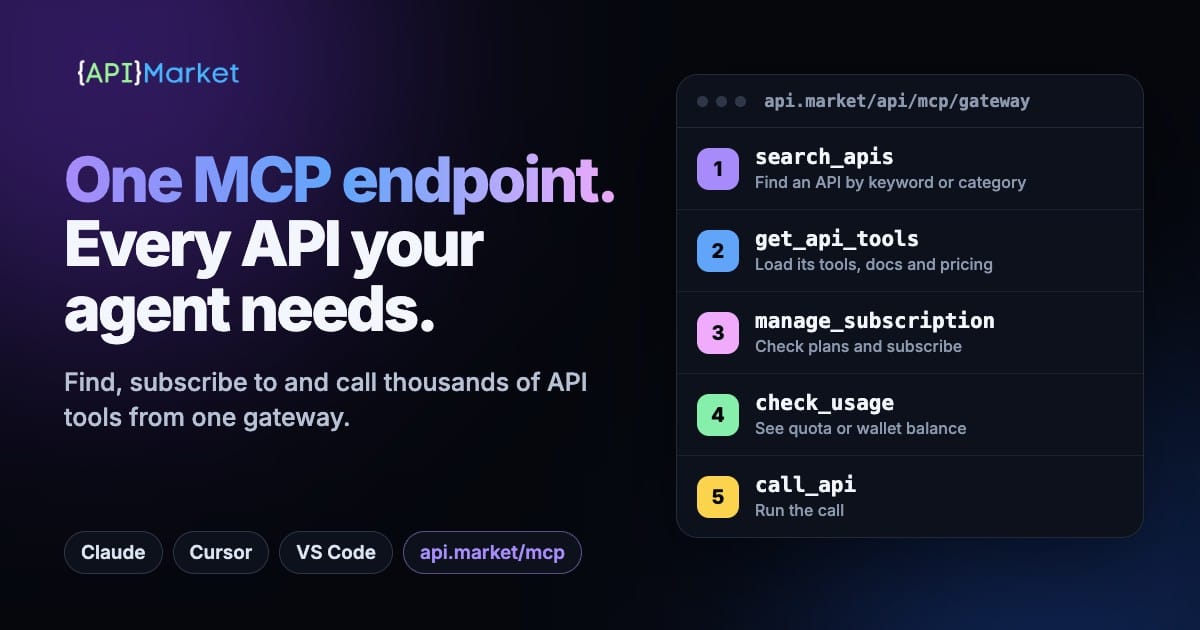
The closest alternatives to Real World MCP are API.market MCP Gateway, AIsa, ToolRouter, Market Data Toolkit MCP and Threads Instagram Truthsocial Linkedin Posts MCP.
Where this comes from
- Description: written from the project's website and its MCP Registry entry.
- Install steps: from the official MCP Registry entry.