Quarry
Let agents query Postgres, MySQL, SQLite and Redis with read-only defaults and row caps
Quarry is an MCP server for databases. It runs locally on your machine and is started by your AI client.
- Platforms
- CLI, macOS, Linux
- Runs
- Locally
- Version
- 2.0.1
- Listing updated
Similar MCP servers


Install
Add with the CLI
Run in a terminal
claude mcp add quarry -- uvx quarry-dbAdd --scope user to use it in every project, or --scope project to share it in .mcp.json.
Or share it with your project
Add to .mcp.json
{
  "mcpServers": {
    "quarry": {
      "command": "uvx",
      "args": [
        "quarry-db"
      ]
    }
  }
}Add to claude_desktop_config.json
{
  "mcpServers": {
    "quarry": {
      "command": "uvx",
      "args": [
        "quarry-db"
      ]
    }
  }
}
Settings → Developer → Edit Config, then quit and reopen Claude Desktop.
Add to ~/.cursor/mcp.json
{
  "mcpServers": {
    "quarry": {
      "command": "uvx",
      "args": [
        "quarry-db"
      ]
    }
  }
}
Use .cursor/mcp.json in a project to share it with the project.
Add to ~/.copilot/mcp-config.json
{
  "mcpServers": {
    "quarry": {
      "type": "stdio",
      "command": "uvx",
      "args": [
        "quarry-db"
      ]
    }
  }
}
Or put the same entry in .mcp.json at your workspace root to share it.
Add with the CLI
Run in a terminal
codex mcp add quarry -- uvx quarry-dbOr add to config.toml
Add to ~/.codex/config.toml
[mcp_servers.quarry]
command = "uvx"
args = ["quarry-db"]Add to your client's MCP settings (most use this shape)
{
  "mcpServers": {
    "quarry": {
      "command": "uvx",
      "args": [
        "quarry-db"
      ]
    }
  }
}
Gemini CLI and Antigravity
Gemini CLI
Add to ~/.gemini/settings.json
{
  "mcpServers": {
    "quarry": {
      "command": "uvx",
      "args": [
        "quarry-db"
      ]
    }
  }
}
Or run: gemini mcp add -s user quarry uvx -- quarry-db
Antigravity
Add to ~/.gemini/config/mcp_config.json
{
  "mcpServers": {
    "quarry": {
      "command": "uvx",
      "args": [
        "quarry-db"
      ]
    }
  }
}
Use .agents/mcp_config.json to add it to one workspace only.
Devin Desktop (formerly Windsurf)
Add to ~/.config/devin/mcp_config.json
{
  "mcpServers": {
    "quarry": {
      "command": "uvx",
      "args": [
        "quarry-db"
      ]
    }
  }
}
On Windows the file is %APPDATA%\devin\mcp_config.json. Use .devin/mcp_config.json to share it with a project.
Cline
Add to cline_mcp_settings.json
{
  "mcpServers": {
    "quarry": {
      "command": "uvx",
      "args": [
        "quarry-db"
      ]
    }
  }
}
Open it from the MCP Servers icon → Configure → Configure MCP Servers.
Zed
Add to Zed settings.json
{
  "context_servers": {
    "quarry": {
      "command": "uvx",
      "args": [
        "quarry-db"
      ]
    }
  }
}
Open it with zed: open settings file. Merge context_servers into the settings you already have.
JetBrains AI Assistant and Junie
AI Assistant
Add to Settings → Tools → AI Assistant → Model Context Protocol (MCP) → Add
{
  "mcpServers": {
    "quarry": {
      "command": "uvx",
      "args": [
        "quarry-db"
      ]
    }
  }
}
Junie
Add to ~/.junie/mcp/mcp.json
{
  "mcpServers": {
    "quarry": {
      "command": "uvx",
      "args": [
        "quarry-db"
      ]
    }
  }
}
Use .junie/mcp/mcp.json to share it with a project.
Kiro
Add to ~/.kiro/settings/mcp.json
{
  "mcpServers": {
    "quarry": {
      "command": "uvx",
      "args": [
        "quarry-db"
      ]
    }
  }
}
Use .kiro/settings/mcp.json to add it to one workspace only.
Using several servers? Build one config file with the MCP config generator.
About Quarry
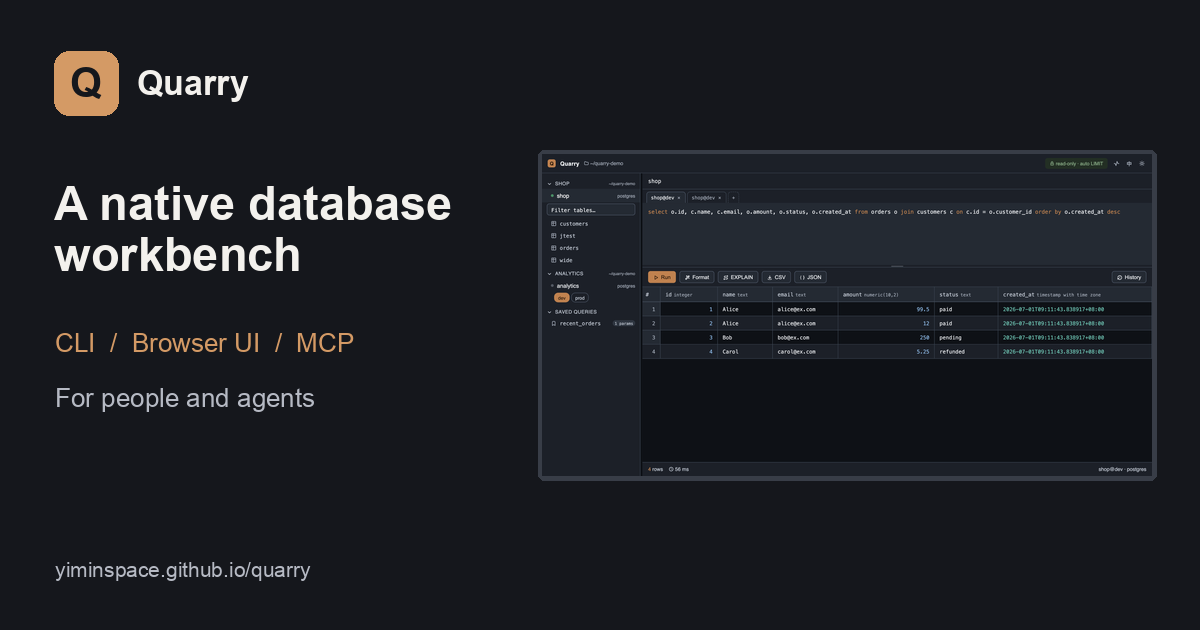
Quarry is a database workbench written in Rust whose kernel handles connections, query execution, schema introspection and safety rules, with the CLI, browser GUI and MCP server as thin shells over it. The pitch is that agents cannot be careful, so the tool has to be: queries share read-only defaults and row caps, and write attempts without authorisation are blocked with a distinct exit code.
Supported engines are PostgreSQL, MySQL, SQLite and Redis, with experimental Neptune. MCP writes need authorisation on both the server and the request, and connections marked as production add a confirmation. Results come back as structured columns, rows, row counts and a truncated flag.
The qy command also opens a local GUI with schema browsing, EXPLAIN and history, and a SQL assistant whose proposals never execute themselves. A Docker image hosts the workbench behind your own sign-in. The registry entry ships on PyPI as quarry-db.
What it does
- Read-only defaults
- Queries are limited and writes need explicit authorisation.
- Structured results
- Columns, rows, row count, truncated flag and timing.
- Four engines
- Postgres, MySQL, SQLite and Redis.
- Local workbench
- qy gui opens schema browsing, SQL tabs and history.
- SQL assistant
- Proposes SQL without running it.
- Hosted option
- Docker image with your own IAM.
Good for
- Let an agent explore a database without write risk
- Run bounded queries from scripts and CI
- Review a schema and run EXPLAIN in a GUI
- Host a read-only query workbench for a team
Quarry FAQ
Can an agent write to my database?
Only with explicit authorisation. CLI writes need --write, and MCP writes need server and request approval.
Which databases work?
PostgreSQL, MySQL, SQLite and Redis, plus experimental Neptune.
Where do credentials live?
The README says they remain local.
Which platforms does Quarry run on?
macOS and Linux on arm64 and x86_64, with Linux glibc 2.28 or newer.
How do I add Quarry to Claude Code?
Run this command in your terminal: claude mcp add quarry -- uvx quarry-db
What are the best alternatives to Quarry?
The closest alternatives to Quarry are PostgreSQL MCP Server, Mcpg, Seqora, Warehouse MCP and dryrun.
Where this comes from
- Description: written from the project's README and the project's website.
- Install steps: from the official MCP Registry entry.