PixilUI components
Search and install PixilUI React components for AI product interfaces from your agent
- Pricing
- Freemium
- Platforms
- API, CLI, Web
- Runs
- Remotely
- Version
- 0.1.0
- Listing updated
- 2 days ago
About PixilUI components
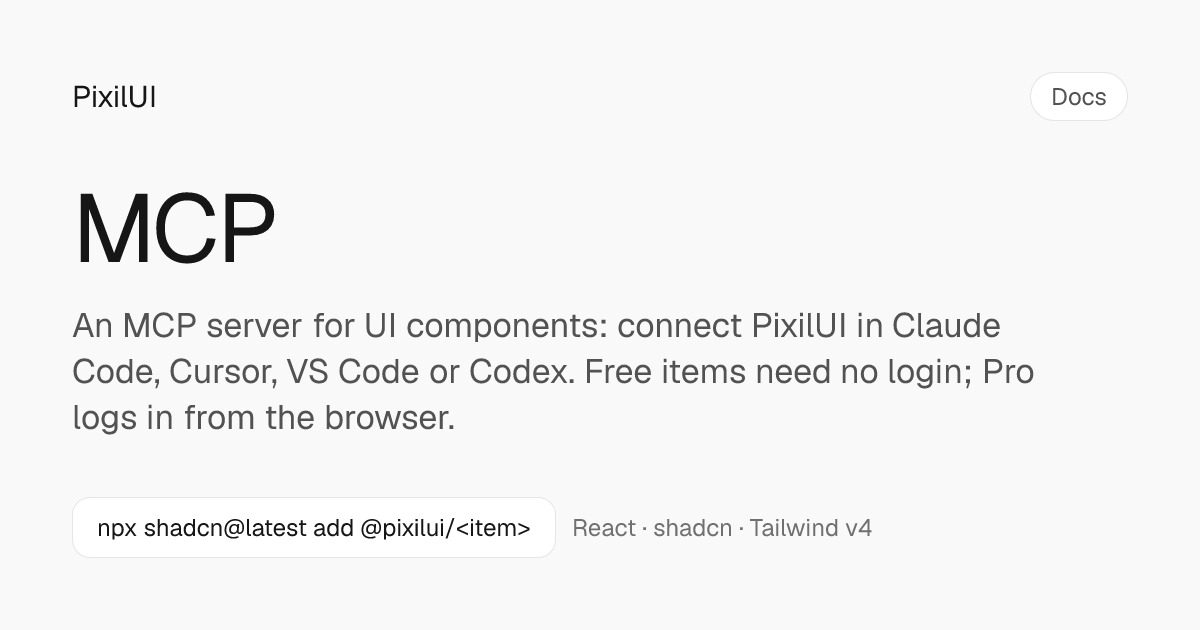
PixilUI components is a freemium MCP server for developer tools. It runs as a hosted remote server, so there is nothing to install locally.
Free items need no account. Without a login the server still answers questions about every item and returns source and install commands for free ones. For a Pro item it returns the description, props and notes, says a licence is needed and points to the closest free item. It also tells agents never to rebuild a Pro item from its description.
There are two addresses: /mcp for free items, and /mcp/pro for Pro and Team, which opens a browser login (Google, GitHub or email) and a consent screen. Headless agents and CI send an access token instead. A local stdio option, npx pixilui@latest mcp, forwards to the remote server and adds init and add tools that change your project.
The docs say the server records the item name, tier and time when it hands an item to an agent, but not prompts, searches, project names, file paths or IP addresses. Requests are limited to 120 a minute.
Install
Run in a terminal
claude mcp add --transport http pixilui https://mcp.pixilui.com/mcpAdd to Settings → Connectors → Add custom connector
https://mcp.pixilui.com/mcpAdd to ~/.cursor/mcp.json
{
  "mcpServers": {
    "pixilui": {
      "url": "https://mcp.pixilui.com/mcp"
    }
  }
}Add to .vscode/mcp.json
{
  "servers": {
    "pixilui": {
      "type": "http",
      "url": "https://mcp.pixilui.com/mcp"
    }
  }
}
Add to ~/.codeium/windsurf/mcp_config.json
{
  "mcpServers": {
    "pixilui": {
      "serverUrl": "https://mcp.pixilui.com/mcp"
    }
  }
}
Add to your client's MCP settings (most use this shape)
{
  "mcpServers": {
    "pixilui": {
      "type": "http",
      "url": "https://mcp.pixilui.com/mcp"
    }
  }
}
Tools this server provides (6)
Taken from the project documentation; the running server may differ.
- search_items
- Finds items by what the UI has to do.
- list_items
- Lists every item by category and tier.
- get_item
- Returns usage guidance, props, keyboard, accessibility, motion and notes.
- get_install_command
- Returns one shadcn command for the items you need, with the components.json entry.
- get_source
- Returns the files with their paths.
- get_skill
- Returns the PixilUI agent skill.
What it does
- Search by UI job
- search_items finds components by what the interface has to do, such as asking before an agent sends an email.
- Usage guidance
- get_item returns when to use an item and when not, with props, keyboard, accessibility and motion notes.
- One-command install
- get_install_command produces a single shadcn command and components.json entry for the items you need.
- Source for locked-down projects
- get_source returns files with paths for projects that cannot run the CLI.
- Free and Pro tiers
- Free items work without login; Pro items install after browser login or with a token.
- Local stdio mode
- An npx command adds init and add tools that set up and modify your project.
Good for
- Have a coding agent pick an agent-approval or run-timeline component
- Install several components with one shadcn command
- Read accessibility and keyboard notes before adding a component
- Use Pro components in CI with an access token
Pricing
Freemium
Free MIT items; Pro $99 once (first 100 licences), Pro yearly $129, Team $599
Prices change. Check pixilui.com before you buy.
PixilUI components FAQ
Do I need an account?
Not for free items. Pro and Team use the /mcp/pro address with a browser login, or a token sent to /mcp.
What do free and Pro cost?
Free items are MIT licensed at $0. Pro is a one-time $99 for the first 100 licences, then $149 and $199; Pro yearly is $129 and Team is $599 for ten people. Some plans go on sale when Pro opens.
Can it install into my project directly?
The remote server returns commands and source. The local npx pixilui mcp mode adds init and add tools that run the CLI in your folder.
What does the server record?
Item name, tier, that it came through MCP and the time, plus account and token ids when you are logged in. No prompts, searches or file paths.
Is there a refund?
Yes, within 14 days if you have not installed or copied any Pro source.
Is PixilUI components free?
PixilUI components has a free plan, with paid plans for more usage or features.
How do I add PixilUI components to Claude Code?
Run this command in your terminal: claude mcp add --transport http pixilui https://mcp.pixilui.com/mcp
What are the best alternatives to PixilUI components?
The closest alternatives to PixilUI components are REA, HyperFrames by HeyGen, Codebase Memory, GitHub and Serena MCP: the IDE for your agent.
Alternatives to PixilUI components

REA
MCP serverCLI and MCP server that lets coding agents reverse engineer apps and binaries
Runs locally- Open source
- 464K GitHub stars
- Developer tools

HyperFrames by HeyGen
MCP serverHosted MCP connector for creating and rendering videos from HTML through AI chat
- Remote
- Freemium
- 85.3K GitHub stars
- Design and media

Codebase Memory
MCP serverLocal MCP server that builds a code knowledge graph for AI coding agents
Runs locally- Open source
- 48.7K GitHub stars
- Knowledge and memory

GitHub
MCP serverOfficial MCP server connecting AI assistants to GitHub repos, issues and workflows
Not checked yet- Remote
- Open source
- 34.5K GitHub stars
- Developer tools

Serena MCP: the IDE for your agent
MCP serverMCP toolkit giving coding agents symbol-level code retrieval and editing
Runs locally- Open source
- 31.5K GitHub stars
- Developer tools

XERJ
MCP serverLocal search engine for AI agents with cited answers over your code and docs
Runs locally- Open source
- 19.2K GitHub stars
- Knowledge and memory