locli
Localization for coding agents: push app texts, approve a release, pull translations
- Pricing
- Freemium
- Platforms
- CLI, Web, iOS
- Runs
- Locally
- Version
- 0.1.11
- Listing updated
- 3 days ago
About locli
locli is a freemium MCP server for developer tools. It runs locally on your machine and is started by your AI client.
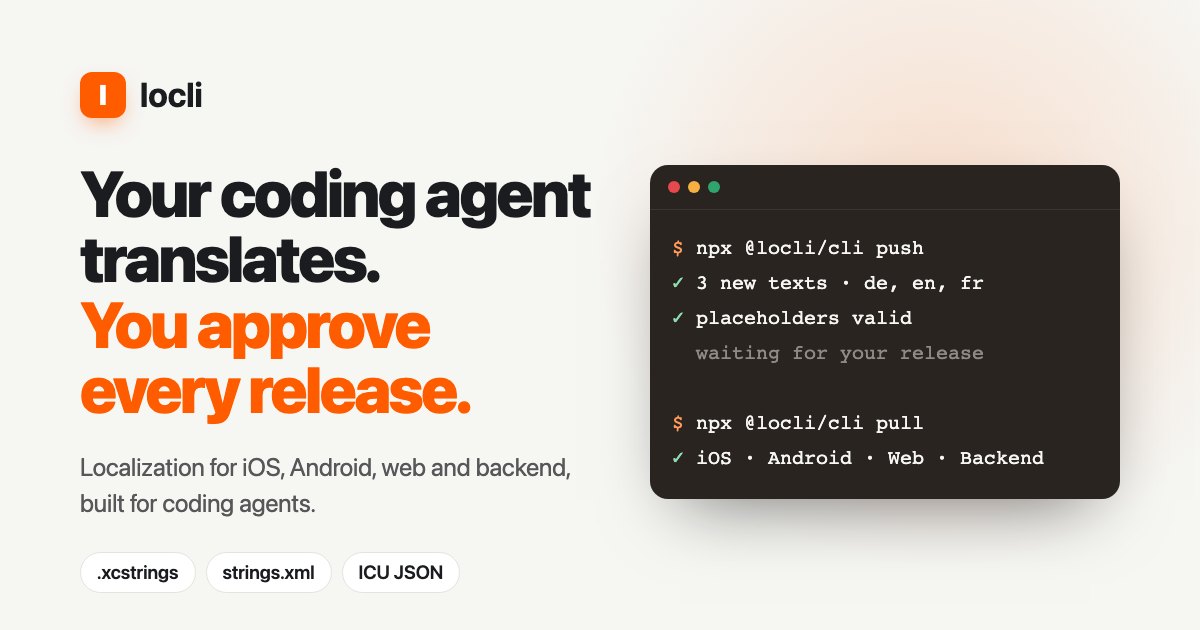
locli stores an app's user-facing strings once, keyed by meaning, and writes each platform's own format back: String Catalogs for iOS, strings.xml for Android and ICU-style JSON for web and backend. The CLI, run as npx @locli/cli, finds your text files during init, writes a locli.json and adds a block to AGENTS.md so an agent knows the workflow.
The loop is push, approve, pull. push uploads only keys locli lacks and never overwrites existing text, a project owner approves a release in the web app, and pull writes the approved release into your files. Other commands show status, find the feature area a new key belongs to, report where a key is used in code and show the translation guide with glossary and tone.
Placeholders, plurals, glossary and tone are checked before a text can ship, and the site says there are no per-word fees because the agent translates with its own model. It is hosted in Frankfurt. The stdio MCP package reads LOCLI_TOKEN, LOCLI_CONFIG and LOCLI_API_URL.
Install
Run in a terminal
claude mcp add locli --env LOCLI_TOKEN='<LOCLI_TOKEN>' -- npx -y @locli/cliAdd to claude_desktop_config.json
{
  "mcpServers": {
    "locli": {
      "command": "npx",
      "args": [
        "-y",
        "@locli/cli"
      ],
      "env": {
        "LOCLI_TOKEN": "<LOCLI_TOKEN>"
      }
    }
  }
}
Add to ~/.cursor/mcp.json
{
  "mcpServers": {
    "locli": {
      "command": "npx",
      "args": [
        "-y",
        "@locli/cli"
      ],
      "env": {
        "LOCLI_TOKEN": "<LOCLI_TOKEN>"
      }
    }
  }
}
Add to .vscode/mcp.json
{
  "servers": {
    "locli": {
      "type": "stdio",
      "command": "npx",
      "args": [
        "-y",
        "@locli/cli"
      ],
      "env": {
        "LOCLI_TOKEN": "<LOCLI_TOKEN>"
      }
    }
  }
}
Add to ~/.codeium/windsurf/mcp_config.json
{
  "mcpServers": {
    "locli": {
      "command": "npx",
      "args": [
        "-y",
        "@locli/cli"
      ],
      "env": {
        "LOCLI_TOKEN": "<LOCLI_TOKEN>"
      }
    }
  }
}
Add to your client's MCP settings (most use this shape)
{
  "mcpServers": {
    "locli": {
      "command": "npx",
      "args": [
        "-y",
        "@locli/cli"
      ],
      "env": {
        "LOCLI_TOKEN": "<LOCLI_TOKEN>"
      }
    }
  }
}
Configuration
LOCLI_TOKENlocli API token (CI). Locally, run `npx @locli/cli login` instead.LOCLI_CONFIGPath to locli.json (default: nearest locli.json from the working directory).LOCLI_API_URLlocli server (default: https://locli.dev).
What it does
- One key per meaning
- Keep a single key across iOS, Android, web and backend.
- Platform-native output
- Write String Catalogs, strings.xml and JSON with plurals and placeholders converted.
- Approval before release
- Every changed text waits for an owner's approval, shown as a diff.
- Safe push
- Upload only missing keys and never overwrite existing texts.
- Translation guide
- Keep glossary, tone and product names so every agent translates alike.
- Status and context
- Show missing translations and where each key is used in code.
Good for
- Have an agent add a feature with keys instead of hard-coded strings
- Translate new texts into every project language
- Keep iOS, Android and web wording in sync
- Let product or marketing fix a text without a pull request
Pricing
Freemium
Free for one project; paid plans not detailed
Prices change. Check locli.dev before you buy.
locli FAQ
How do I log in locally?
Run `npx @locli/cli login`; in CI set the `LOCLI_TOKEN` environment variable.
Can an agent overwrite approved texts?
No. `push` never overwrites existing texts, and builds pull only approved releases.
Which formats does it handle?
iOS String Catalogs, Android strings.xml and JSON for web and backend.
Is there a free plan?
The site says it is free for one project, with no credit card and no per-word fees.
Is locli free?
locli has a free plan, with paid plans for more usage or features.
How do I add locli to Claude Code?
Run this command in your terminal: claude mcp add locli --env LOCLI_TOKEN='<LOCLI_TOKEN>' -- npx -y @locli/cli
What are the best alternatives to locli?
The closest alternatives to locli are REA, Codebase Memory, GitHub, Serena MCP: the IDE for your agent and XERJ.
Alternatives to locli

REA
MCP serverCLI and MCP server that lets coding agents reverse engineer apps and binaries
Runs locally- Open source
- 464K GitHub stars
- Developer tools

Codebase Memory
MCP serverLocal MCP server that builds a code knowledge graph for AI coding agents
Runs locally- Open source
- 48.7K GitHub stars
- Knowledge and memory

GitHub
MCP serverOfficial MCP server connecting AI assistants to GitHub repos, issues and workflows
Not checked yet- Remote
- Open source
- 34.5K GitHub stars
- Developer tools

Serena MCP: the IDE for your agent
MCP serverMCP toolkit giving coding agents symbol-level code retrieval and editing
Runs locally- Open source
- 31.5K GitHub stars
- Developer tools

XERJ
MCP serverLocal search engine for AI agents with cited answers over your code and docs
Runs locally- Open source
- 19.2K GitHub stars
- Knowledge and memory

Ouroboros
MCP serverSpec-first layer that pins requirements and verifies results of AI coding agent work
Runs locally- Open source
- 6.4K GitHub stars
- Developer tools