Jev-Style
Local decision models that score yes/no and multiple-choice questions for agents
- Pricing
- Open source
- Platforms
- CLI, self-hosted, macOS
- Runs
- Locally
- Version
- 0.6.3
- Listing updated
- 3 days ago
About Jev-Style
Jev-Style is an open-source MCP server for ai models and llm tooling. It runs locally on your machine and is started by your AI client.
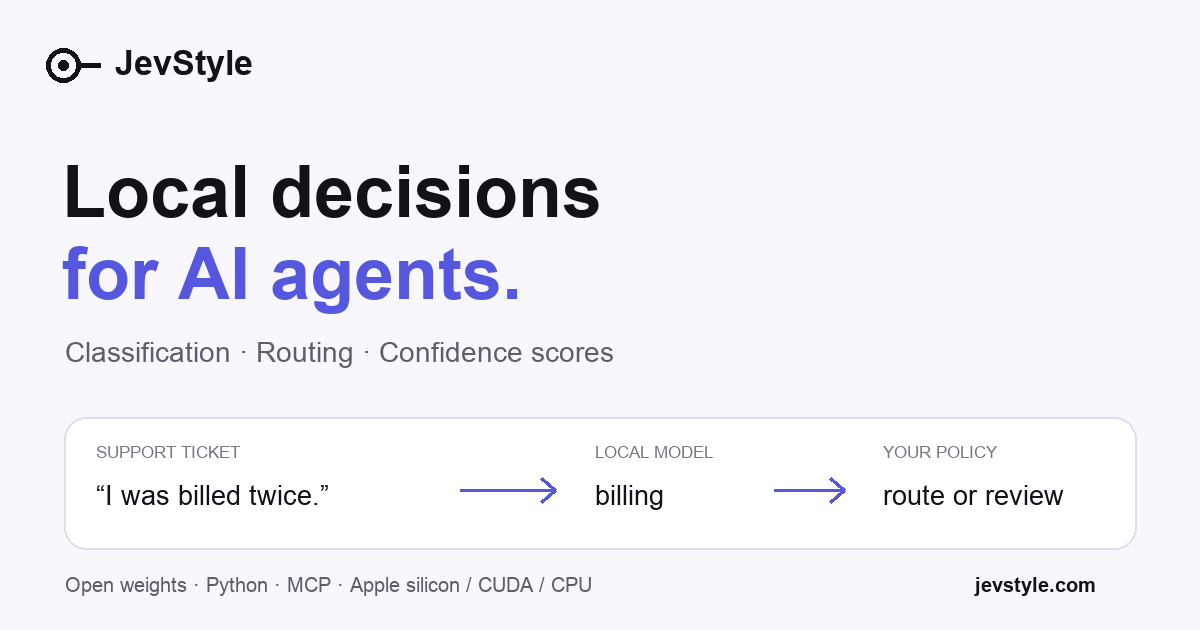
Jev-Style does not write replies; it returns a probability for every option you offer. You pass text (or an image, with the 2B v4 PyTorch build) plus a set of choices, such as whether a message is a refund request, and get a calibrated score back. The registry entry names 2B and 0.8B models, with 0.8B v3 as the default local text model.
The MCP server runs over stdio and talks to a running jev-style serve instance you start with the torch or mlx extra, covering CPU, CUDA and Apple silicon. There is also a free hosted API running 2B v4 for text, with an 8,192-token context, shared capacity and no SLA; busy periods return 429.
Code and weights are Apache-2.0. The maintainers report a JevBench public accuracy of 74.9% for 2B v4 from a single self-run, and disclose that the model was partly trained on soft labels distilled from another vendor's API.
Install
Run in a terminal
claude mcp add jev-style -- uvx jev-styleAdd to claude_desktop_config.json
{
  "mcpServers": {
    "jev-style": {
      "command": "uvx",
      "args": [
        "jev-style"
      ]
    }
  }
}Add to ~/.cursor/mcp.json
{
  "mcpServers": {
    "jev-style": {
      "command": "uvx",
      "args": [
        "jev-style"
      ]
    }
  }
}Add to .vscode/mcp.json
{
  "servers": {
    "jev-style": {
      "type": "stdio",
      "command": "uvx",
      "args": [
        "jev-style"
      ]
    }
  }
}
Add to ~/.codeium/windsurf/mcp_config.json
{
  "mcpServers": {
    "jev-style": {
      "command": "uvx",
      "args": [
        "jev-style"
      ]
    }
  }
}
Add to your client's MCP settings (most use this shape)
{
  "mcpServers": {
    "jev-style": {
      "command": "uvx",
      "args": [
        "jev-style"
      ]
    }
  }
}
Configuration
JEV_STYLE_URLURL of a running `jev-style serve` (start it with `pip install "jev-style[torch]"` or `[mlx]` on Apple silicon, then `jev-style serve`).
What it does
- Option scoring
- Probabilities for yes/no, choice and ordered-score questions.
- Runs locally
- CPU, CUDA and Apple silicon builds; inputs stay on your machine.
- Hosted API
- Free text-only API for quick trials.
- Open weights
- Apache-2.0 code and published weights.
- Image input
- 2B v4 PyTorch supports text and images.
Good for
- Route support tickets and flag refund requests
- Review an agent's tool call and allow, ask or deny
- Classify text without calling a large model
- Score fixed options for a decision step
Pricing
Open source
Apache-2.0; hosted API free with shared capacity and no SLA
Prices change. Check jevstyle.com before you buy.
Jev-Style FAQ
Can it run offline?
Yes, after installing dependencies and downloading a model.
Does it chat?
No. It returns probabilities, and uncertain cases should go to a person or larger model.
What licence?
Apache-2.0 for code and published weights.
What are the hosted limits?
8,192-token context, 8,000 input tokens per request, shared capacity.
Is Jev-Style free?
Yes. Jev-Style is open source, so you can use and self-host it for free.
How do I add Jev-Style to Claude Code?
Run this command in your terminal: claude mcp add jev-style -- uvx jev-style
What are the best alternatives to Jev-Style?
The closest alternatives to Jev-Style are Claude Code Ultimate Guide, signafAIde, Toolkien, Lugh and HypePaper.
Alternatives to Jev-Style

Claude Code Ultimate Guide
MCP serverMCP server for searching the Claude Code Ultimate Guide from any MCP client
Runs locally- Open source
- 6.5K GitHub stars
- AI models and LLM tooling

signafAIde
MCP serverLocal MCP server to set up, verify and check coverage of signed agent action records
Runs locally- 5 tools
- Freemium
- Security

Toolkien
MCP serverOne MCP gateway for all your MCP servers, with code mode, permissions and audit
Not checked yet- 3 tools
- Remote
- Open source
- AI models and LLM tooling
Lugh
MCP serverWrite, check and dry-run Lugh agent programs with policy, budgets and approvals
Runs locally- 5 tools
- Open source
- AI models and LLM tooling

HypePaper
MCP serverResearch papers, benchmarks, citations and topic experts for AI assistants
- 58 tools
- Remote
- Freemium
- AI models and LLM tooling

One compact entry point that finds, describes and runs hundreds of pay-per-call data tools
- 3 tools
- Remote
- Freemium
- Developer tools