HumanifyMe
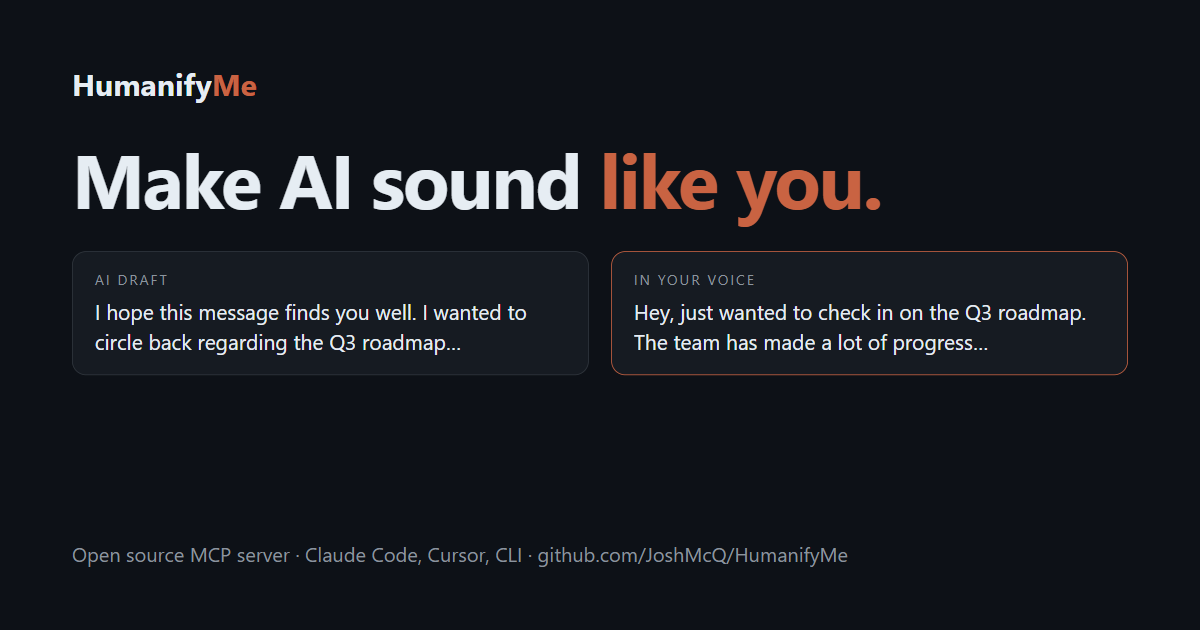
Learns your writing voice locally and rewrites AI drafts so they sound like you
- Pricing
- Open source
- Platforms
- CLI, macOS, Windows
- Runs
- Locally
- Version
- 0.2.2
- Listing updated
- 1 day ago
About HumanifyMe
HumanifyMe is an open-source MCP server for productivity. It runs locally on your machine and is started by your AI client.
HumanifyMe builds a readable, editable profile of how one person writes: sentence rhythm, formality, favourite phrases, words they avoid and how they disagree. You feed it 3 to 10 real messages, a folder, or exported ChatGPT or Claude history, with emails, phone numbers and keys masked before any model sees them. An agent then calls the humanify_text tool, or bundled skills do it after drafting an email or PR, and the draft comes back in your voice through a paraphrase-then-restyle rewrite.
It is local-first and Apache 2.0. The profile lives in ~/.humanifyme on your machine, no account is needed, and the only thing leaving it is redacted text sent to the LLM provider you choose; pointing it at Ollama keeps everything local. The makers say it is not an AI-detector bypass and that its local analyze command is an editing aid based on a 90-sign AI-writing checklist, not a detector.
Setup runs through npx humanifyme setup and needs Node 22.5 or later. A Claude Code plugin adds three skills, other MCP clients use an mcp.json entry, and a CLI works without an agent.
Install
Run in a terminal
claude mcp add humanifyme -- npx -y humanifymeAdd to claude_desktop_config.json
{
  "mcpServers": {
    "humanifyme": {
      "command": "npx",
      "args": [
        "-y",
        "humanifyme"
      ]
    }
  }
}Add to ~/.cursor/mcp.json
{
  "mcpServers": {
    "humanifyme": {
      "command": "npx",
      "args": [
        "-y",
        "humanifyme"
      ]
    }
  }
}Add to .vscode/mcp.json
{
  "servers": {
    "humanifyme": {
      "type": "stdio",
      "command": "npx",
      "args": [
        "-y",
        "humanifyme"
      ]
    }
  }
}
Add to ~/.codeium/windsurf/mcp_config.json
{
  "mcpServers": {
    "humanifyme": {
      "command": "npx",
      "args": [
        "-y",
        "humanifyme"
      ]
    }
  }
}
Add to your client's MCP settings (most use this shape)
{
  "mcpServers": {
    "humanifyme": {
      "command": "npx",
      "args": [
        "-y",
        "humanifyme"
      ]
    }
  }
}
Tools this server provides (1)
Taken from the project documentation; the running server may differ.
- humanify_text
- Rewrites a draft in your learned writing voice
What it does
- Voice fingerprint
- A structured, inspectable profile of one person's writing.
- humanify_text tool
- Any MCP agent can rewrite a draft in your voice.
- Private by design
- Samples and profile stay in a folder on your machine.
- Redaction
- Emails, phone numbers and keys are masked before model calls.
- Local analyzer
- A deterministic AI-writing checklist that needs no API key.
- Local models
- Works with Ollama so no text leaves your machine.
Good for
- Rewrite an AI-drafted email in your own voice
- Make agent-written PR descriptions sound like you
- Rebuild your voice profile after adding samples
- Check a draft for common AI-writing tells
- Share one voice across Claude Code, Cursor and Claude Desktop
Pricing
Open source
Apache 2.0; you pay your chosen LLM provider
Prices change. Check humanifyme.com before you buy.
HumanifyMe FAQ
Is it an AI detector bypass?
No, the makers say it matches your own writing rather than aiming at classifiers.
Where is my data stored?
In ~/.humanifyme on your machine, with no account.
What leaves my computer?
Redacted text sent to the LLM provider you choose, unless you use a local model via Ollama.
What do I need to install it?
Node 22.5 or later and npx -y humanifyme setup.
What licence is it?
Apache 2.0.
Is HumanifyMe free?
Yes. HumanifyMe is open source, so you can use and self-host it for free.
How do I add HumanifyMe to Claude Code?
Run this command in your terminal: claude mcp add humanifyme -- npx -y humanifyme
What are the best alternatives to HumanifyMe?
The closest alternatives to HumanifyMe are Ha MCP, Claude Code Ultimate Guide, Concord MCP, note1 and CalderFlow.
Alternatives to HumanifyMe

Ha MCP
MCP serverMCP server for managing and automating Home Assistant from AI assistants
Runs locally- 8 tools
- Open source
- 7.9K GitHub stars
- Productivity

Claude Code Ultimate Guide
MCP serverMCP server for searching the Claude Code Ultimate Guide from any MCP client
Runs locally- Open source
- 6.5K GitHub stars
- AI models and LLM tooling

Concord MCP
MCP serverLocal-first MCP server for messaging and shared work-state between coding agents
Runs locally- Freemium
- 1.3K GitHub stars
- Developer tools

note1
MCP serverMCP server giving AI assistants search and summaries across your note1 meetings
- 4 tools
- Remote
- Free trial
- 1 GitHub star
- Productivity

CalderFlow
MCP serverTurn notes or specs into editable flowcharts, timelines and funnels from an AI assistant
- 10 tools
- Remote
- Free
- Design and media

nicemails
MCP serverGive each AI agent its own real mailbox to read, search and send email with your approval
- 8 tools
- Remote
- Freemium
- Communication