HITL (Human in the Loop)
Lets AI agents ask a real person for a decision by phone, text or app and wait
The server answered 2 hours ago with a sign-in request for OAuth (HTTP 401), so we could not list its tools.
- Pricing
- Freemium
- Platforms
- Web, iOS, API
- Runs
- Remotely
- Access
- Needs sign-in (OAuth)
- Version
- 1.0.0
- Listing updated
- today
Similar MCP servers



About HITL (Human in the Loop)
HITL (Human in the Loop) is a freemium MCP server for developer tools. It runs as a hosted remote server, so there is nothing to install locally.
The README describes HITL as a mobile-first human-in-the-loop service. An agent sends a question, a reviewer gets it through the HITL app, Telegram, WhatsApp, Slack, SMS or a phone call, and the answer flows back so the run can continue. Answers can be a yes or no, a choice from a list, a number, a rating or a short note, and reviewers can mark up a photo to show exactly what they mean.
The MCP server exposes workflow tools such as listing and running workflows, checking execution status, and managing who reviews a workflow. The README notes that loops, requests and some other API resources are no longer exposed as MCP tools, and that the workflow routes are currently served from a dev API endpoint. Connection is possible from ChatGPT via OAuth, from Claude Desktop through a local stdio package, or through a direct bearer-token endpoint for tools like Zapier and Make.
It suits teams whose agents need sign-off before spending money, deploying code or sending customer replies. The README says the mobile app is required for the product to function.
Install
Run in a terminal
claude mcp add --transport http hitl https://mcp.hitl.sh/mcpAdd to Settings → Connectors → Add custom connector
https://mcp.hitl.sh/mcpAdd to ~/.cursor/mcp.json
{
  "mcpServers": {
    "hitl": {
      "url": "https://mcp.hitl.sh/mcp"
    }
  }
}Add to .vscode/mcp.json
{
  "servers": {
    "hitl": {
      "type": "http",
      "url": "https://mcp.hitl.sh/mcp"
    }
  }
}
Add to ~/.codeium/windsurf/mcp_config.json
{
  "mcpServers": {
    "hitl": {
      "serverUrl": "https://mcp.hitl.sh/mcp"
    }
  }
}
Add to Grok Bot desktop app → Connect apps → Add a custom connector
https://mcp.hitl.sh/mcpEnter a Name (for example "HITL (Human in the Loop)"), choose Type: Remote HTTPS, paste this as the Server URL and choose Add plugin. When we checked, this server asked for OAuth sign-in. If its docs give you an OAuth client ID and secret, enter them in the form's OAuth Client ID and Client Secret fields.
Add to your client's MCP settings (most use this shape)
{
  "mcpServers": {
    "hitl": {
      "type": "http",
      "url": "https://mcp.hitl.sh/mcp"
    }
  }
}
Using several servers? Build one config file with the MCP config generator.
Tools this server provides (18)
Taken from the project documentation; the running server may differ.
- list_workflows
- List your workflows, newest first
- get_workflow
- Get a workflow: steps, connections, input fields
- get_workflow_input
- List the input fields a workflow reads, with an example body
- run_workflow
- Start a run of an active workflow with its input
- get_execution
- Get one run; with wait, answer as soon as it has finished
- list_workflow_executions
- List a workflow's runs
- watch_execution
- Get a live-updates URL and token for a run
- retry_execution
- Run a failed run again with the same input
- create_workflow
- Build a workflow
- update_workflow
- Change a workflow
- delete_workflow
- Delete a workflow
- activate_workflow
- Make a workflow runnable
- pause_workflow
- Stop a workflow
- test_workflow
- Test-run a workflow
- list_workflow_revisions
- List published versions
- publish_workflow_revision
- Publish a workflow version
- list_workflow_humans
- List who reviews a workflow
- invite_to_workflow
- Invite people to review a workflow by email
What it does
- Multi-channel reviewer delivery
- Requests can reach reviewers through the app, Telegram, WhatsApp, Slack, SMS or a voice call.
- Structured answer types
- Reviewers can answer with yes or no, single or multiple choice, numbers, ratings or short notes.
- Photo markup
- Reviewers can circle, box or label a spot on a photo, and the marks are returned with the answer.
- Backup reviewers
- If a reviewer does not respond in time, the request moves on to the next person.
- Workflow management tools
- MCP tools cover listing, running, retrying and editing workflows and checking run status.
Good for
- Asking a finance reviewer to approve a payment before an agent proceeds
- Getting a human sign-off before a production deployment
- Routing customer refund or escalation decisions to a support lead
- Collecting a human rating or choice inside an automated workflow
Pricing
Freemium
Free plan with 500 requests/mo; Starter, Pro and Enterprise tiers are paid.
Prices change. Check hitl.sh before you buy.
HITL (Human in the Loop) FAQ
Is there a free plan?
Yes. The free plan includes 500 requests per month, 3 humans, all workflow node types, and community support.
Which MCP clients can connect?
The README says ChatGPT connects through OAuth, Claude Desktop uses the local @hitl-sh/mcp package, and tools such as OpenAI Agent Builder, Zapier and Make use a bearer-token endpoint.
Is the server open source?
The repository is published under the MIT License, according to the README.
Is HITL (Human in the Loop) free?
HITL (Human in the Loop) has a free plan, with paid plans for more usage or features.
How do I add HITL (Human in the Loop) to Claude Code?
Run this command in your terminal: claude mcp add --transport http hitl https://mcp.hitl.sh/mcp
What are the best alternatives to HITL (Human in the Loop)?
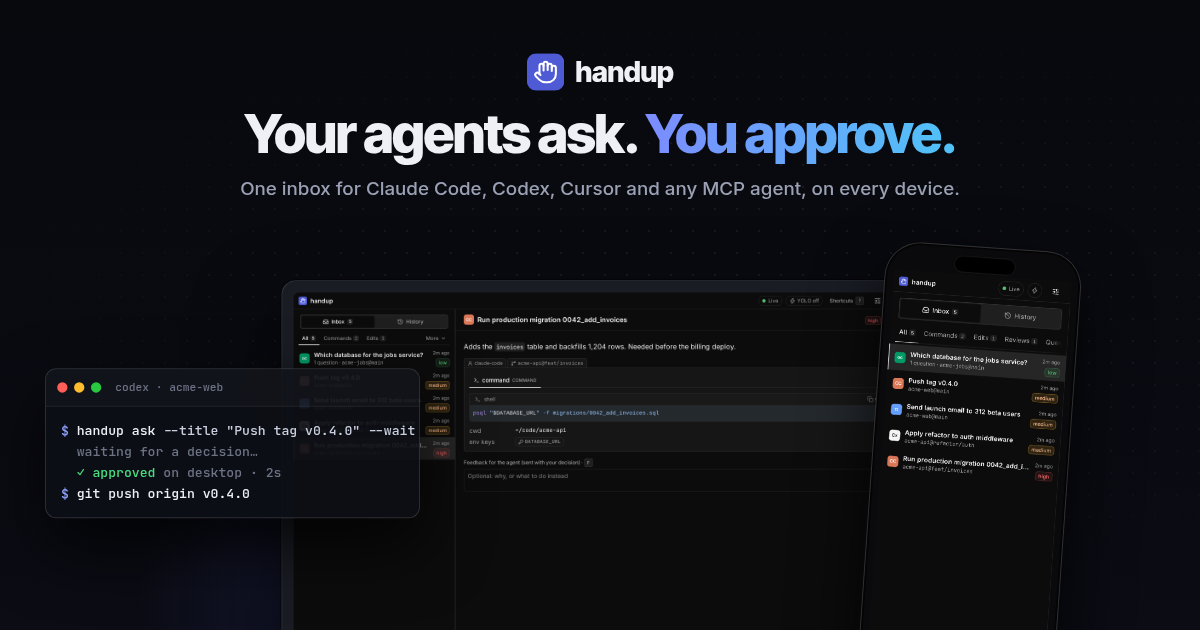
The closest alternatives to HITL (Human in the Loop) are handup, Invoke Human Tool, withHuman, Pushary: human-in-the-loop for AI agents and mcptask.online.
Where this comes from
- Description: written from the project's README, the project's website and its MCP Registry entry.
- Status: checked automatically by AIPoweredBot on 19 November 2026.
- Install steps: from the official MCP Registry entry.