ForgeSuite Web3, FinOps, Brand & Media MCP
MCP server bundling wallet, token, .env, caption, invoice and brand checks for AI clients
ForgeSuite Web3, FinOps, Brand & Media MCP is a free MCP server for finance and payments. It can run locally on your machine or as a hosted remote server.
- Pricing
- Free
- Platforms
- API, CLI, VS Code
- Runs
- Locally or Remotely
- Version
- 1.6.0
- Listing updated
Similar MCP servers



Install
Add with the CLI
Run in a terminal
claude mcp add --transport http forgesuite-mcp https://forgeaudit-x402.forgesuite-x402-edge.workers.dev/mcpAdd --scope user to use it in every project, or --scope project to share it in .mcp.json.
Or share it with your project
Add to .mcp.json
{
  "mcpServers": {
    "forgesuite-mcp": {
      "type": "http",
      "url": "https://forgeaudit-x402.forgesuite-x402-edge.workers.dev/mcp"
    }
  }
}In Customize → Connectors → Add → Add custom connector
https://forgeaudit-x402.forgesuite-x402-edge.workers.dev/mcpPaste this URL, choose how to sign in, then click Add and Connect. On Team and Enterprise an Owner adds it in Organization settings → Connectors.
Add to ~/.cursor/mcp.json
{
  "mcpServers": {
    "forgesuite-mcp": {
      "url": "https://forgeaudit-x402.forgesuite-x402-edge.workers.dev/mcp"
    }
  }
}
Use .cursor/mcp.json in a project to share it with the project.
Add to ~/.copilot/mcp-config.json
{
  "mcpServers": {
    "forgesuite-mcp": {
      "type": "http",
      "url": "https://forgeaudit-x402.forgesuite-x402-edge.workers.dev/mcp"
    }
  }
}
Or put the same entry in .mcp.json at your workspace root to share it.
In chatgpt.com → Plugins → + → Add custom MCP server
https://forgeaudit-x402.forgesuite-x402-edge.workers.dev/mcpPaste this URL, set up sign-in, accept the warning and install the plugin. Then type @ in a chat to use it.
Add with the CLI
Run in a terminal
codex mcp add forgesuite-mcp --url https://forgeaudit-x402.forgesuite-x402-edge.workers.dev/mcpOr add to config.toml
Add to ~/.codex/config.toml
[mcp_servers.forgesuite-mcp]
url = "https://forgeaudit-x402.forgesuite-x402-edge.workers.dev/mcp"Add to Grok Bot desktop app → Connect apps → Add a custom connector
https://forgeaudit-x402.forgesuite-x402-edge.workers.dev/mcpEnter a Name (for example "ForgeSuite Web3, FinOps, Brand & Media MCP"), choose Type: Remote HTTPS, paste this as the Server URL and choose Add plugin.
Add to your client's MCP settings (most use this shape)
{
  "mcpServers": {
    "forgesuite-mcp": {
      "type": "http",
      "url": "https://forgeaudit-x402.forgesuite-x402-edge.workers.dev/mcp"
    }
  }
}
Gemini CLI and Antigravity
Gemini CLI
Add to ~/.gemini/settings.json
{
  "mcpServers": {
    "forgesuite-mcp": {
      "httpUrl": "https://forgeaudit-x402.forgesuite-x402-edge.workers.dev/mcp"
    }
  }
}
Or run: gemini mcp add -s user --transport http forgesuite-mcp https://forgeaudit-x402.forgesuite-x402-edge.workers.dev/mcp
Antigravity
Add to ~/.gemini/config/mcp_config.json
{
  "mcpServers": {
    "forgesuite-mcp": {
      "serverUrl": "https://forgeaudit-x402.forgesuite-x402-edge.workers.dev/mcp"
    }
  }
}
Use .agents/mcp_config.json to add it to one workspace only.
Devin Desktop (formerly Windsurf)
Add to ~/.config/devin/mcp_config.json
{
  "mcpServers": {
    "forgesuite-mcp": {
      "url": "https://forgeaudit-x402.forgesuite-x402-edge.workers.dev/mcp",
      "transport": "http"
    }
  }
}
On Windows the file is %APPDATA%\devin\mcp_config.json. Use .devin/mcp_config.json to share it with a project.
Cline
Add to cline_mcp_settings.json
{
  "mcpServers": {
    "forgesuite-mcp": {
      "type": "streamableHttp",
      "url": "https://forgeaudit-x402.forgesuite-x402-edge.workers.dev/mcp"
    }
  }
}
Open it from the MCP Servers icon → Configure → Configure MCP Servers.
Zed
Add to Zed settings.json
{
  "context_servers": {
    "forgesuite-mcp": {
      "url": "https://forgeaudit-x402.forgesuite-x402-edge.workers.dev/mcp"
    }
  }
}
Open it with zed: open settings file. Merge context_servers into the settings you already have.
JetBrains AI Assistant and Junie
AI Assistant
Add to Settings → Tools → AI Assistant → Model Context Protocol (MCP) → Add
{
  "mcpServers": {
    "forgesuite-mcp": {
      "url": "https://forgeaudit-x402.forgesuite-x402-edge.workers.dev/mcp"
    }
  }
}
Junie
Add to ~/.junie/mcp/mcp.json
{
  "mcpServers": {
    "forgesuite-mcp": {
      "url": "https://forgeaudit-x402.forgesuite-x402-edge.workers.dev/mcp"
    }
  }
}
Use .junie/mcp/mcp.json to share it with a project.
Kiro
Add to ~/.kiro/settings/mcp.json
{
  "mcpServers": {
    "forgesuite-mcp": {
      "url": "https://forgeaudit-x402.forgesuite-x402-edge.workers.dev/mcp"
    }
  }
}
Use .kiro/settings/mcp.json to add it to one workspace only.
Using several servers? Build one config file with the MCP config generator.
About ForgeSuite Web3, FinOps, Brand & Media MCP
ForgeSuite is a Model Context Protocol server that gives AI clients such as Claude Desktop, Claude Code, VS Code, Cursor and Windsurf a set of 11 utility tools. The tools cover a mix of local analysis and live lookups: scanning text for leaked secrets, decoding Ethereum calldata offline, estimating LLM API costs, generating crypto invoices, auditing EVM and Solana token contracts, inspecting multi-chain wallets, checking caption files and brand names, and extracting clean Markdown from public web pages.
It can be connected in two ways. A hosted Streamable-HTTP endpoint on Cloudflare requires no local install, while a stdio build runs through npx on Node 20 or later with no npm dependencies. The project is published in the official MCP Registry and offers a packaged .mcpb bundle.
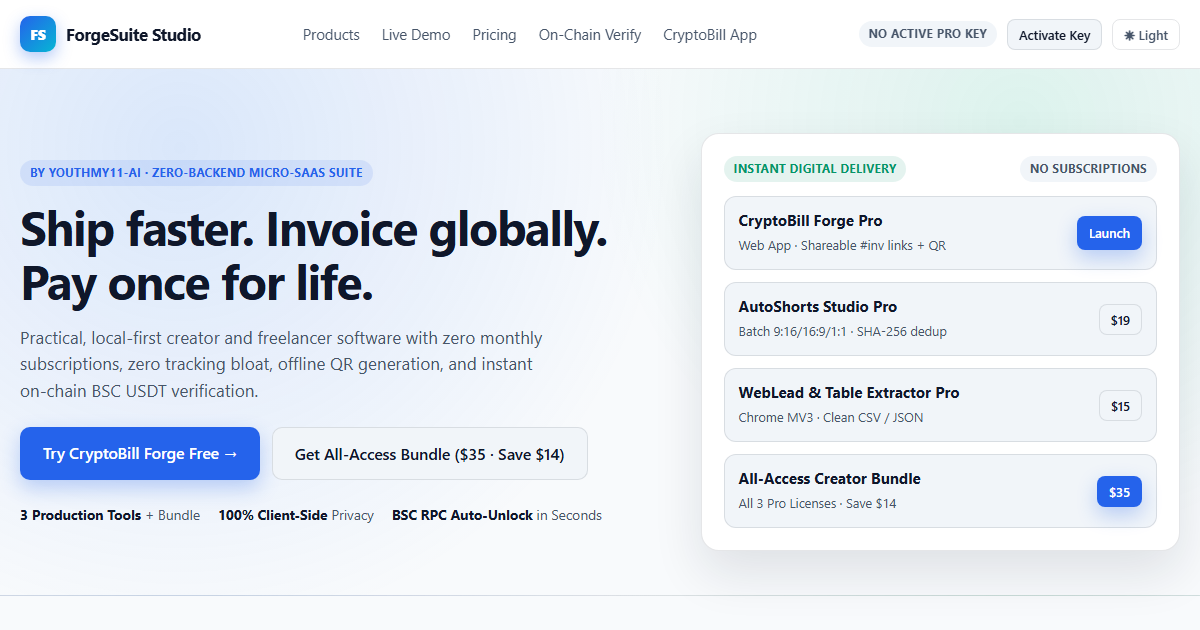
The same vendor also operates a set of paid per-call cloud agents priced in USDC, plus a static storefront of browser-based tools. Those are separate offerings from the MCP server itself.
Tools this server provides (11)
Taken from the project documentation; the running server may differ.
From the tool list in its README, going by the names, 11 names don't say.
From the server's own tool labels and tool names; not verified by us.
- envshield_scan
- Scans text for exposed secrets and returns redacted output.
- calldata_decode
- Decodes 0x calldata selectors and flags unlimited approvals.
- tokencost_estimate
- Estimates LLM API budgets across several models.
- cryptobill_quote
- Generates crypto invoices in Markdown and JSON.
- evm_token_risk_scan
- Audits live EVM token contracts for risky patterns.
- solana_mint_risk_scan
- Audits live Solana SPL and Token-2022 mints.
- brand_domain_handle_scan
- Checks brand names across domains, registries and social handles.
- multi_chain_wallet_scan
- Inspects EVM and Solana wallets across several chains.
- subtitle_caption_audit
- Audits and normalizes SRT and VTT caption files.
- media_brief_audit
- Audits voiceover scripts and visual briefs for timing and rights.
- web_clean_extract
- Fetches public web pages and converts them to clean Markdown.
What it does
- Secret scanning for text
- Finds exposed API keys, tokens, database URIs and private keys in .env files, configs and logs, returning redacted output.
- Calldata decoding
- Decodes common ERC-20, Permit2 and DEX router selectors offline and flags unlimited token approvals.
- Live token contract audits
- Checks EVM and Solana token contracts for proxy patterns, mint and freeze authorities and risky Token-2022 extensions.
- LLM cost estimation
- Models per-run, daily and monthly API budgets across several Claude, GPT, Gemini and DeepSeek models, including prompt caching.
- Crypto invoice generation
- Produces Markdown and JSON invoices with subtotal, discount and tax math and a shareable payment link.
- Caption and brand checks
- Audits SRT and VTT caption timing and reading speed, and checks candidate brand names across domains and developer registries.
Good for
- Scan a repository's .env files for leaked credentials before committing
- Review unlimited approval risk in a transaction before signing
- Estimate monthly LLM API spend for a client project
- Create a crypto invoice from inside an AI coding assistant
- Check whether a product name is available across domains and package registries
Pricing
Free
MCP server is free and MIT licensed; paid cloud agents and Pro editions are sold separately.
Prices change. Check youthmy11-ai.github.io before you buy.
More servers for the same service
ForgeSuite Web3, FinOps, Brand & Media MCP FAQ
How do I connect to ForgeSuite without installing anything?
Add the hosted Streamable-HTTP endpoint at https://forgeaudit-x402.forgesuite-x402-edge.workers.dev/mcp as a remote MCP server in your client.
Is the MCP server free?
Yes, the MCP server is described as free and MIT licensed.
Which chains do the wallet and token tools cover?
The wallet scanner covers Ethereum, Base, Arbitrum, BSC, Polygon and Solana Mainnet, while the token scanners cover EVM chains and Solana.
How do I add ForgeSuite Web3, FinOps, Brand & Media MCP to Claude Code?
Run this command in your terminal: claude mcp add --transport http forgesuite-mcp https://forgeaudit-x402.forgesuite-x402-edge.workers.dev/mcp
What are the best alternatives to ForgeSuite Web3, FinOps, Brand & Media MCP?
The closest alternatives to ForgeSuite Web3, FinOps, Brand & Media MCP are APEX DeFi, DefiLlama, DEX & EVM Audit MCP, Camelotwebtools MCP, RungLab DevTools MCP, ToolTrace and OmniForge Launch Audit MCP.
Where this comes from
- Description: written from the project's README, the project's website and its MCP Registry entry.
- Install steps: from the official MCP Registry entry.