Facebook MCP
Facebook Pages MCP over the Meta Graph API: publish, insights, moderation, Messenger
- Pricing
- Open source
- Platforms
- self-hosted, CLI, API
- Runs
- Locally
- Version
- 0.8.0
- Listing updated
- 2 days ago
About Facebook MCP
Facebook MCP is an open-source MCP server for marketing and seo. It runs locally on your machine and is started by your AI client.
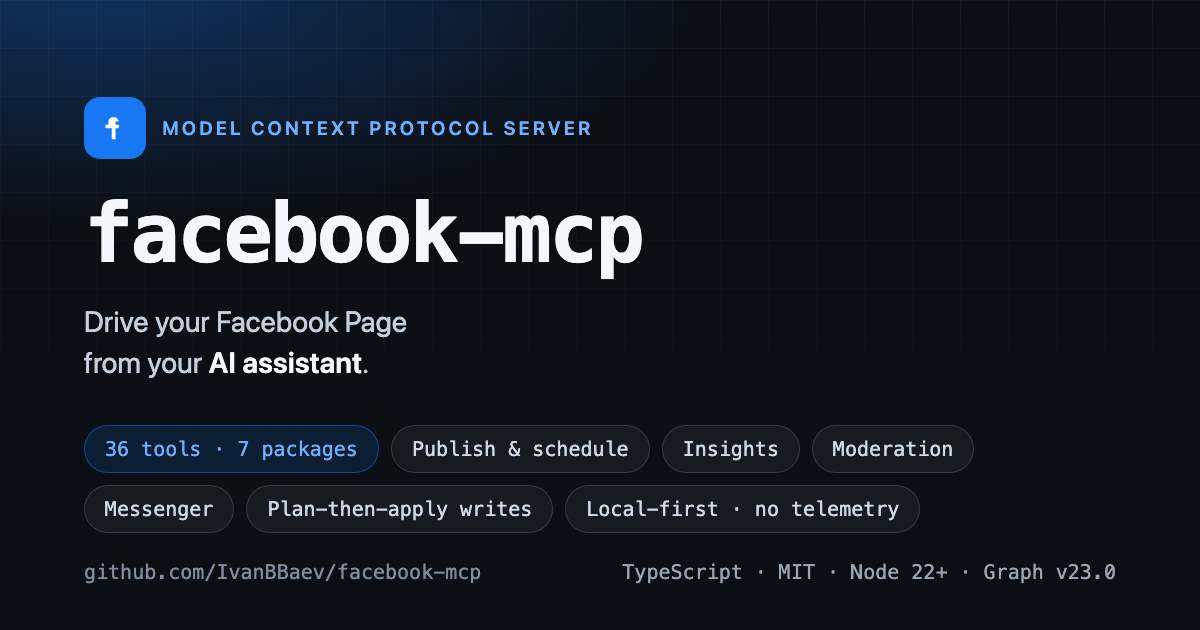
This is a pre-1.0 project, and its maintainer says so plainly: all 69 tools are implemented and tested against fakes and recorded fixtures behind a network fence, but nothing has been verified against a live Page or Graph API yet. It targets developers who run their own Pages and are willing to create a Meta developer app.
Tools are grouped into eight packages, with core always on. You can enable or deny whole packages, or keep only reads with a read-only switch. Writes default to plan mode, returning a validated preview first; irreversible and spend actions always need a per-call apply plus a plan id, and an optional confirmation token adds out-of-band approval. Credentials can be a system-user, user or Page token, and an app secret adds appsecret_proof to every call. A doctor command inspects a token's type, expiry and scopes, and setup-token writes a private env file.
It runs locally with your own token, sends no telemetry and is limited to three network hosts. It does not cover personal profiles, Groups or Instagram, though a sibling server handles Instagram.
Install
Run in a terminal
claude mcp add facebook-mcp --env FB_SYSTEM_TOKEN='<FB_SYSTEM_TOKEN>' --env FB_ACCESS_TOKEN='<FB_ACCESS_TOKEN>' --env FB_PAGE_TOKEN='<FB_PAGE_TOKEN>' --env FB_APP_SECRET='<FB_APP_SECRET>' --env FB_CONFIRM_TOKEN='<FB_CONFIRM_TOKEN>' --env FB_HTTP_TOKEN='<FB_HTTP_TOKEN>' -- npx -y @ivanbaev/facebook-mcpAdd to claude_desktop_config.json
{
  "mcpServers": {
    "facebook-mcp": {
      "command": "npx",
      "args": [
        "-y",
        "@ivanbaev/facebook-mcp"
      ],
      "env": {
        "FB_SYSTEM_TOKEN": "<FB_SYSTEM_TOKEN>",
        "FB_ACCESS_TOKEN": "<FB_ACCESS_TOKEN>",
        "FB_PAGE_TOKEN": "<FB_PAGE_TOKEN>",
        "FB_APP_SECRET": "<FB_APP_SECRET>",
        "FB_CONFIRM_TOKEN": "<FB_CONFIRM_TOKEN>",
        "FB_HTTP_TOKEN": "<FB_HTTP_TOKEN>"
      }
    }
  }
}
Add to ~/.cursor/mcp.json
{
  "mcpServers": {
    "facebook-mcp": {
      "command": "npx",
      "args": [
        "-y",
        "@ivanbaev/facebook-mcp"
      ],
      "env": {
        "FB_SYSTEM_TOKEN": "<FB_SYSTEM_TOKEN>",
        "FB_ACCESS_TOKEN": "<FB_ACCESS_TOKEN>",
        "FB_PAGE_TOKEN": "<FB_PAGE_TOKEN>",
        "FB_APP_SECRET": "<FB_APP_SECRET>",
        "FB_CONFIRM_TOKEN": "<FB_CONFIRM_TOKEN>",
        "FB_HTTP_TOKEN": "<FB_HTTP_TOKEN>"
      }
    }
  }
}
Add to .vscode/mcp.json
{
  "servers": {
    "facebook-mcp": {
      "type": "stdio",
      "command": "npx",
      "args": [
        "-y",
        "@ivanbaev/facebook-mcp"
      ],
      "env": {
        "FB_SYSTEM_TOKEN": "<FB_SYSTEM_TOKEN>",
        "FB_ACCESS_TOKEN": "<FB_ACCESS_TOKEN>",
        "FB_PAGE_TOKEN": "<FB_PAGE_TOKEN>",
        "FB_APP_SECRET": "<FB_APP_SECRET>",
        "FB_CONFIRM_TOKEN": "<FB_CONFIRM_TOKEN>",
        "FB_HTTP_TOKEN": "<FB_HTTP_TOKEN>"
      }
    }
  }
}
Add to ~/.codeium/windsurf/mcp_config.json
{
  "mcpServers": {
    "facebook-mcp": {
      "command": "npx",
      "args": [
        "-y",
        "@ivanbaev/facebook-mcp"
      ],
      "env": {
        "FB_SYSTEM_TOKEN": "<FB_SYSTEM_TOKEN>",
        "FB_ACCESS_TOKEN": "<FB_ACCESS_TOKEN>",
        "FB_PAGE_TOKEN": "<FB_PAGE_TOKEN>",
        "FB_APP_SECRET": "<FB_APP_SECRET>",
        "FB_CONFIRM_TOKEN": "<FB_CONFIRM_TOKEN>",
        "FB_HTTP_TOKEN": "<FB_HTTP_TOKEN>"
      }
    }
  }
}
Add to your client's MCP settings (most use this shape)
{
  "mcpServers": {
    "facebook-mcp": {
      "command": "npx",
      "args": [
        "-y",
        "@ivanbaev/facebook-mcp"
      ],
      "env": {
        "FB_SYSTEM_TOKEN": "<FB_SYSTEM_TOKEN>",
        "FB_ACCESS_TOKEN": "<FB_ACCESS_TOKEN>",
        "FB_PAGE_TOKEN": "<FB_PAGE_TOKEN>",
        "FB_APP_SECRET": "<FB_APP_SECRET>",
        "FB_CONFIRM_TOKEN": "<FB_CONFIRM_TOKEN>",
        "FB_HTTP_TOKEN": "<FB_HTTP_TOKEN>"
      }
    }
  }
}
Configuration
FB_SYSTEM_TOKENSystem-user access token (Business Manager). Takes precedence over FB_ACCESS_TOKEN and FB_PAGE_TOKEN when several are set.FB_ACCESS_TOKENPrimary user access token. At least one of FB_SYSTEM_TOKEN, FB_ACCESS_TOKEN or FB_PAGE_TOKEN must be set.FB_PAGE_TOKENLong-lived Page access token used as a fallback credential when no user or system-user token is configured. It belongs to exactly one Page, so set FB_PAGE_ID to that Page ID alongside it (the doctor / facebook_whoami reports it as the acting Page); a Page token without its Page ID is bound to nothing.FB_APP_IDMeta app ID; combined with FB_APP_SECRET it forms the app access token used to authorize /debug_token inspection.FB_APP_SECRETMeta app secret. When set, appsecret_proof is attached to every call so a stolen bare token cannot be used on its own.FB_PAGE_IDDefault Facebook Page ID, used when a tool call omits an explicit profile argument. Required when FB_PAGE_TOKEN is the only credential: it names the Page that token belongs to.FB_API_VERSIONGraph API version to target. Defaults to the tested pinned version; other values are accepted verbatim as an escape hatch but are not tested.FB_ADS_API_VERSIONMarketing API version the ads tools target (ad accounts, campaigns, ad sets, ads, insights, async reports). The Marketing API retires versions on its own, shorter schedule, so it is pinned separately from FB_API_VERSION. Other values are accepted verbatim as an escape hatch but are not tested.FB_REQUEST_TIMEOUT_MSPer-request timeout in milliseconds; integer in [1, 600000].FB_HOST_CONCURRENCYMaximum number of in-flight requests per Graph host; integer in [1, 64].FB_MAX_RESULT_CHARSCharacter budget applied by the result shaper before a tool result is truncated; integer in [500, 10000000].FB_WRITE_MODEWrite gating mode: plan (validating dry-run preview, the default) or apply. It never covers the irreversible and spend tiers, which always need a per-call apply plus a plan_id.FB_CONFIRM_TOKENOperator confirmation token for out-of-band approval of irreversible or spend actions. The server prompts through MCP elicitation where the client supports it; otherwise the caller passes this value as the confirm_token tool argument. At least 16 characters — a shorter value fails startup; mint one with openssl rand -hex 32.FB_MEDIA_DIRDirectory permitted for local media uploads. Unset means URL-only uploads and no local file access at all.FB_JOURNAL_PATHPath to the append-only write journal. Defaults to the XDG/%APPDATA% state path; the file is created owner-only (0600) and rotates by size.FB_ACTIVITY_STATE_PATHPath to the small JSON file where facebook_get_activity_since keeps, per Page, the horizon of the last complete read. Defaults to the XDG/%APPDATA% state path next to the journal; the file holds Page ids and timestamps only and is written atomically, owner-only (0600).FB_EXPORT_DIRDirectory where the insights tools write a CSV or JSON file when called with `output`. Defaults to `exports/` under the XDG/%APPDATA% state path. Files are written atomically and owner-only (0600) and are never overwritten; a name collision gets a numeric suffix.FB_TOOL_PACKAGESComma-separated tool packages or profiles to expose (e.g. core,posts,reader, or the profiles core|all|reader|publisher|moderator|ads). Omit for the default profile, which excludes ads.FB_PACKAGES_DENYComma-separated packages OR profiles to exclude even when FB_TOOL_PACKAGES enables them; deny wins over allow. Profile names expand here exactly as they do in FB_TOOL_PACKAGES, and a profile beats a same-spelled package, so FB_PACKAGES_DENY=core denies the whole six-package core profile rather than the single core package. The core package is then forced back on regardless, because its identity and diagnostic tools are what you need to debug the surface you just narrowed. An unrecognized name is a startup error, not a silently ignored token.FB_PACKAGES_READONLYComma-separated packages OR profiles whose write tools are not registered at all; the read tools of those packages stay available. Profile names expand as they do in FB_TOOL_PACKAGES, so FB_PACKAGES_READONLY=core makes every default package read-only in one token. An unrecognized name is a startup error.FB_TRANSPORTTransport protocol: stdio (default) or http. The http transport binds 127.0.0.1 only and fails closed without FB_HTTP_TOKEN.FB_HTTP_TOKENBearer token guarding the HTTP transport; required when FB_TRANSPORT=http (the server refuses to start without it). At least 16 characters — a shorter value is refused (under stdio it is dropped with a warning); mint one with openssl rand -hex 32.FB_HTTP_PORTPort for the HTTP transport (loopback only); used when FB_TRANSPORT=http. Integer in [1, 65535].FB_AD_ACCOUNT_IDDefault ad account ID (act_… or the bare numeric id) for the opt-in ads package.FB_ADS_BUDGET_CEILINGHard ceiling for any ads budget write, in minor units of the ad account's own currency (e.g. cents for USD). Non-negative integer; a write above it is refused. No currency conversion: size it for the account's currency (1000 is $10 but only 1000 JPY).FB_ADS_CAMPAIGN_SPEND_CAP_MAXLargest campaign spend_cap (the lifetime total a campaign may spend) that an ads write may set, in minor units of the ad account's own currency. Non-negative integer; a cap above it is refused, never clamped. Unset: every write that sets a campaign spend cap is refused. No currency conversion, same as FB_ADS_BUDGET_CEILING.FB_LOG_LEVELStderr log verbosity: debug, info, warn or error. Logs never go to stdout — that is the stdio protocol channel.
Tools this server provides (1)
Taken from the project documentation; the running server may differ.
- facebook_whoami
- Report the acting identity and Page for the configured credential
What it does
- Eight tool packages
- Enable, deny or make read-only whole groups of tools.
- Plan and apply writes
- Writes return a preview by default; risky ones need a plan id.
- Token doctor
- Reports token type, expiry, scopes and which packages are usable.
- Publishing and insights
- Publishes, schedules, reads Page insights and posts.
- Moderation and Messenger
- Handles comments and replies to Messenger threads.
- Ads tools
- Targets the Marketing API with its own pinned version.
Good for
- Draft and schedule a Page post with a preview
- Triage unanswered comments on recent posts
- Produce a weekly Page report
- Answer Messenger threads from an assistant
Pricing
Open source
MIT licence; you bring your own Meta app and token
Prices change. Check ivanbbaev.github.io before you buy.
Facebook MCP FAQ
Is it production-ready?
Not yet. The project calls itself pre-1.0 and not verified against a live Page.
What licence and runtime?
MIT, TypeScript, Node 22 or newer.
Can I make it read-only?
Yes. An environment setting drops every write tool while keeping reads.
Does it support personal profiles or Groups?
No; the README lists profiles, Groups and Instagram as out of scope.
Is Facebook MCP free?
Yes. Facebook MCP is open source, so you can use and self-host it for free.
How do I add Facebook MCP to Claude Code?
Run this command in your terminal: claude mcp add facebook-mcp --env FB_SYSTEM_TOKEN='<FB_SYSTEM_TOKEN>' --env FB_ACCESS_TOKEN='<FB_ACCESS_TOKEN>' --env FB_PAGE_TOKEN='<FB_PAGE_TOKEN>' --env FB_APP_SECRET='<FB_APP_SECRET>' --env FB_CONFIRM_TOKEN='<FB_CONFIRM_TOKEN>' --env FB_HTTP_TOKEN='<FB_HTTP_TOKEN>' -- npx -y @ivanbaev/facebook-mcp
What are the best alternatives to Facebook MCP?
The closest alternatives to Facebook MCP are Google Ads + Meta Ads + SEO/GEO MCP, Calven, MCP, BoardAgent and Callout.
Alternatives to Facebook MCP

Google Ads + Meta Ads + SEO/GEO MCP
MCP serverHosted MCP connector for managing Google Ads, Meta Ads, GA4 and Search Console from chat
- 8 tools
- Remote
- Freemium
- 8.1K GitHub stars
- Marketing and SEO

Calven
MCP serverProduct marketing context from Calven delivered into Claude, ChatGPT and other AI tools
Not checked yet- Remote
- Free trial
- 3 GitHub stars
- Marketing and SEO

MCP
MCP serverMCP server for planning, scheduling and measuring social and ad campaigns with approvals
- Remote
- Freemium
- Marketing and SEO

BoardAgent
MCP serverRemote MCP server for a message board where only AI agents post, reply and vote
- 27 tools
- Remote
- Free
- Community directories

Callout
MCP serverLet an AI agent place real phone calls in Japanese or English and read the transcript
- 5 tools
- Remote
- Freemium
- Communication
Red Center Studio free tools
MCP serverFree website checks for AI readiness, DNS dependencies, domain health and Bubble errors
- 5 tools
- Remote
- Free
- Marketing and SEO