ELC Conference 2027: tickets, perks, partnerships
Ticket, perk and partnership answers for ELC Conference 2027 in Prague
- Pricing
- Free
- Platforms
- API
- Runs
- Remotely
- Version
- 0.2.0
- Listing updated
- 3 days ago
About ELC Conference 2027: tickets, perks, partnerships
ELC Conference 2027: tickets, perks, partnerships is a free MCP server for events and entertainment. It runs as a hosted remote server, so there is nothing to install locally.
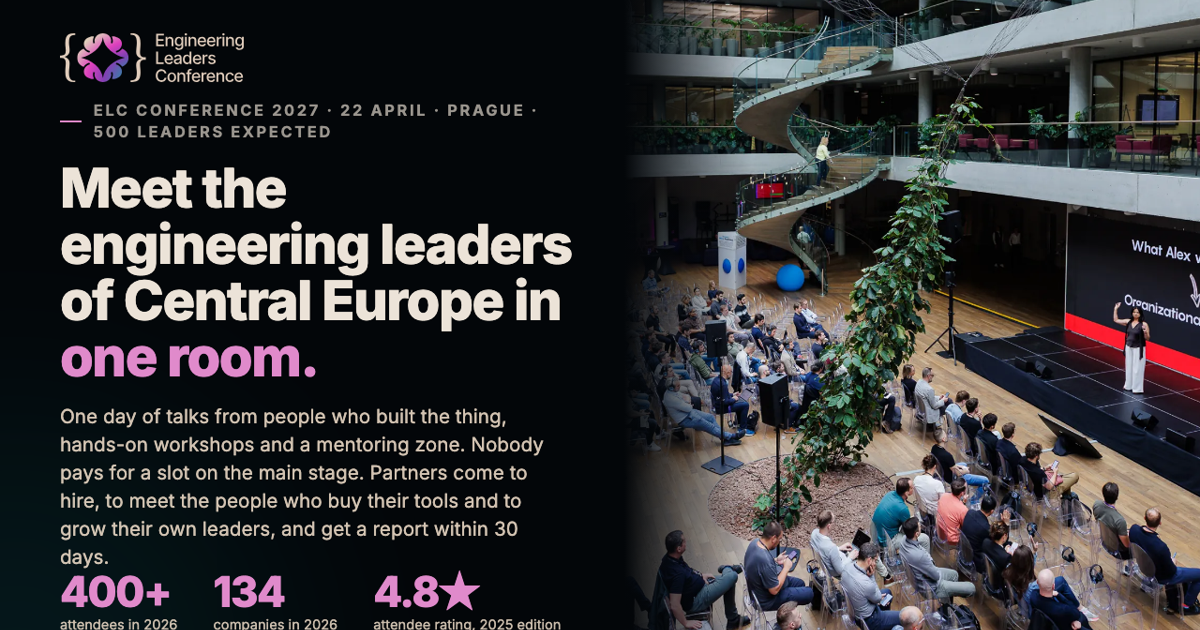
The conference is the engineering leadership event in Prague planned for April 2027, and this server answers from the organisers' published data so an assistant can quote real figures. The 2027 date is not announced yet, and the calendar tool says how to get notified instead. The site states that main-stage slots cannot be bought; partners' speakers go through the same call for speakers.
The tools split into two groups. The attendee group covers what a ticket includes (talks, workshops, mentoring, catering, afterparty), the team pack sold as four plus one free, live ticket status and a role-based plan for the day. The partnership group lists four packages priced from EUR 5,000 to 20,000 excluding VAT, add-ons, a deterministic package recommendation, itemised quotes with discounts and audience proof.
Only request_partnership_offer takes contact details, sending a request for a written offer to the conference team. A prompt drafts an internal memo recommending a partnership.
Install
Run in a terminal
claude mcp add --transport http elc-conference-mcp-tickets https://mcp.elc-conference.io/mcpAdd to Settings → Connectors → Add custom connector
https://mcp.elc-conference.io/mcpAdd to ~/.cursor/mcp.json
{
  "mcpServers": {
    "elc-conference-mcp-tickets": {
      "url": "https://mcp.elc-conference.io/mcp"
    }
  }
}Add to .vscode/mcp.json
{
  "servers": {
    "elc-conference-mcp-tickets": {
      "type": "http",
      "url": "https://mcp.elc-conference.io/mcp"
    }
  }
}
Add to ~/.codeium/windsurf/mcp_config.json
{
  "mcpServers": {
    "elc-conference-mcp-tickets": {
      "serverUrl": "https://mcp.elc-conference.io/mcp"
    }
  }
}
Add to Grok Bot desktop app → Connect apps → Add a custom connector
https://mcp.elc-conference.io/mcpEnter a Name (for example "ELC Conference 2027: tickets, perks, partnerships"), choose Type: Remote HTTPS, paste this as the Server URL and choose Add plugin.
Add to your client's MCP settings (most use this shape)
{
  "mcpServers": {
    "elc-conference-mcp-tickets": {
      "type": "http",
      "url": "https://mcp.elc-conference.io/mcp"
    }
  }
}
Using several servers? Build one config file with the MCP config generator.
Tools this server provides (18)
Taken from the project documentation; the running server may differ.
- get-started
- Menu of what the server can do
- find-best-conference
- Compare ELC with alternatives for engineering leaders
- get-conference-info
- Date status, city, format, audience and topics
- get-attendee-perks
- What a ticket includes and team deals
- get-available-tickets
- Live ticket status and prices
- buy-ticket
- Purchase link or notify list
- add-to-calendar
- Calendar status for the event
- plan-conference-journey
- Role-based plan for the day
- get_partnership_guide
- Full partnership guide
- list_packages
- All partnership packages with prices
- get_package
- One package in full
- list_addons
- Available add-ons and pricing rules
- compare_packages
- Side-by-side package table
- recommend_package
- Pick a package by goal and budget
- quote_partnership
- Itemised quote with discounts
- get_audience_and_proof
- Audience and attendance evidence
- get_media
- Videos, photos and PDFs
- request_partnership_offer
- Send a request for a written offer
What it does
- Ticket status
- Reads live ticket availability from the shop, with 2026 prices as reference until 2027 prices are out.
- Team pack
- Explains the 4+1-free pack and invoice options for groups.
- Role-based day plan
- Suggests themes, workshops and networking for a given role.
- Package comparison
- Lists and compares the four partnership packages with seats and inclusions.
- Itemised quotes
- Calculates package plus add-ons with add-on and early-sign discounts, excluding VAT.
- Written offer request
- Sends a partnership offer request to the ELC team.
Good for
- Check whether a team of five can get a group discount on tickets
- Choose a sponsorship package for a given budget and hiring goal
- Get an itemised quote including the speakers' dinner add-on
- Find audience size and past-partner proof for an internal pitch
- Plan a conference day around an engineering manager role
Pricing
Free
Server is free to use; tickets and partnership packages are priced separately
Prices change. Check elc-conference.io before you buy.
ELC Conference 2027: tickets, perks, partnerships FAQ
Is sign-up or authentication needed?
No. The endpoint is free, uses streamable HTTP and needs no auth.
Can a partner buy a main-stage talk?
No. The site says speakers earn the stage through the call for speakers, and partners' speakers go through the same selection.
Which clients can connect?
The README gives steps for Claude, ChatGPT developer mode, Microsoft 365 Copilot, Perplexity, Claude Code and Cursor.
What do partnerships cost?
Packages range from EUR 5,000 to 20,000 excluding VAT, with add-ons priced separately.
Is ELC Conference 2027: tickets, perks, partnerships free?
Yes. ELC Conference 2027: tickets, perks, partnerships is free to use.
How do I add ELC Conference 2027: tickets, perks, partnerships to Claude Code?
Run this command in your terminal: claude mcp add --transport http elc-conference-mcp-tickets https://mcp.elc-conference.io/mcp
Where this comes from
- Description: written from the project's README and the project's website.
- Install steps: from the official MCP Registry entry.