dev-proxy-tools
MCP server that lets AI assistants build Dev Proxy configs and look up its docs
dev-proxy-tools is an open-source MCP server for developer tools. It runs locally on your machine and is started by your AI client.
- Pricing
- Open source
- Platforms
- VS Code, CLI, macOS
- Runs
- Locally
- Version
- 0.3.1
- Listing updated
Similar MCP servers
Install
Run in a terminal
claude mcp add mcp -- npx -y @devproxy/mcpAdd to claude_desktop_config.json
{
  "mcpServers": {
    "mcp": {
      "command": "npx",
      "args": [
        "-y",
        "@devproxy/mcp"
      ]
    }
  }
}Add to ~/.cursor/mcp.json
{
  "mcpServers": {
    "mcp": {
      "command": "npx",
      "args": [
        "-y",
        "@devproxy/mcp"
      ]
    }
  }
}Add to .vscode/mcp.json
{
  "servers": {
    "mcp": {
      "type": "stdio",
      "command": "npx",
      "args": [
        "-y",
        "@devproxy/mcp"
      ]
    }
  }
}
Add to ~/.codeium/windsurf/mcp_config.json
{
  "mcpServers": {
    "mcp": {
      "command": "npx",
      "args": [
        "-y",
        "@devproxy/mcp"
      ]
    }
  }
}
Add to your client's MCP settings (most use this shape)
{
  "mcpServers": {
    "mcp": {
      "command": "npx",
      "args": [
        "-y",
        "@devproxy/mcp"
      ]
    }
  }
}
Using several servers? Build one config file with the MCP config generator.
About dev-proxy-tools
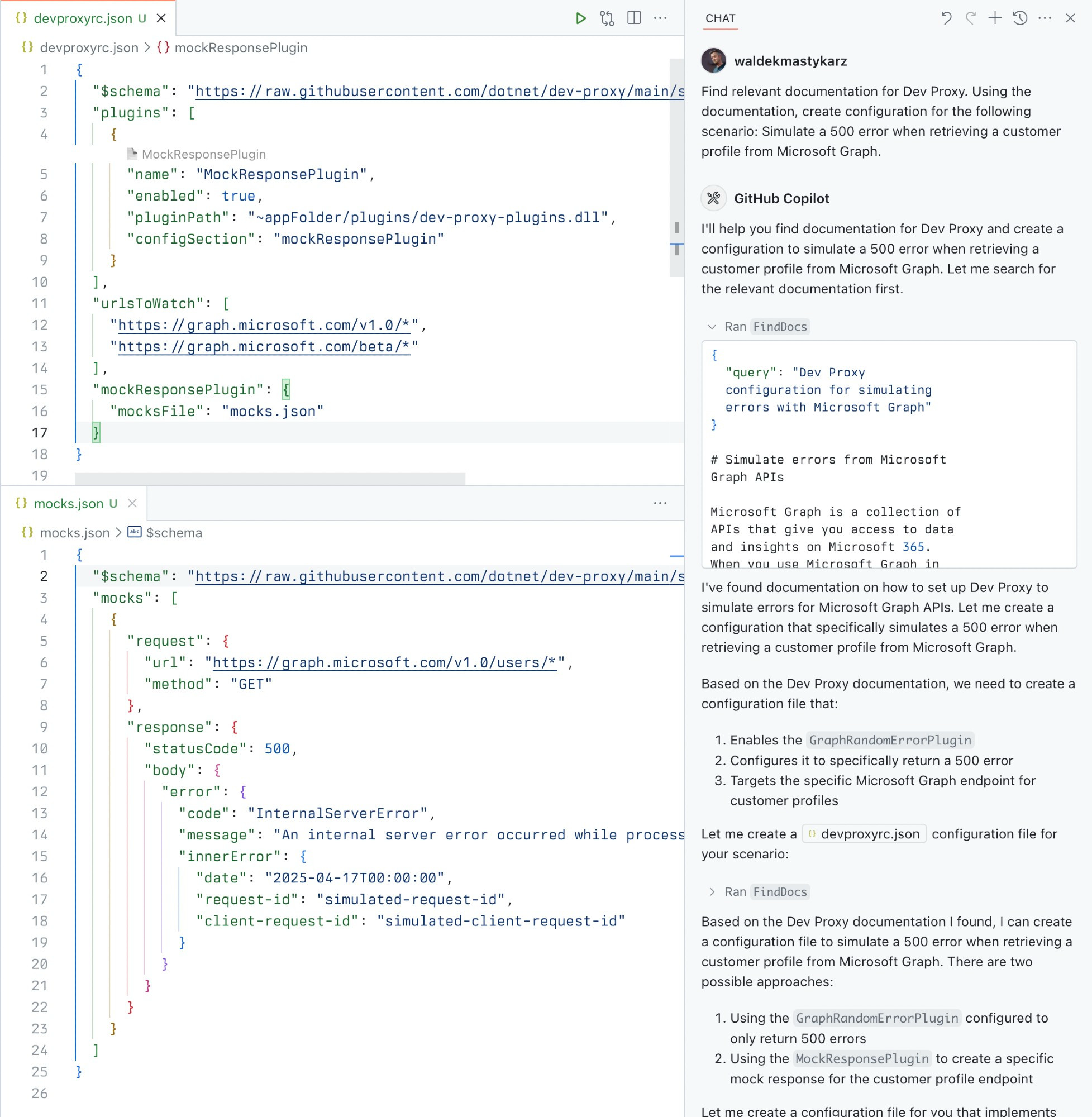
Dev Proxy is an API simulator for testing how an app copes with failing, slow, or rate-limited network calls, and for standing up mock APIs. This MCP server connects AI assistants to it, so a developer can describe a scenario in plain language and get a matching Dev Proxy configuration drafted.
The server exposes three tools: one returns best practices for working with Dev Proxy, one searches its documentation with a natural language query, and one reports the installed Dev Proxy version so generated configs match that release. It runs over stdio and is started with npx from the npm package @devproxy/mcp.
It suits developers and QA engineers who already use Dev Proxy locally and want an assistant in their editor to help write and check its configuration. Dev Proxy itself must be installed separately.
Tools this server provides (3)
Taken from the project documentation; the running server may differ.
- GetBestPractices
- Gets a list of best practices for configuring and using Dev Proxy.
- FindDocs
- Finds relevant Dev Proxy documentation related to a specific query.
- GetVersion
- Gets the currently installed Dev Proxy version.
What it does
- Natural language config generation
- Turns a plain-language description of a network scenario into a Dev Proxy configuration.
- Documentation search
- Finds relevant Dev Proxy documentation for a natural language query.
- Version check
- Reports the installed Dev Proxy version so generated configs stay compatible.
- Best practices lookup
- Returns guidance on configuring and using Dev Proxy for assistants to follow.
- Stdio transport via npx
- Runs locally as a stdio server installed with npx from the @devproxy/mcp package.
Good for
- Generate a Dev Proxy config that returns HTTP 429 responses to test rate limit handling
- Ask an assistant how to simulate API errors or slow responses in Dev Proxy
- Confirm the installed Dev Proxy version before writing a config
- Stand up a quick mock API for a frontend without writing server code
Pricing
Open source
Free and open source under the MIT License.
dev-proxy-tools FAQ
Does dev-proxy-tools require Dev Proxy to be installed?
Yes. Dev Proxy must be installed globally, and Node.js LTS is also required.
How is the server started?
It runs over stdio with the command npx and the arguments -y @devproxy/mcp, with no environment variables needed.
What tools does dev-proxy-tools expose?
GetBestPractices, FindDocs and GetVersion.
What license is dev-proxy-tools under?
The project is released under the MIT License.
Is dev-proxy-tools free?
Yes. dev-proxy-tools is open source, so you can use and self-host it for free.
How do I add dev-proxy-tools to Claude Code?
Run this command in your terminal: claude mcp add mcp -- npx -y @devproxy/mcp
What are the best alternatives to dev-proxy-tools?
The closest alternatives to dev-proxy-tools are Devdocs MCP, Devpick, MCP Debug, Next Devtools MCP and Nginx Proxy Manager MCP.
Where this comes from
- Description: written from the project's README and its MCP Registry entry.
- Install steps: from the official MCP Registry entry.