CodeDiag
Scan Node.js projects for unprotected API routes and get an explained health score
- Pricing
- Open source
- Platforms
- CLI, vscode, API
- Runs
- Locally
- Version
- 0.13.0
- Listing updated
- 3 days ago
About CodeDiag
CodeDiag is an open-source MCP server for developer tools. It runs locally on your machine and is started by your AI client.
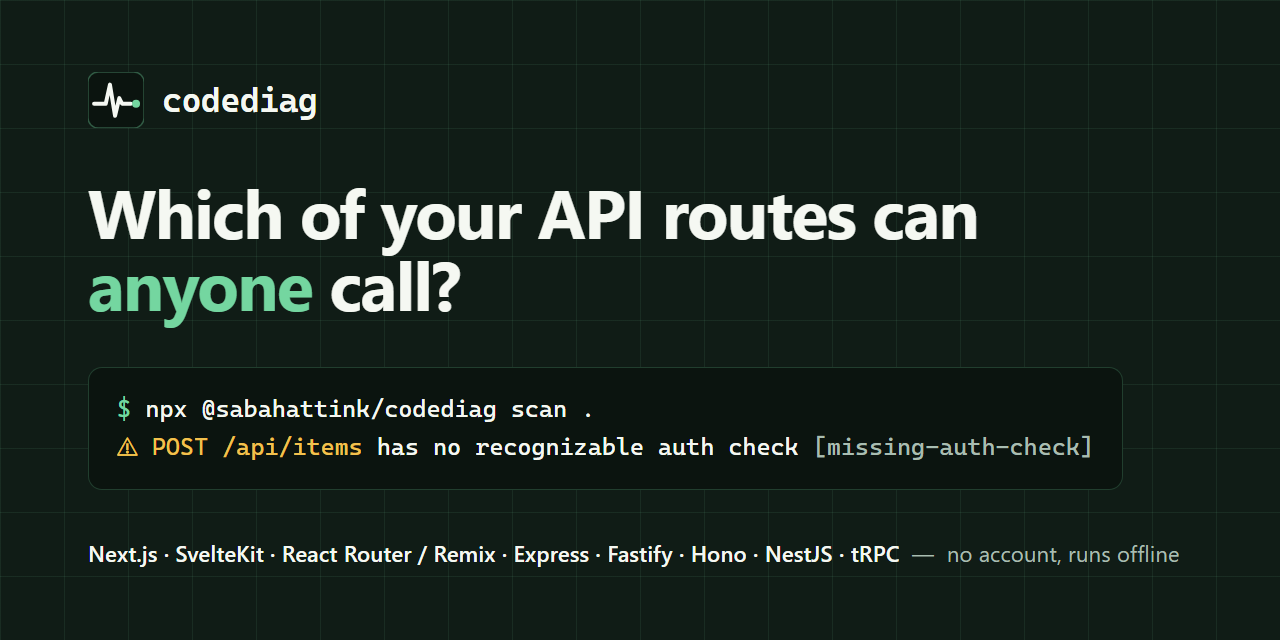
The question it starts from is which routes anyone can call. CodeDiag parses a project into one ts-morph syntax tree and checks routes for missing auth and missing input validation. It follows NestJS guards, Express middleware across router mounts, Fastify hooks and plugins, tRPC procedures, Hono and Elysia middleware order, SvelteKit hooks and Next.js middleware per route.
Results roll up into a 0-100 health score from five weighted analyzers: security (30%), API health (25%), dependencies, testing and structure. Every finding has a stable rule ID, a file and line where one exists, and a suggested fix. The tool recommends changes and never edits your files. Security rules include dynamic SQL, path traversal, reflected XSS, SSRF, open redirects, missing Helmet and rate limiting.
It runs on your machine with no account or upload, and a --no-audit flag keeps it fully offline. It needs Node.js 20.19 or later, is MIT licensed, and also ships SARIF output, a GitHub Action and a VS Code extension.
Install
Run in a terminal
claude mcp add codediag -- npx -y @sabahattink/codediagAdd to claude_desktop_config.json
{
  "mcpServers": {
    "codediag": {
      "command": "npx",
      "args": [
        "-y",
        "@sabahattink/codediag"
      ]
    }
  }
}Add to ~/.cursor/mcp.json
{
  "mcpServers": {
    "codediag": {
      "command": "npx",
      "args": [
        "-y",
        "@sabahattink/codediag"
      ]
    }
  }
}Add to .vscode/mcp.json
{
  "servers": {
    "codediag": {
      "type": "stdio",
      "command": "npx",
      "args": [
        "-y",
        "@sabahattink/codediag"
      ]
    }
  }
}
Add to ~/.codeium/windsurf/mcp_config.json
{
  "mcpServers": {
    "codediag": {
      "command": "npx",
      "args": [
        "-y",
        "@sabahattink/codediag"
      ]
    }
  }
}
Add to your client's MCP settings (most use this shape)
{
  "mcpServers": {
    "codediag": {
      "command": "npx",
      "args": [
        "-y",
        "@sabahattink/codediag"
      ]
    }
  }
}
What it does
- Route auth and validation
- Finds API routes with no auth check or input validation across nine frameworks.
- Explained health score
- A 0-100 score with weights per analyzer and a breakdown of every lost point.
- Taint-style security rules
- Traces request data into shell commands, raw SQL, file paths, redirects and HTML.
- Stable rule IDs
- Each finding links to a rule you can explain or suppress.
- SARIF and CI
- Outputs SARIF and provides a GitHub Action and VS Code extension.
- Offline by default
- No account or upload; --no-audit avoids network calls entirely.
Good for
- Audit an Express or NestJS API for unauthenticated endpoints before release
- Gate pull requests on a minimum health score in CI
- Upload SARIF results to code scanning
- Find missing rate limiting or Helmet in a Node service
- Let a coding agent check its own route changes
Pricing
Open source
MIT licensed
Prices change. Check sabahattink.github.io before you buy.
CodeDiag FAQ
Does it send my code anywhere?
No. It scans on your machine with no account or upload, and --no-audit keeps it fully offline.
Which frameworks does it understand?
NestJS, Express, Fastify, Hono, Elysia, tRPC, Next.js, SvelteKit and React Router; plain Node.js projects get every analyzer except API health.
Will it change my files?
No, it recommends fixes but never edits files.
What does it need to run?
Node.js 20.19 or later; run it with npx @sabahattink/codediag scan .
Is CodeDiag free?
Yes. CodeDiag is open source, so you can use and self-host it for free.
How do I add CodeDiag to Claude Code?
Run this command in your terminal: claude mcp add codediag -- npx -y @sabahattink/codediag
What are the best alternatives to CodeDiag?
The closest alternatives to CodeDiag are REA, Codebase Memory, GitHub, Serena MCP: the IDE for your agent and XERJ.
Alternatives to CodeDiag

REA
MCP serverCLI and MCP server that lets coding agents reverse engineer apps and binaries
Runs locally- Open source
- 464K GitHub stars
- Developer tools

Codebase Memory
MCP serverLocal MCP server that builds a code knowledge graph for AI coding agents
Runs locally- Open source
- 48.7K GitHub stars
- Knowledge and memory

GitHub
MCP serverOfficial MCP server connecting AI assistants to GitHub repos, issues and workflows
Not checked yet- Remote
- Open source
- 34.5K GitHub stars
- Developer tools

Serena MCP: the IDE for your agent
MCP serverMCP toolkit giving coding agents symbol-level code retrieval and editing
Runs locally- Open source
- 31.5K GitHub stars
- Developer tools

XERJ
MCP serverLocal search engine for AI agents with cited answers over your code and docs
Runs locally- Open source
- 19.2K GitHub stars
- Knowledge and memory

Ouroboros
MCP serverSpec-first layer that pins requirements and verifies results of AI coding agent work
Runs locally- Open source
- 6.4K GitHub stars
- Developer tools