Checkbox: subscription auto-renewal law checks
Preflight checkout, cancellation and renewal flows against auto-renewal subscription laws
- Platforms
- API, CLI, Web
- Runs
- Locally or Remotely
- Version
- 1.0.14
- Listing updated
- today
Similar MCP servers



About Checkbox: subscription auto-renewal law checks
Checkbox: subscription auto-renewal law checks is an MCP server for legal and government. It can run locally on your machine or as a hosted remote server.
Subscription billing carries legal rules such as ROSCA and click-to-cancel, and this server brings checks for them into the chat. It focuses on Stripe Checkout, cancellation and renewal emails.
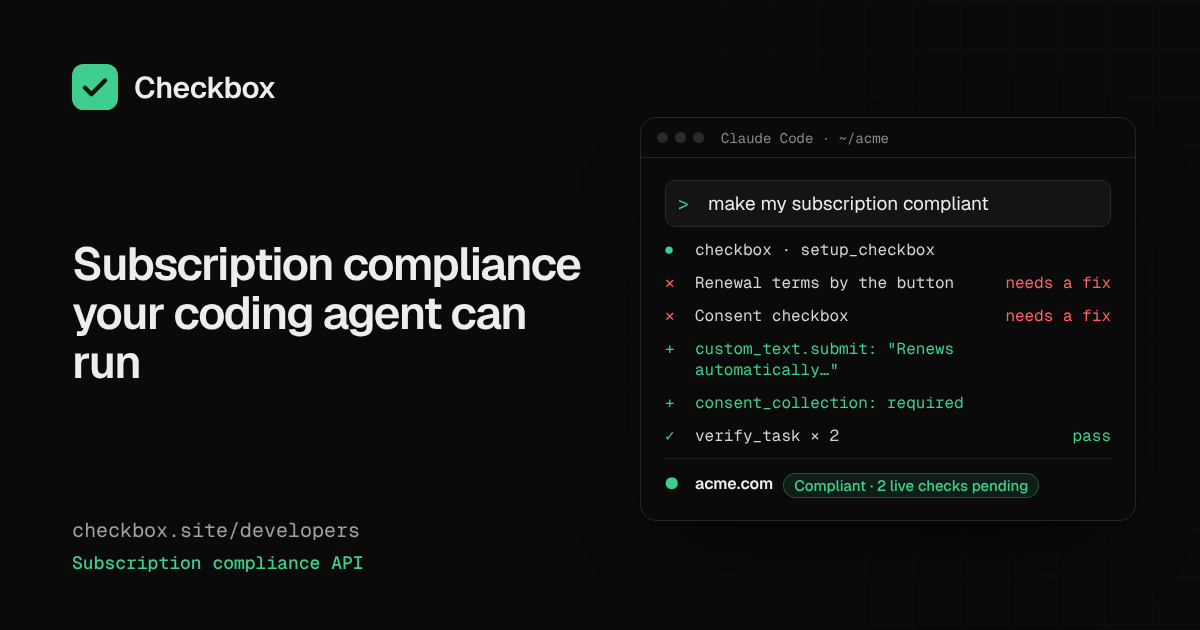
An agent can set up a project, work through a compliance plan, verify tasks, and run checks on a disclosure, a Stripe checkout session, an email or a page's HTML. A notice schedule tool covers renewal reminders. Each tool is described as a thin call to the public API, so scopes, test and live mode and rate limits are exactly the API's.
The remote endpoint uses OAuth 2.1 with PKCE and also accepts API keys, with read-only keys suggested to limit access. Scans of a domain are labelled unverified until you verify it.
Install
Run in a terminal
claude mcp add --transport http checkbox https://app.checkbox.site/mcpAdd to Settings → Connectors → Add custom connector
https://app.checkbox.site/mcpAdd to ~/.cursor/mcp.json
{
  "mcpServers": {
    "checkbox": {
      "url": "https://app.checkbox.site/mcp"
    }
  }
}Add to .vscode/mcp.json
{
  "servers": {
    "checkbox": {
      "type": "http",
      "url": "https://app.checkbox.site/mcp"
    }
  }
}
Add to ~/.codeium/windsurf/mcp_config.json
{
  "mcpServers": {
    "checkbox": {
      "serverUrl": "https://app.checkbox.site/mcp"
    }
  }
}
Add to your client's MCP settings (most use this shape)
{
  "mcpServers": {
    "checkbox": {
      "type": "http",
      "url": "https://app.checkbox.site/mcp"
    }
  }
}
Using several servers? Build one config file with the MCP config generator.
Configuration
CHECKBOX_API_KEYOptional. Checkbox API key (ck_test_… or ck_live_…). Without it, the setup_checkbox tool returns an approval link for the human, then test-mode keys. Free at https://app.checkbox.site/sign-up
Tools this server provides (8)
Taken from the project documentation; the running server may differ.
- setup_checkbox
- Sets up a Checkbox project.
- get_compliance_plan
- Returns the compliance plan.
- verify_task
- Verifies a compliance task.
- check_disclosure
- Checks a disclosure.
- check_stripe_checkout_session
- Checks a Stripe Checkout session.
- check_email
- Checks an email.
- check_page_html
- Checks page HTML.
- get_notice_schedule
- Returns the notice schedule.
What it does
- Stripe session checks
- Inspect a Checkout session for disclosure problems.
- Email and page checks
- Review renewal emails and page HTML.
- Compliance plan
- Work through a plan of tasks and verify each.
- Notice schedule
- Get the schedule for renewal notices.
- OAuth or keys
- OAuth 2.1 with PKCE, or API keys.
- Test and live modes
- Scopes and modes follow the public API.
Good for
- Preflight a new subscription checkout before launch
- Review a cancellation page against click-to-cancel rules
- Check a renewal email's wording
- Track remaining compliance tasks
Pricing
Pricing unknown
A free account can be created; paid plans not described
Prices change. Check checkbox.site before you buy.
Checkbox: subscription auto-renewal law checks FAQ
How do I connect?
Use the remote URL and sign in via OAuth, or use the npm stdio package.
Can I restrict access?
Yes, a read-only key can limit permissions.
Which clients work?
Claude, Cursor, VS Code, ChatGPT connectors and any MCP client.
How do I add Checkbox: subscription auto-renewal law checks to Claude Code?
Run this command in your terminal: claude mcp add --transport http checkbox https://app.checkbox.site/mcp
What are the best alternatives to Checkbox: subscription auto-renewal law checks?
The closest alternatives to Checkbox: subscription auto-renewal law checks are Solana MCP by Vybe, Tapetide - Indian Stock Market MCP, Budget Tracker, Data Ny and Crypto Feeds.
Where this comes from
- Description: written from the project's README and the project's website.
- Status: checked automatically by AIPoweredBot on 14 November 2026.
- Install steps: from the official MCP Registry entry.