Canvas LMS MCP for students
Canvas courses, grades and due dates for students, read-only in Claude and other AI apps
- Pricing
- Free
- Platforms
- CLI, self-hosted
- Runs
- Locally
- Version
- 0.1.10
- Listing updated
- 3 days ago
About Canvas LMS MCP for students
Canvas LMS MCP for students is a free MCP server for education and exams. It runs locally on your machine and is started by your AI client.
The point of this server is to answer "what is actually left to do" from a student's own Canvas account. It reads courses, quizzes, files, due dates, grades and announcements, and it never submits, edits or deletes anything in Canvas. The only thing it writes is an .ics calendar file on your own computer, and only when asked.
Authentication is a personal access token you create under Account, Settings, New Access Token, plus your school's Canvas address. Tools that act on one course accept either the course ID or its name, matched against your course list. Some schools disable student tokens; if the New Access Token button is missing, this server cannot connect.
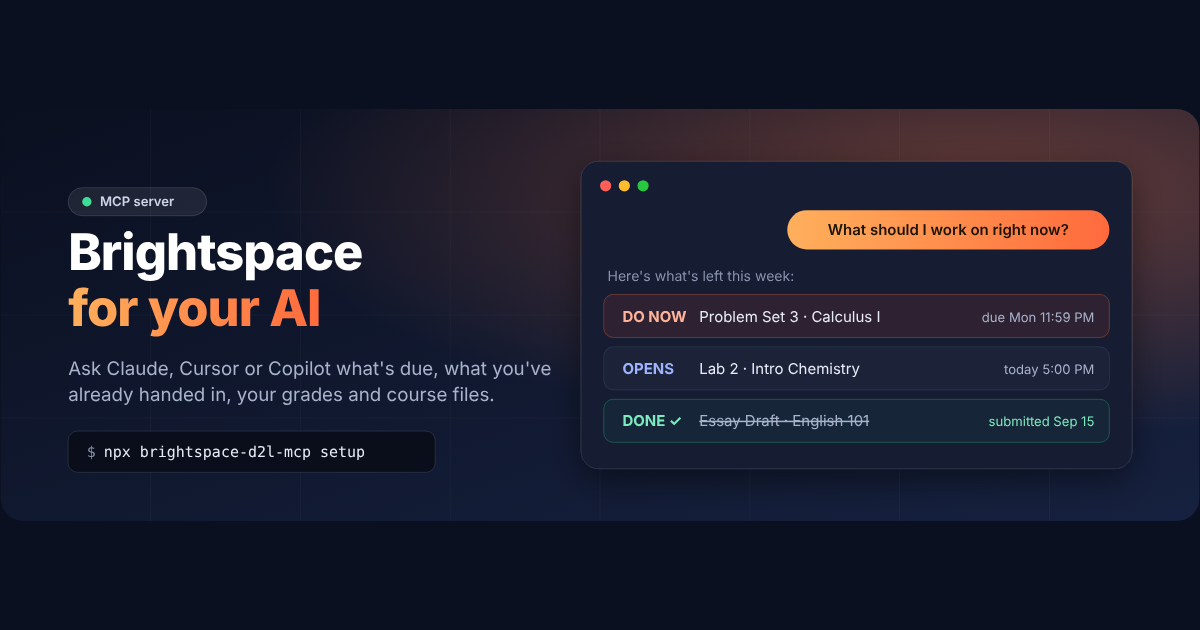
It runs locally through npx, has a doctor command to check your setup, and is not affiliated with Instructure. The listed website is for the author's sibling Brightspace server.
Install
Run in a terminal
claude mcp add canvas-lms-student-mcp --env CANVAS_BASE_URL='<CANVAS_BASE_URL>' --env CANVAS_API_TOKEN='<CANVAS_API_TOKEN>' -- npx -y canvas-lms-student-mcpAdd to claude_desktop_config.json
{
  "mcpServers": {
    "canvas-lms-student-mcp": {
      "command": "npx",
      "args": [
        "-y",
        "canvas-lms-student-mcp"
      ],
      "env": {
        "CANVAS_BASE_URL": "<CANVAS_BASE_URL>",
        "CANVAS_API_TOKEN": "<CANVAS_API_TOKEN>"
      }
    }
  }
}
Add to ~/.cursor/mcp.json
{
  "mcpServers": {
    "canvas-lms-student-mcp": {
      "command": "npx",
      "args": [
        "-y",
        "canvas-lms-student-mcp"
      ],
      "env": {
        "CANVAS_BASE_URL": "<CANVAS_BASE_URL>",
        "CANVAS_API_TOKEN": "<CANVAS_API_TOKEN>"
      }
    }
  }
}
Add to .vscode/mcp.json
{
  "servers": {
    "canvas-lms-student-mcp": {
      "type": "stdio",
      "command": "npx",
      "args": [
        "-y",
        "canvas-lms-student-mcp"
      ],
      "env": {
        "CANVAS_BASE_URL": "<CANVAS_BASE_URL>",
        "CANVAS_API_TOKEN": "<CANVAS_API_TOKEN>"
      }
    }
  }
}
Add to ~/.codeium/windsurf/mcp_config.json
{
  "mcpServers": {
    "canvas-lms-student-mcp": {
      "command": "npx",
      "args": [
        "-y",
        "canvas-lms-student-mcp"
      ],
      "env": {
        "CANVAS_BASE_URL": "<CANVAS_BASE_URL>",
        "CANVAS_API_TOKEN": "<CANVAS_API_TOKEN>"
      }
    }
  }
}
Add to your client's MCP settings (most use this shape)
{
  "mcpServers": {
    "canvas-lms-student-mcp": {
      "command": "npx",
      "args": [
        "-y",
        "canvas-lms-student-mcp"
      ],
      "env": {
        "CANVAS_BASE_URL": "<CANVAS_BASE_URL>",
        "CANVAS_API_TOKEN": "<CANVAS_API_TOKEN>"
      }
    }
  }
}
Configuration
CANVAS_BASE_URLYour school's Canvas address, for example https://myschool.instructure.comRequiredCANVAS_API_TOKENA Canvas access token, created in Canvas under Account > Settings > New Access TokenRequired
Tools this server provides (9)
Taken from the project documentation; the running server may differ.
- get_my_courses
- Active courses and their IDs.
- get_todo
- The Canvas to-do list.
- get_upcoming_due_dates
- Upcoming assignments and events, soonest first.
- get_quizzes
- Quizzes and exams with times, attempts and score.
- get_missing_assignments
- Past-due work not yet submitted.
- get_assignments
- Assignments for a course with due dates and status.
- get_my_grades
- Current grades with assignment scores behind them.
- get_course_content
- Modules and items for a course.
- export_due_dates_calendar
- Writes an .ics file of due dates.
What it does
- Due dates and to-do
- Shows upcoming work, soonest first, with a configurable look-ahead.
- Missing work
- Lists past-due assignments you have not submitted.
- Grades with detail
- Shows each course grade and the assignments behind it.
- Quiz details
- Reports open and close times, time limit, attempts and score.
- Name-based course lookup
- Accepts a course name as well as an ID.
- Calendar export
- Writes an .ics file of due dates to a folder you choose.
Good for
- See what is due this week across all classes
- Catch overdue or missing assignments
- Check how each assignment contributes to a grade
- Put Canvas deadlines into a calendar app
Pricing
Free
Free; no sign-up or subscription
Prices change. Check brightspacemcp.com before you buy.
Canvas LMS MCP for students FAQ
Can it submit or edit my work?
No. All 21 tools read from Canvas and none can submit, edit or delete anything.
What do I need to connect?
Your school's Canvas address and an access token created in Canvas settings.
Does it work at every school?
It works with Canvas schools, but some disable student access tokens, in which case it cannot connect.
Does it cost anything?
The README calls it free and open source, with no sign-up or subscription.
Is Canvas LMS MCP for students free?
Yes. Canvas LMS MCP for students is free to use.
How do I add Canvas LMS MCP for students to Claude Code?
Run this command in your terminal: claude mcp add canvas-lms-student-mcp --env CANVAS_BASE_URL='<CANVAS_BASE_URL>' --env CANVAS_API_TOKEN='<CANVAS_API_TOKEN>' -- npx -y canvas-lms-student-mcp
What are the best alternatives to Canvas LMS MCP for students?
The closest alternatives to Canvas LMS MCP for students are Ha MCP, Concord MCP, note1, CalderFlow and Born Then.
Alternatives to Canvas LMS MCP for students

Ha MCP
MCP serverMCP server for managing and automating Home Assistant from AI assistants
Runs locally- 8 tools
- Open source
- 7.9K GitHub stars
- Productivity

Concord MCP
MCP serverLocal-first MCP server for messaging and shared work-state between coding agents
Runs locally- Freemium
- 1.3K GitHub stars
- Developer tools

note1
MCP serverMCP server giving AI assistants search and summaries across your note1 meetings
- 4 tools
- Remote
- Free trial
- 1 GitHub star
- Productivity

CalderFlow
MCP serverTurn notes or specs into editable flowcharts, timelines and funnels from an AI assistant
- 10 tools
- Remote
- Free
- Design and media

Born Then
MCP serverFree MCP server that rolls random historical births weighted by real demographics
- 2 tools
- Remote
- Free
- Education and exams

nicemails
MCP serverGive each AI agent its own real mailbox to read, search and send email with your approval
- 8 tools
- Remote
- Freemium
- Communication