Brightspace D2l MCP
D2L Brightspace courses, due dates and grades for Claude, ChatGPT and Cursor, read-only
- Pricing
- Free
- Platforms
- CLI, self-hosted
- Runs
- Locally
- Version
- 1.4.8
- Listing updated
- 2 days ago
About Brightspace D2l MCP
Brightspace D2l MCP is a free MCP server for education and exams. It runs locally on your machine and is started by your AI client.
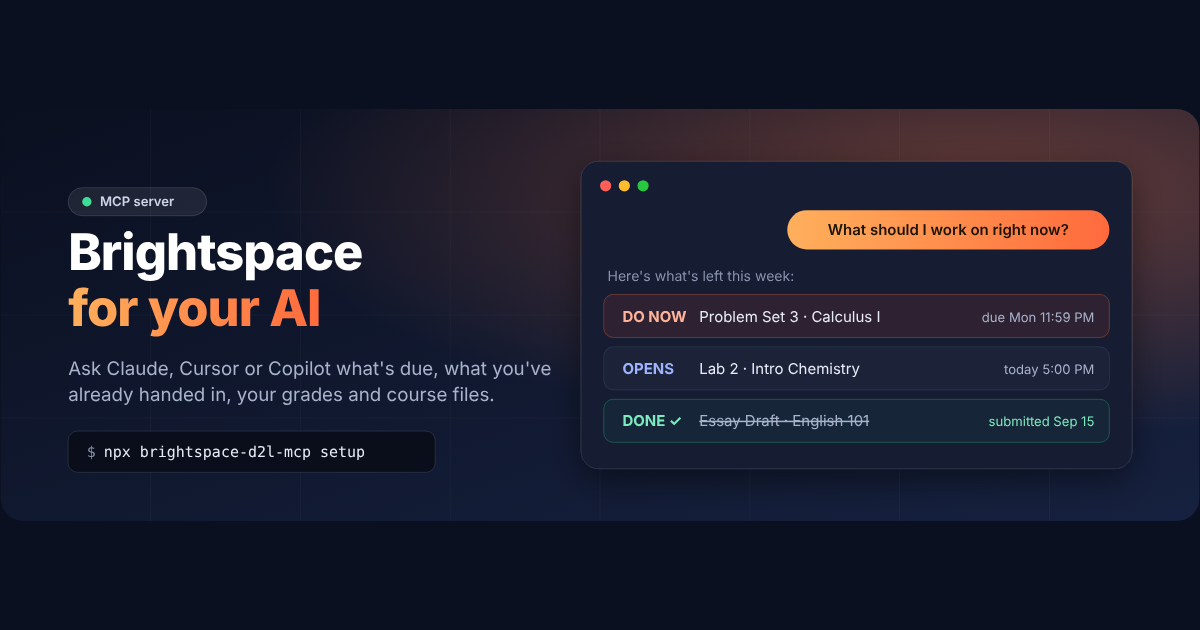
Its main trick is checking your actual submission for each assignment, so the to-do list leaves out work you have already handed in. Seventeen read-only tools cover due dates with submission status, grades with instructor comments, rubrics, course content, announcements, discussions and class lists.
Sign-in happens in a real Chrome or Edge window where you log in yourself, so single sign-on through Microsoft, Duo, Okta or Shibboleth works and no password is stored. One command, npx brightspace-d2l-mcp setup, asks for your school and connects the AI apps it finds; doctor diagnoses problems. Node.js 20 or newer is required.
A target-grade tool gives your current percentage, best and worst possible final grade, and what you need on remaining work for any goal. Unfinished deadlines can be exported to Google Calendar, Apple Calendar or Outlook. It is not affiliated with D2L.
Install
Run in a terminal
claude mcp add brightspace-d2l-mcp -- npx -y brightspace-d2l-mcpAdd to claude_desktop_config.json
{
  "mcpServers": {
    "brightspace-d2l-mcp": {
      "command": "npx",
      "args": [
        "-y",
        "brightspace-d2l-mcp"
      ]
    }
  }
}Add to ~/.cursor/mcp.json
{
  "mcpServers": {
    "brightspace-d2l-mcp": {
      "command": "npx",
      "args": [
        "-y",
        "brightspace-d2l-mcp"
      ]
    }
  }
}Add to .vscode/mcp.json
{
  "servers": {
    "brightspace-d2l-mcp": {
      "type": "stdio",
      "command": "npx",
      "args": [
        "-y",
        "brightspace-d2l-mcp"
      ]
    }
  }
}
Add to ~/.codeium/windsurf/mcp_config.json
{
  "mcpServers": {
    "brightspace-d2l-mcp": {
      "command": "npx",
      "args": [
        "-y",
        "brightspace-d2l-mcp"
      ]
    }
  }
}
Add to your client's MCP settings (most use this shape)
{
  "mcpServers": {
    "brightspace-d2l-mcp": {
      "command": "npx",
      "args": [
        "-y",
        "brightspace-d2l-mcp"
      ]
    }
  }
}
Tools this server provides (17)
Taken from the project documentation; the running server may differ.
- get_todo
- What to do now, ranked by due date.
- get_grade_outlook
- Target-grade planning with best and worst case.
- get_whats_new
- What changed across courses.
- get_upcoming_due_dates
- Upcoming deadlines with submission status.
- get_calendar_events
- Exams, tests, labs and classes.
- get_my_grades
- Grades and instructor comments.
- get_assignments
- Assignments and quizzes with rubrics.
- get_assignment_files
- Files attached to an assignment.
- get_course_content
- Modules, slides, files and links.
- get_syllabus
- Syllabus and course overview.
- get_announcements
- Recent announcements.
- get_discussions
- Discussion forums and posts.
- get_roster
- Instructors and TAs with contact info.
- get_classlist_emails
- Email addresses for a course.
- download_file
- Saves a course file or submission.
- export_due_dates_calendar
- Exports unfinished deadlines to a calendar.
- get_my_courses
- Enrolled courses.
What it does
- Submission-aware to-do
- Skips assignments you already handed in.
- Target-grade outlook
- Shows best and worst final grade and what you need.
- What's new digest
- Summarises new announcements, marked work and unread discussions.
- Course content reading
- Opens slides, handouts, rubrics and syllabi.
- Browser sign-in
- Works with SSO and stores no password.
- Calendar export
- Exports unfinished deadlines for common calendar apps.
Good for
- Find the work still left this week
- Calculate the score needed on a final
- Catch up after time away from a course
- Look up instructor and TA contacts
Pricing
Free
Free and open source; no account
Prices change. Check brightspace-mcp.netlify.app before you buy.
Brightspace D2l MCP FAQ
Does it store my password?
No. You sign in in a normal browser window and the README says no password is stored.
Does single sign-on work?
Yes. The README lists Microsoft, Duo, Okta and Shibboleth.
Can it submit work for me?
No. The tools are read access to your courses; saving a course file locally is the only file action listed.
What does it need?
Node.js 20 or newer and Google Chrome or Microsoft Edge.
Is Brightspace D2l MCP free?
Yes. Brightspace D2l MCP is free to use.
How do I add Brightspace D2l MCP to Claude Code?
Run this command in your terminal: claude mcp add brightspace-d2l-mcp -- npx -y brightspace-d2l-mcp
What are the best alternatives to Brightspace D2l MCP?
The closest alternatives to Brightspace D2l MCP are Ha MCP, Concord MCP, note1, CalderFlow and Born Then.
Alternatives to Brightspace D2l MCP

Ha MCP
MCP serverMCP server for managing and automating Home Assistant from AI assistants
Runs locally- 8 tools
- Open source
- 7.9K GitHub stars
- Productivity

Concord MCP
MCP serverLocal-first MCP server for messaging and shared work-state between coding agents
Runs locally- Freemium
- 1.3K GitHub stars
- Developer tools

note1
MCP serverMCP server giving AI assistants search and summaries across your note1 meetings
- 4 tools
- Remote
- Free trial
- 1 GitHub star
- Productivity

CalderFlow
MCP serverTurn notes or specs into editable flowcharts, timelines and funnels from an AI assistant
- 10 tools
- Remote
- Free
- Design and media

Born Then
MCP serverFree MCP server that rolls random historical births weighted by real demographics
- 2 tools
- Remote
- Free
- Education and exams

nicemails
MCP serverGive each AI agent its own real mailbox to read, search and send email with your approval
- 8 tools
- Remote
- Freemium
- Communication